USER INTERFACE
6.68
ThinPrep™ 5000 Processor with AutoLoader Operator’s Manual
Batch Reports
Figure 6-83 Batch Reports Button
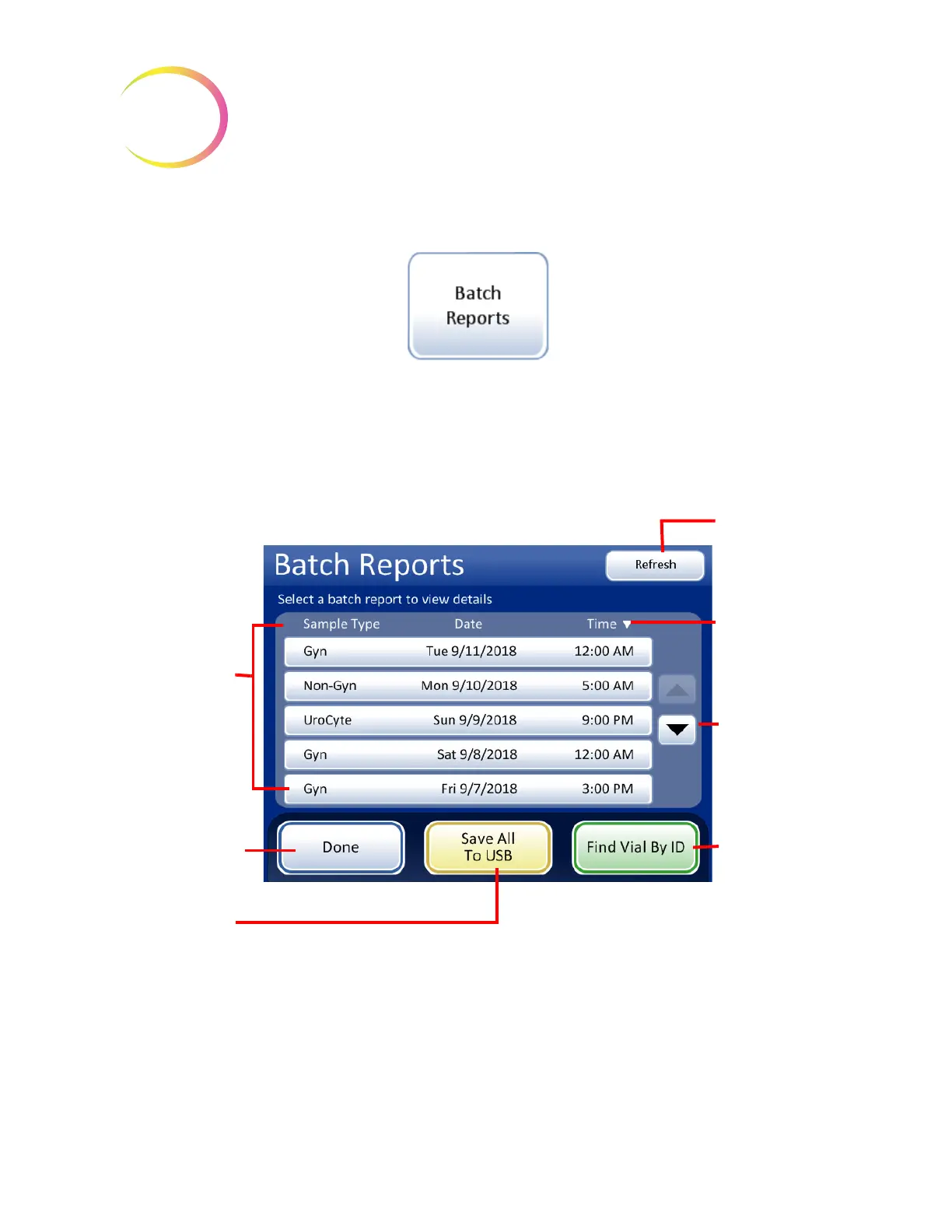
The system creates an individual batch report for each tray processed from the AutoLoader.
A display will show a list of the reports generated for the last eight weeks, with the most recent at the
top of the list. Each individual report is titled by a date and time stamp, generated at the moment the
batch completed. See Figure 6-84.
Figure 6-84 Batch Reports List
Touch a report field to select it. The report is displayed on the user interface. See Figure 6-85.
List of batches,
titled by type,
date and time
Touch a report to
view it.
Done
button to
return to Reports
and Logs
screen.
Scroll through
the list of
reports
Touch the
triangle to
toggle the list
order from
oldest to
newest and
back again
Refresh
button
Find
Vial By ID
button
Save All to USB
button



 To Next Page