USER INTERFACE
6.34
ThinPrep™ 5000 Processor with AutoLoader Operator’s Manual
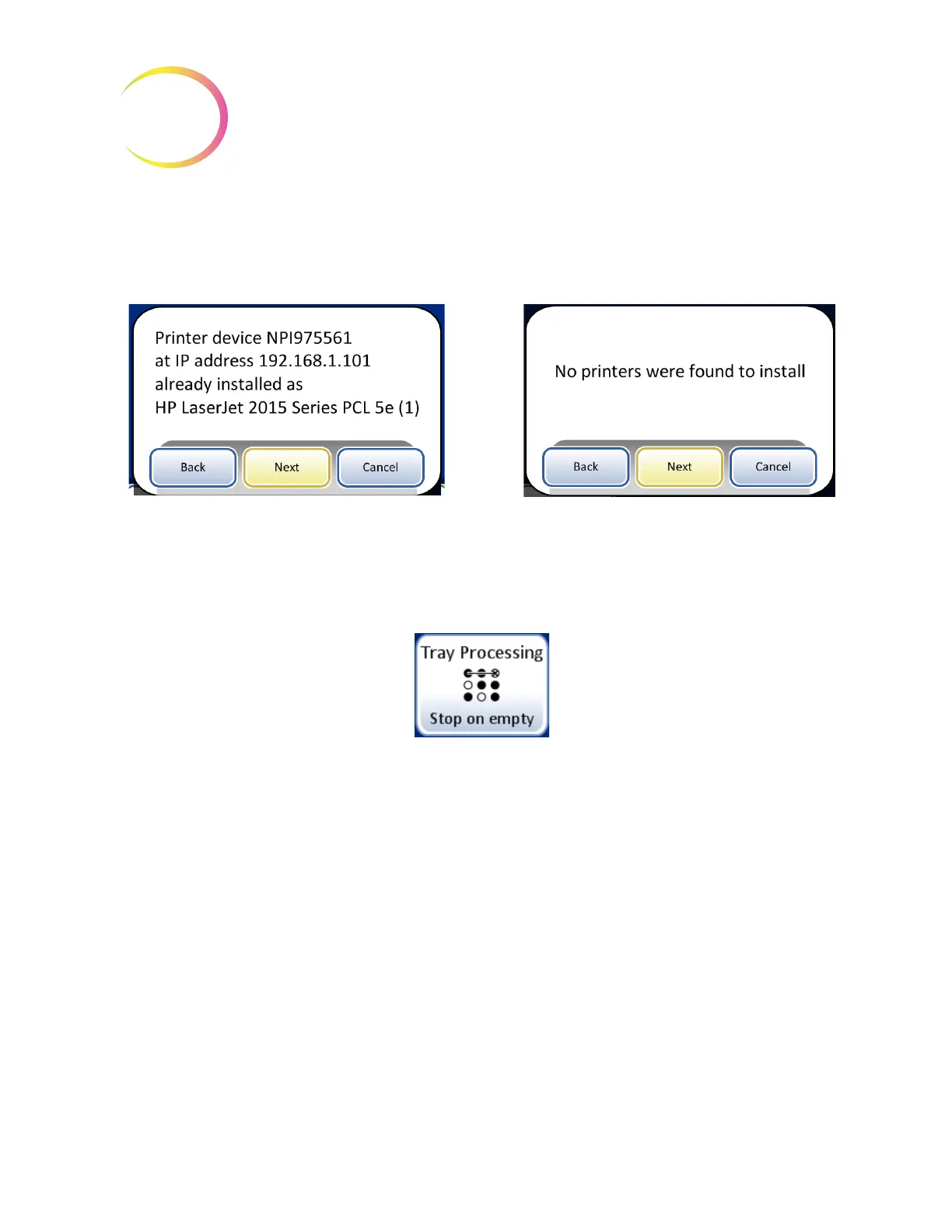
If a network printer is installed as part of your system, this function will search the network for its
presence and connect to it at the time of setup. If a printer is not installed, or unavailable to the
system, a message will display that a printer could not be found. See Figure 6-45.
Figure 6-45 Install Printer Messages
Note:
Multiple instruments may be connected to a single printer.
Tray Processing
During processing, the ThinPrep 5000 processor with AutoLoader moves vials from the vial tray to
the carousel. The instrument can be configured to stop loading vials at an empty slot in the vial tray,
or to continue past empty slots in the vial tray.
When the setting is “Stop on empty” and the Autoloader encounters an empty slot in a vial tray, the
Autoloader stops searching for vials in that vial tray, marks that vial tray as complete, and moves to
the next vial tray, continuing through all the remaining vial trays.
When the setting is “Search all” and the Autoloader encounters an empty slot in a vial tray, the
search continues through all of the remaining slots in the vial tray before moving to the next vial tray,
continuing through all the remaining vial trays.
Printer installed message
Printer not installed message



 To Next Page