USER INTERFACE
6.28
ThinPrep™ 5000 Processor with AutoLoader Operator’s Manual
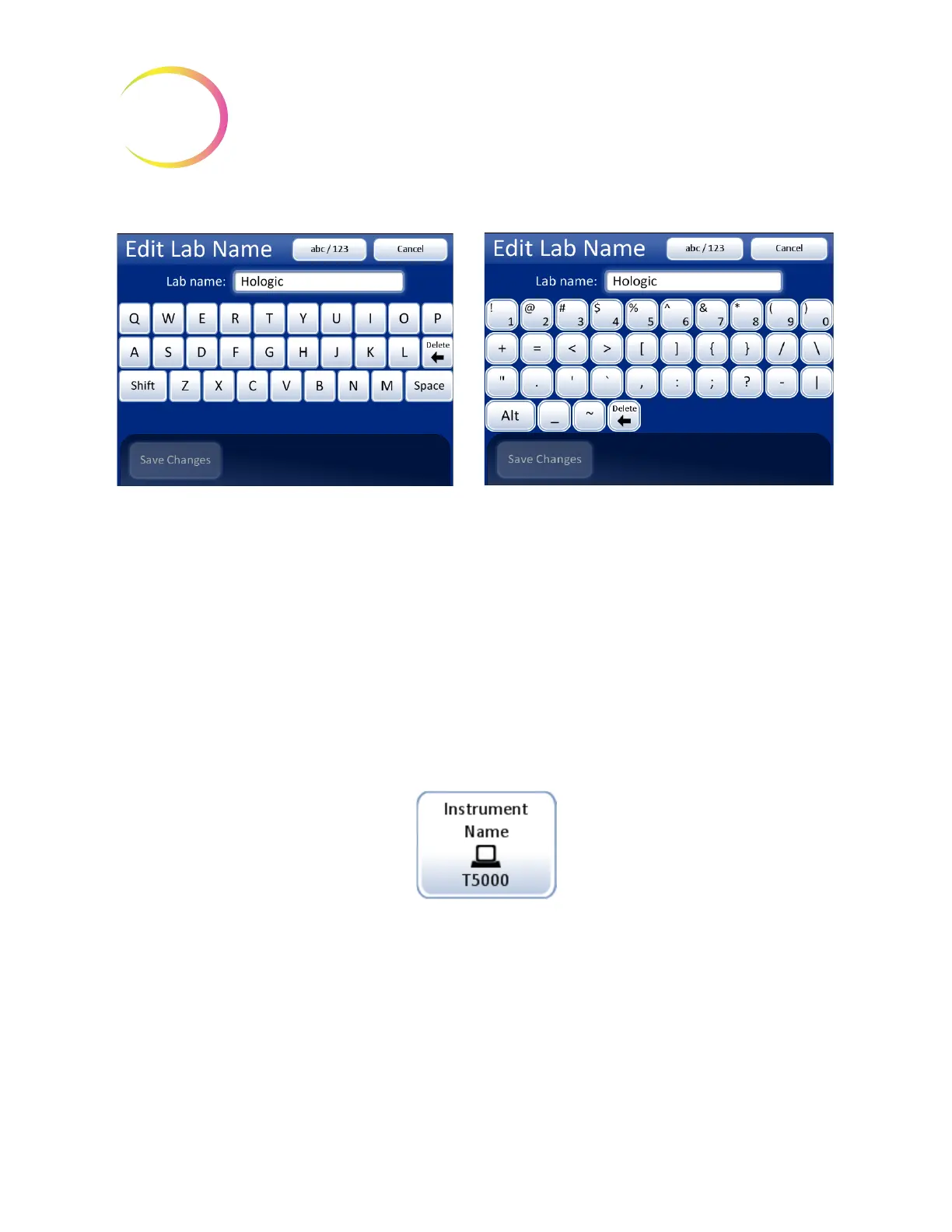
Figure 6-32 Edit Lab Name Keyboard and Keypad Screens
Instrument Name
Figure 6-33 Instrument Name Button
To enter or edit a name for the ThinPrep 5000 processor with AutoLoader, press the
Instrument
Name
button. Press the letter buttons to enter a name, up to 20 characters long. (Long names that use
wide letters may appear cut off on the display, but 20 characters are accepted in the field and will
print on the reports.)
Refer to Figure 6-34. To create a capital letter, press the
Shift
button and then press the letter. With the
next letter, the system reverts to lowercase. Use the
Space
button for a space and the
Delete
button to
remove entered letters.
Keyboard display
Shift
for a capital letter
Delete
to remove entries
abc/123
to display numbers and characters
Cancel
to return to System Settings screen.
Reverts to previous entry (if any)
Save Changes
to save the entry and return
to System Settings screen
Numbers and characters display
Use
Alt
for characters on the top row
Delete
to remove entries
abc/123
to display keyboard
Cancel
to return to System Settings screen.
Reverts to previous entry (if any)
Save Changes
to save the entry and return
to System Settings screen
Instrument Name
button shows
current setting



 To Next Page