USER INTERFACE
6.64
ThinPrep™ 5000 Processor with AutoLoader Operator’s Manual
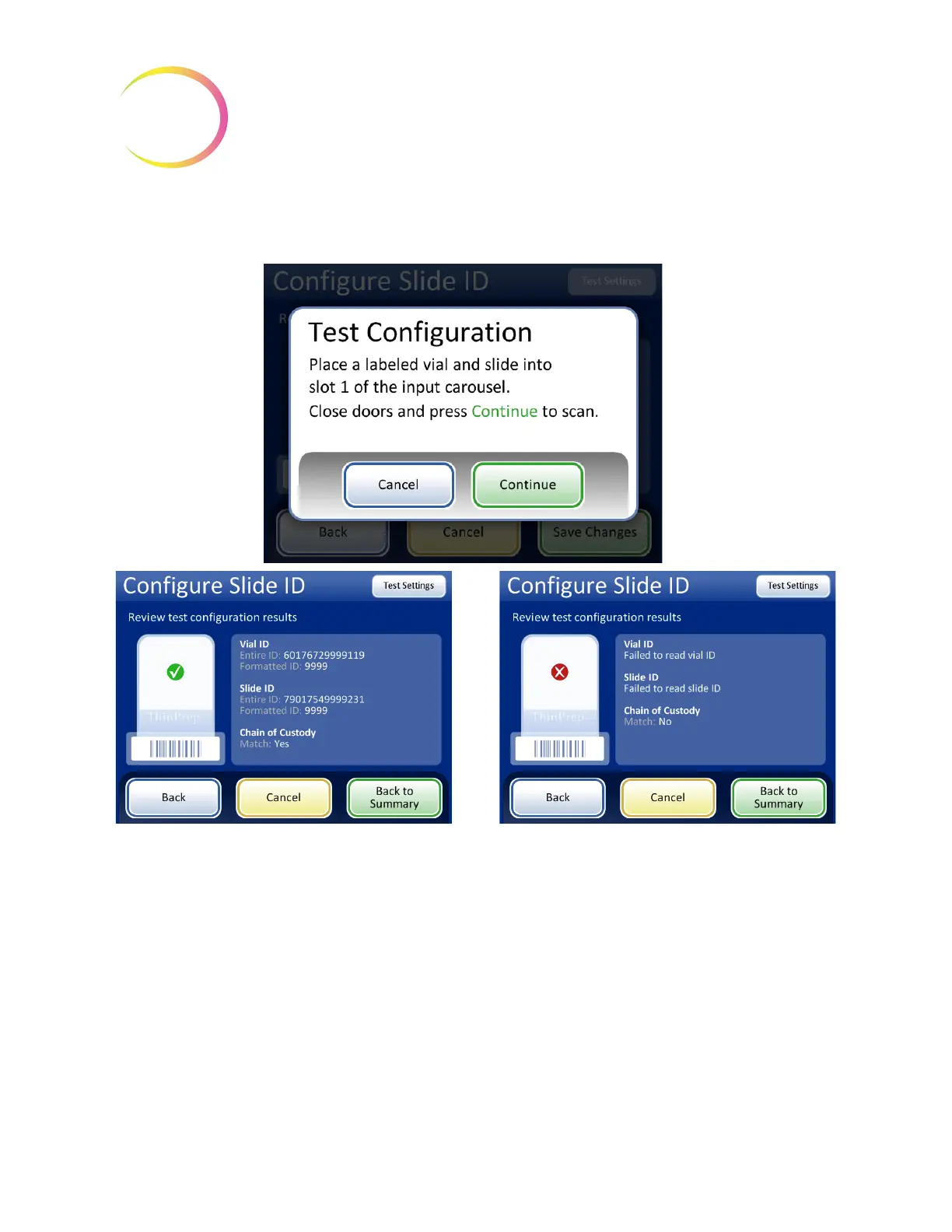
The screen display shows the vial ID that was scanned, the slide ID that was scanned and the section
of the vial ID and slide ID that match.
Figure 6-77 Test pre-printed slide ID settings
When the slide ID is properly configured, return to the summary screen and save the changes.
Change Air Filter
This is described in Chapter 8, Maintenance.
Successful slide ID configuration for pre-printed
slides. The vial ID and the slide ID in this example
have the segment “9999” in common, which can
be configured as the segment starting after the
eighth position and ending after 4 characters.
If the vial ID and/or slide ID do not match their
configuration settings, or if the specified segment
of the slide ID and vial ID do not match, a red “x”
appears in the test configuration results. Correct
the vial ID and/or slide ID configuration settings
before processing samples.



 To Next Page