USER INTERFACE
6.32
ThinPrep™ 5000 Processor with AutoLoader Operator’s Manual
Language
Figure 6-40 Language Button
Press the
Language
button to select the language that is displayed on the user interface and on the
reports.
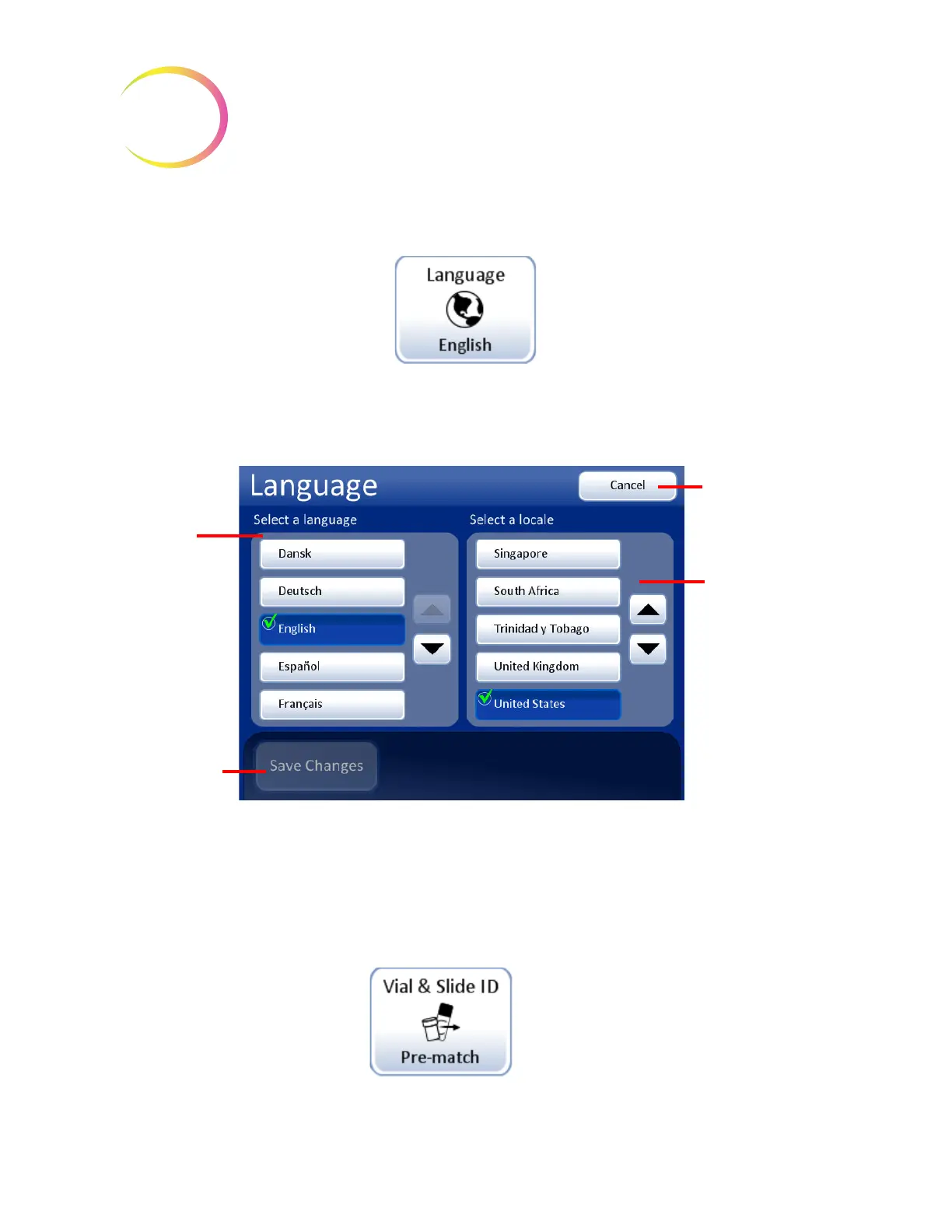
Figure 6-41 Select Language Screen
Select a locale for the language. This will apply customary time and date format for that region to the
language.
Press the
Save Changes
button to immediately apply the selected language and locale to the system.
Vial & Slide ID Pre-match
Figure 6-42 Vial & Slide ID Pre-match Button
Language
button shows the
current setting
List of
languages
available
Save Changes
button
Cancel
button to
abort changes
and return to
System Settings
screen
Locale - provides
localization for
the language
selected such as
display of time
and date
formats.
The
Vial & Slide Pre-match
button
shows the current setting



 To Next Page