INSTALLATION
2.4
ThinPrep™ 5000 Processor with AutoLoader Operator’s Manual
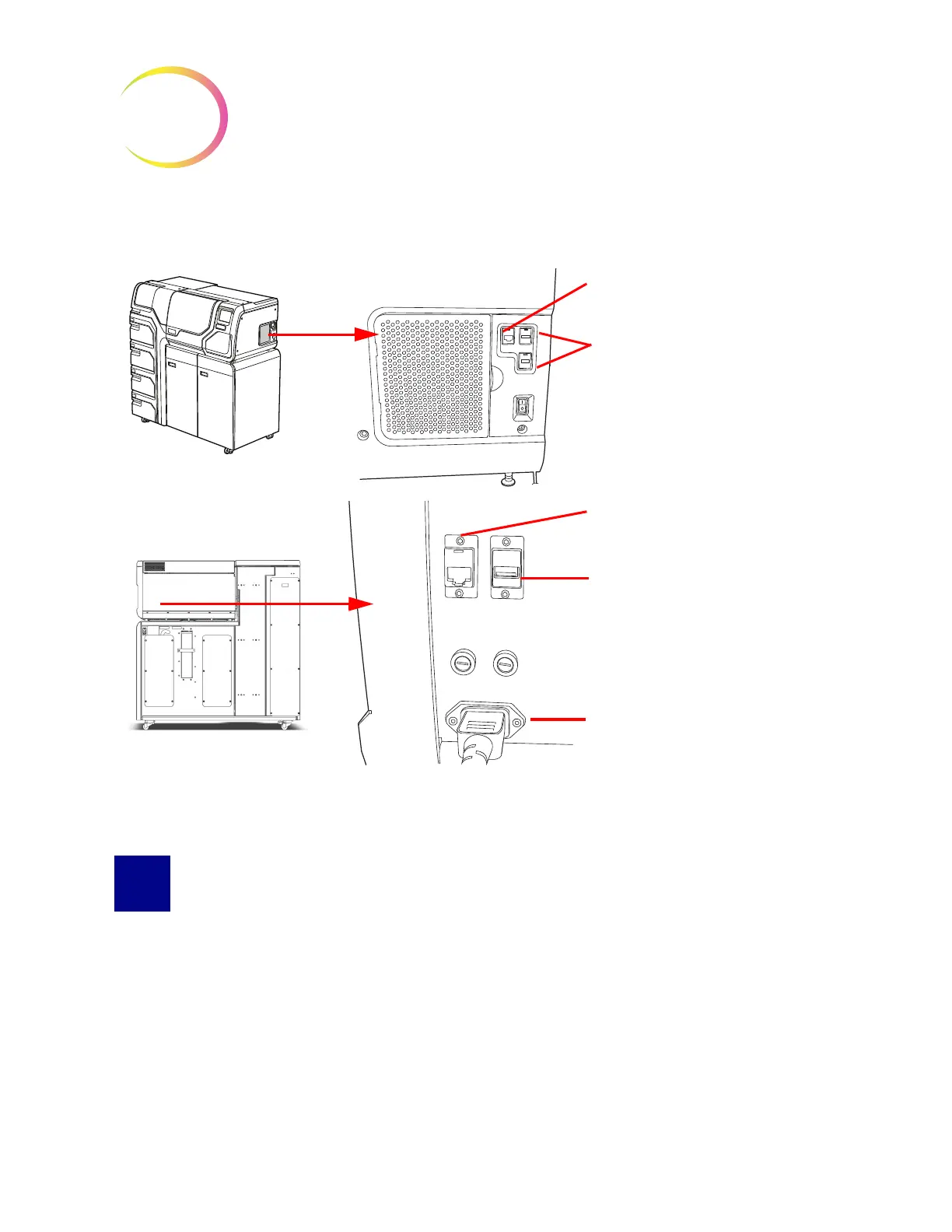
Connection Ports on the Instrument
Figure 2-3 Connection Ports Locations
STORAGE AND HANDLING POST INSTALLATION
The ThinPrep
™
5000 processor with AutoLoader may be stored where it is installed. Be sure to clean
and maintain the instrument as described in the Maintenance chapter of this manual.
If the ThinPrep 5000 processor with AutoLoader is to be moved or shipped to a new location, please
contact Hologic Technical Support. (Refer to Service Information, Chapter 12.)
Right side of instrument
Rear of instrument
Device network port (reserved for
Hologic field service)
USB ports (for saving reports to
USB device)
External network port (connects
to router if optional network is
used)
USB port
Power entry module



 To Next Page