USER INTERFACE
6.30
ThinPrep™ 5000 Processor with AutoLoader Operator’s Manual
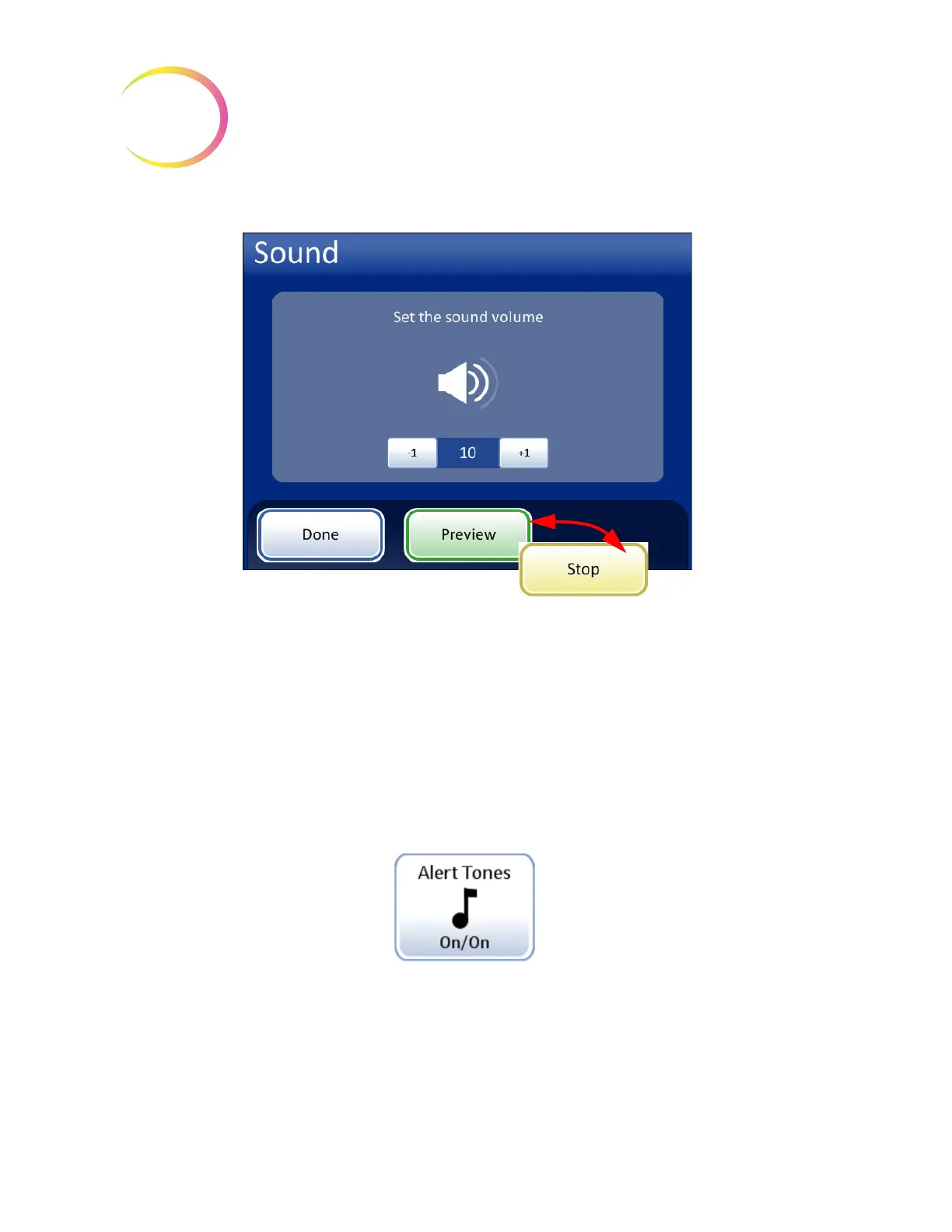
Figure 6-36 Sound Screen
Press the
-1
button repeatedly to decrease the volume. Press the
+1
button repeatedly to increase the
volume (0 to 31). Test it by pressing the
Preview
button to hear the sound. It will repeat until the
Stop
button is pressed. Continue to adjust and preview the sound volume until it is satisfactory. Press the
Done
button to save the setting and return to the System Settings screen.
Alert Tones
Figure 6-37 Alert Tones Button
Alert tones are audible alarms that sound upon batch completion or during an error condition. Three
sounds are offered for each. Select a tone or select the option to turn off any audible alarm for each
condition.
Note:
The volume of the tones is adjusted by the Sound screen. See the previous section.
Sound volume
Decrease
Increase
Done - Save setting adjustment
and return to System Settings
screen
Preview - Press this button to hear the sound at the
current volume. The button becomes a
Stop
button,
which is pressed to cease the volume test.
Alert Tones
button shows the
current setting



 To Next Page