ThinPrep™ 5000 Processor with AutoLoader Operator’s Manual
6.31
USER INTERFACE
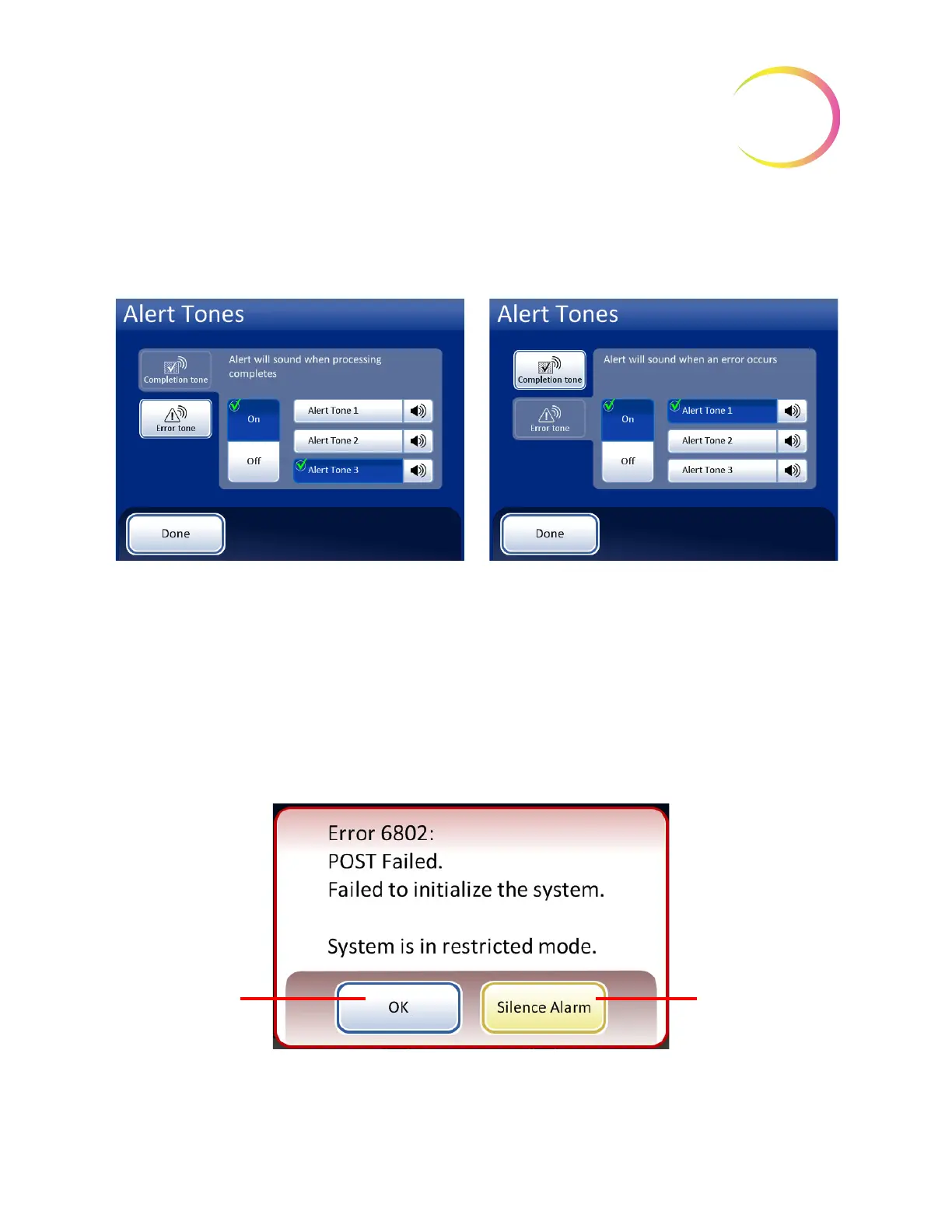
Having differentiated tones makes it easier to know if the instrument has completed a batch or needs
attention. In a setting that might have multiple machines, the different tones can help identify them.
Figure 6-38 Alert Tones Screen for Batch Completion and Error Condition
When a batch completes, the alert tone will sound once.
When an error condition occurs, the alert tone will sound and then repeat every few seconds. The
error message window will have a
Silence Alarm
button that can be pressed to turn the alarm off.
(Figure 6-39.)
Figure 6-39 Silence Alarm Button
Alert tones for batch completion.
Alert tones for an error condition.
Turn the option on and then select a tone. Press the sound icon to hear the tone.
Press
OK
to turn
off the alarm and
return to the
restricted main
screen
Press
Silence
Alarm
button to
turn off the alarm
but keep the error
message on the
display



 To Next Page