ThinPrep™ 5000 Processor with AutoLoader Operator’s Manual
6.33
USER INTERFACE
This system setting is only used for small batch mode, when running 20 or fewer samples directly
from the carousel.
If
Vial & Slide ID Pre-match
is selected the system will check the match between each vial/slide ID
set in the carousel before beginning to process the batch.
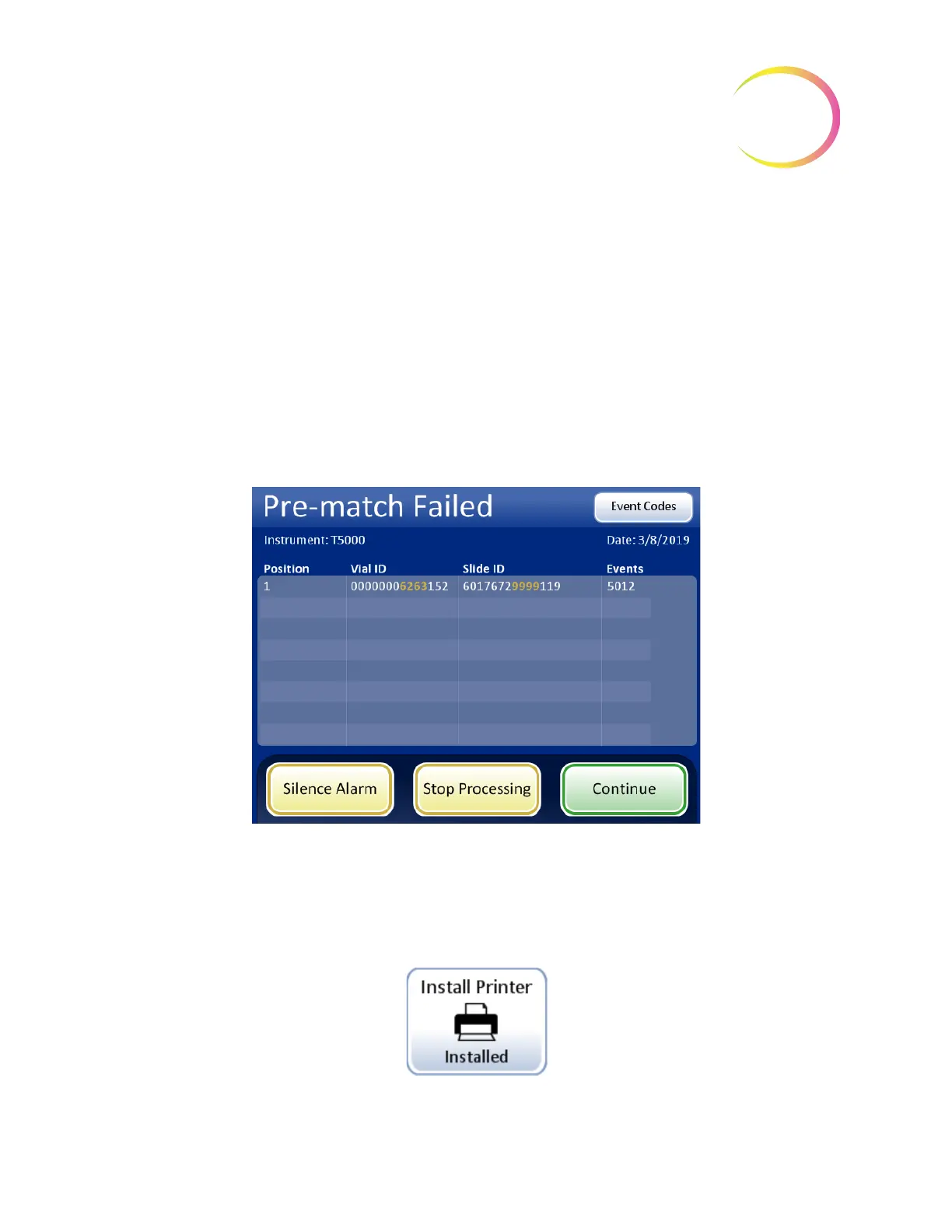
If any of the vial/slide IDs do not match, a dialog box appears, listing the carousel positions of the
discrepant vial/slide IDs. Refer to Figure 6-43.
Press
Stop Processing
to cancel the batch and unlock the doors so that the mismatches can be
corrected. The window will remain so that the vials and slides can be easily found.
Press
Continue Processing
to proceed with the batch. The vial/slides that are mismatched will not
be processed.
Figure 6-43 Pre-check Failed Screen
If
Vial & Slide ID Pre-match
is not selected the system will check the match between each vial and
slide set as it gets to them during processing. A mismatch of the IDs will cause the system to skip the
vial and proceed to the next vial that has a matching slide ID.
Install Printer
Figure 6-44 Install Printer Button
Install Printer
button shows the
current setting



 To Next Page