OPERATING INSTRUCTIONS
7.18
ThinPrep™ 5000 Processor with AutoLoader Operator’s Manual
PAUSE A BATCH IN PROCESS
To interrupt a batch in progress, press the
Pause
button. The system will finish processing the sample
that is in progress. The mechanisms will move out of the way and the bath door will unlock.
Refer to “Pause a Batch” on page 6.19 for complete instruction on interrupting and resuming a batch.
BATCH COMPLETE
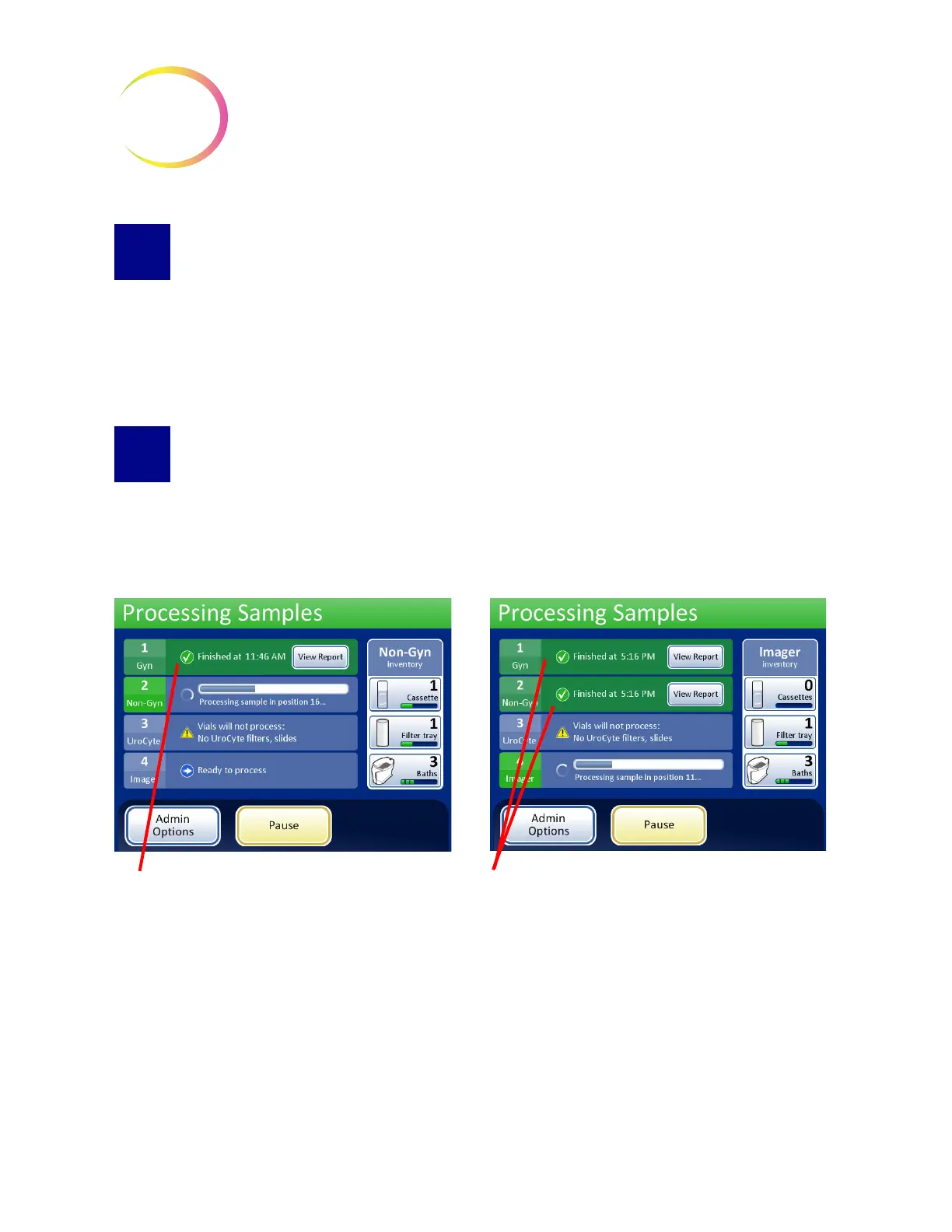
When a single tray has completed, the Processing Samples screen changes color to indicate that the
vial tray is processed. A
View Report
button becomes available for that vial tray. The system
continues processing with the next tray. See Figure 7-15.
Figure 7-15 Processing Samples, Trays Complete
When all vial trays have been processed the system displays a Processing Complete message
window. This window is displayed to indicate that all processing has finished.
Vial Tray 1 is complete. The system is
processing Vial Tray 2.
Vial Tray 1 and 2 are complete. The system
is processing the next ready tray.



 To Next Page