MPA2C3 User Manual 39
4. Click Save.
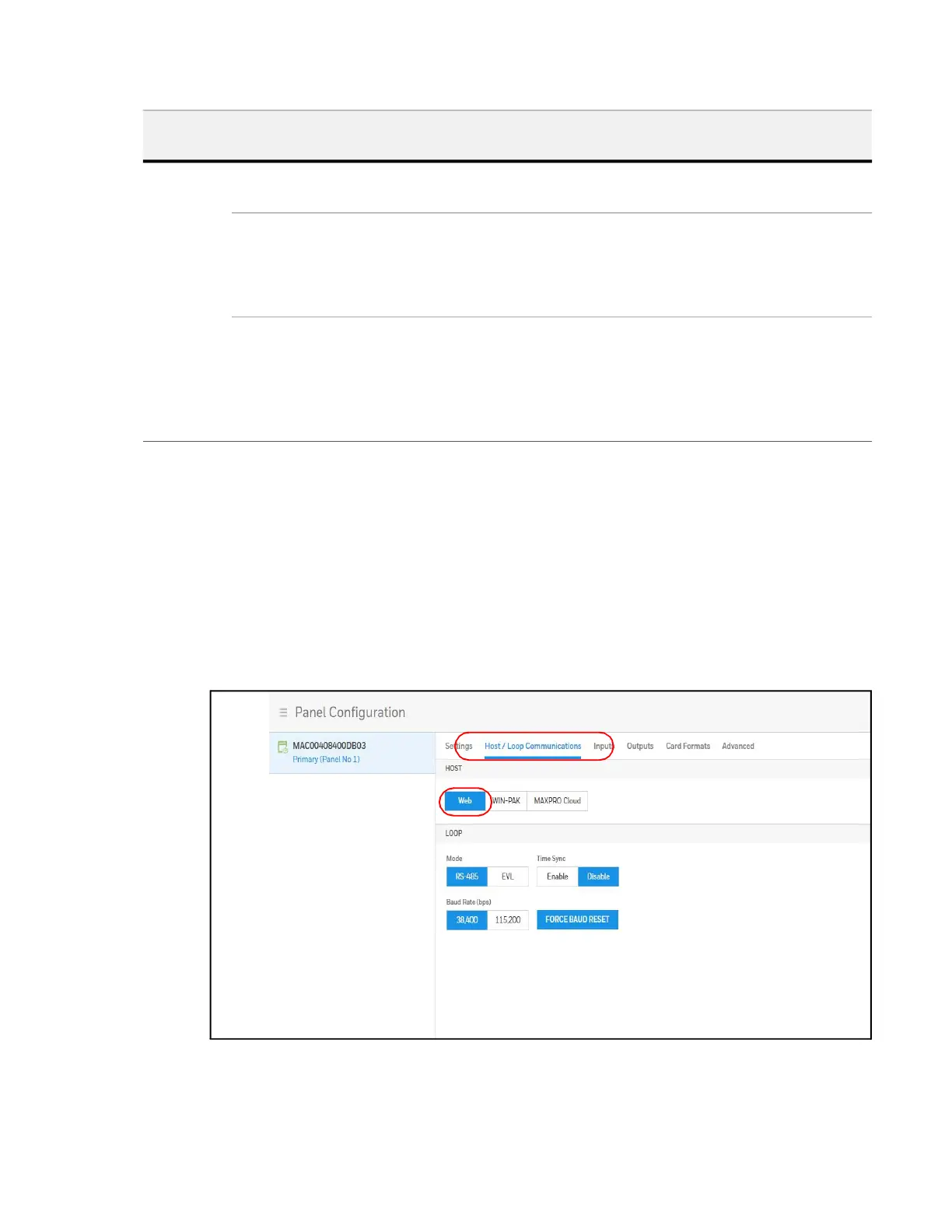
Setting the Communication Mode to Web
1. Navigate to Host/Loop Communications:
• Dashboard > Panels > Host/Loop Communications, or
• Menu > Panel Configuration > Host/Loop Communications.
2. Click to select Web.
Figure 2-7 Selecting WEB on the Host/Loop Communications Tab
Loop Connection Type RS-485 -If Primary provides access to RS-485 Loop, to
downstream secondary panels .
Time Sync Synchronizes the primary’s time with the secondary panels.
Enabled – Time-synchronizes the loop by automatically
broadcasting the primary's time to secondary panels.
Select from 60-32767 minutes.
Baud Rate Specifies the transmission rate (bits per second) among
the secondary panels on the loop.
Force Baud Reset – Tells all secondary panels to change to
the selected loop baud rate. This saves the user from hav-
ing to go to each panel individually.
Table 2-2 WIN-PAK Host/Loop Communications Mode Settings
Host/
Loop
Setting Description



 To Next Page