MPA2C3 User Manual 77
A message appears confirming that the new site has been
Successfully Updated.
Deleting a Site Code
Click to delete a site code.
Please refer to Chapter 4
Interlock Configuration
An interlock is a programmed connection between two points. The interlock causes
an input point, output point, or group of output points to act in a specified manner
when another input point, output point, or group of output points changes its state.
An action on the trigger point causes a reaction on the reacting component. For
example, when a motion detector (input) detects movement, it causes a horn (out-
put) to sound.
On the Interlocks pane, you can:
• Create and delete interlocks.
• Enable or disable existing interlocks.
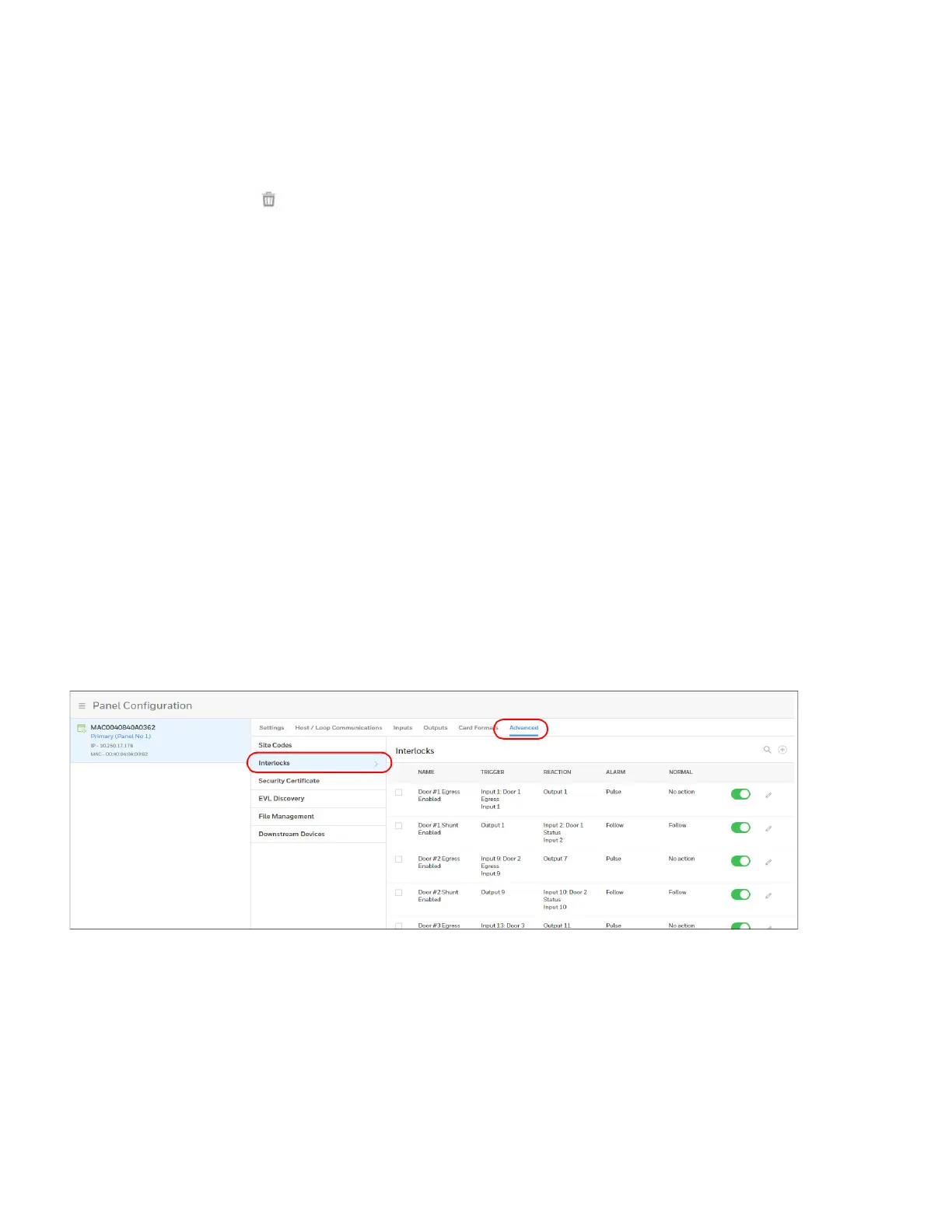
1. Navigating to the Interlocks interface.
• Click Panel Configuration > Advanced > Interlocks.
Figure 2-35 Interlocks Configuration Tab



 To Next Page