111
Tunable Laser Sources
How to Perform a Wavelength Sweep
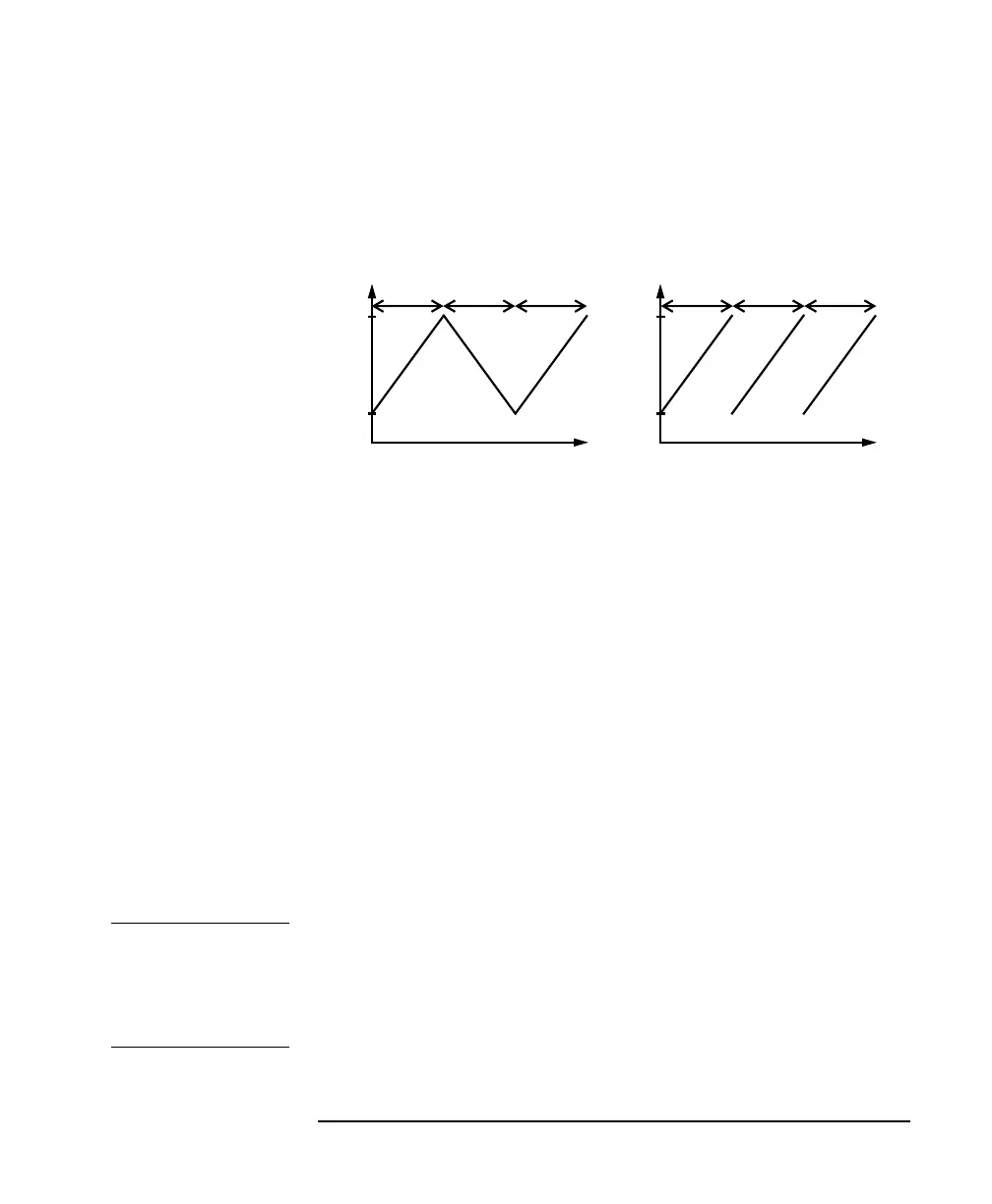
Figure 5-9 illustrates how these modes work for a three-cycle
wavelength sweep.
How to Set the Maximum Power for the Sweep Range
Pressing [Pmax/Swp] sets the power to the maximum for the
selected sweep range. Alternatively, you can set a power level in the
way described in “How to Set the Output Power of a CW Signal”
on page 98. Pressing [Pmax/Swp] ensures the power will be
constant for the whole sweep.
How to Perform a Sweep
There are three sweep modes:
•<STEPPED>, which stops at wavelengths that are separated by a
certain step size,
•<CONTINUOUS>, which sweeps continually at the speed you
set, and
•<MANUAL>, which you can run each step manually.
NOTE You cannot turn the laser off by pressing the OUTPUT hardkey on the
Tunable Laser front panel, while a wavelength sweep is running.
You can press [Stop] and, then, press the OUTPUT hardkey on the
Tunable Laser front panel, to turn off the laser.
Figure 5-9 Repeat Modes
λ
t
t
λ Start
λ Stop
λ
λ Start
λ Stop
<TWOWAY><ONEWAY>
123 123



 To Next Page