146
Appendix A. Installation and Maintenance
Using Modules
How to Remove a Back-Loadable Module
CAUTION Disconnect all electrical and optical connectors before you remove this
module from the instrument, as this can cause damage to the
connectors.
Make sure that the instrument is in stand-by mode, see page 135, before
you remove a module.
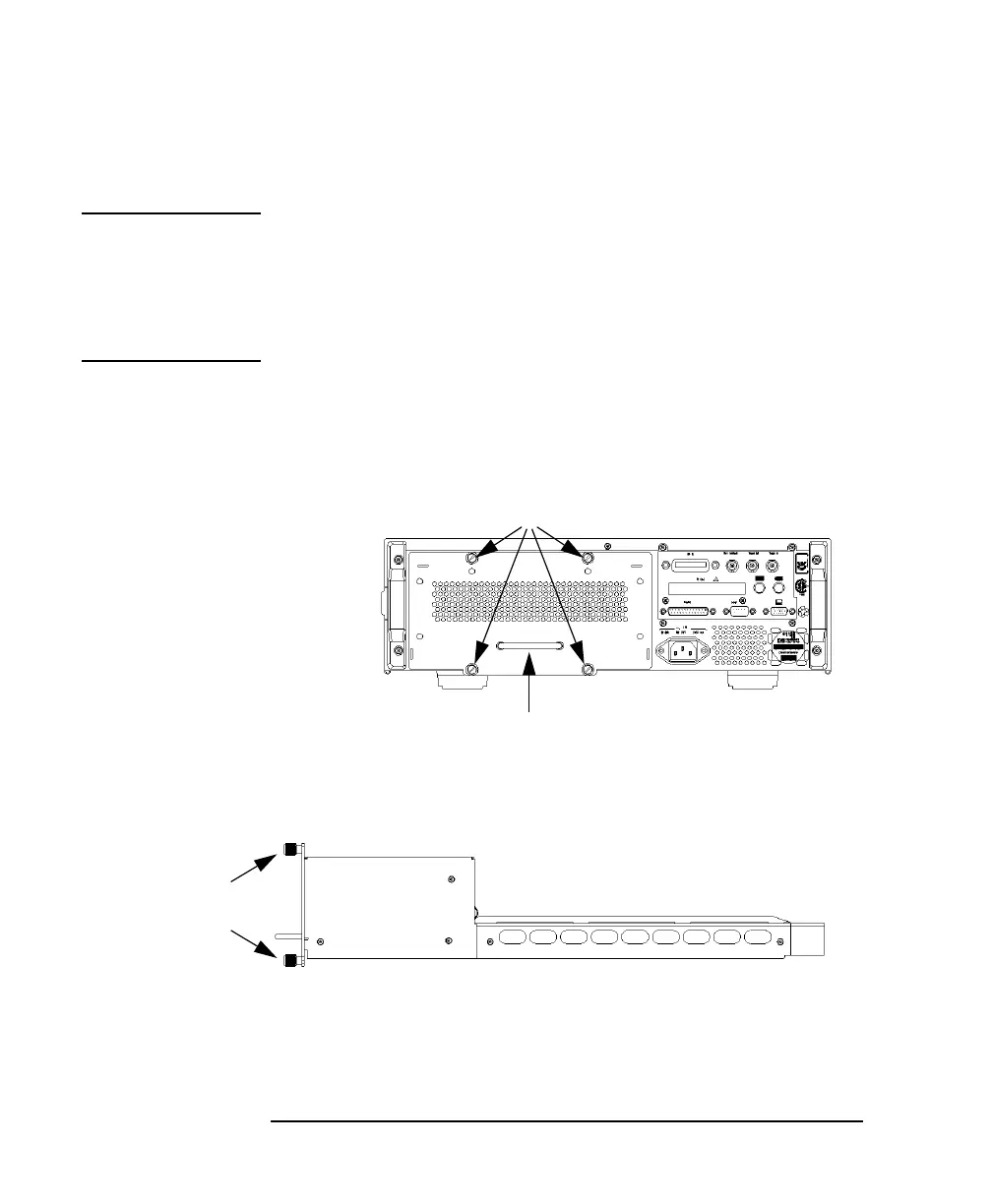
1 Untighten the retaining screws, see Figure A-11, that secure the
module in the instrument.
2 Pull the module out of the mainframe, using the handle, being
careful to keep the module completely flat.
Figure A-11 Back Panel of HP 8164A Lightwave Measurement System
Figure A-12 Side View of a Back-Loadable Module
Retaining Screws
Handle
Retaining
Screws



 To Next Page