60
Other Functions
How to Connect an External Monitor
• Place your monitor on a flat sturdy surface.
• Before you make any connections make sure the Lightwave
Measurement System and monitor are turned off.
• Connect the power cable to the video input on the back of your
monitor. Tighten the thumbscrews on the plug.
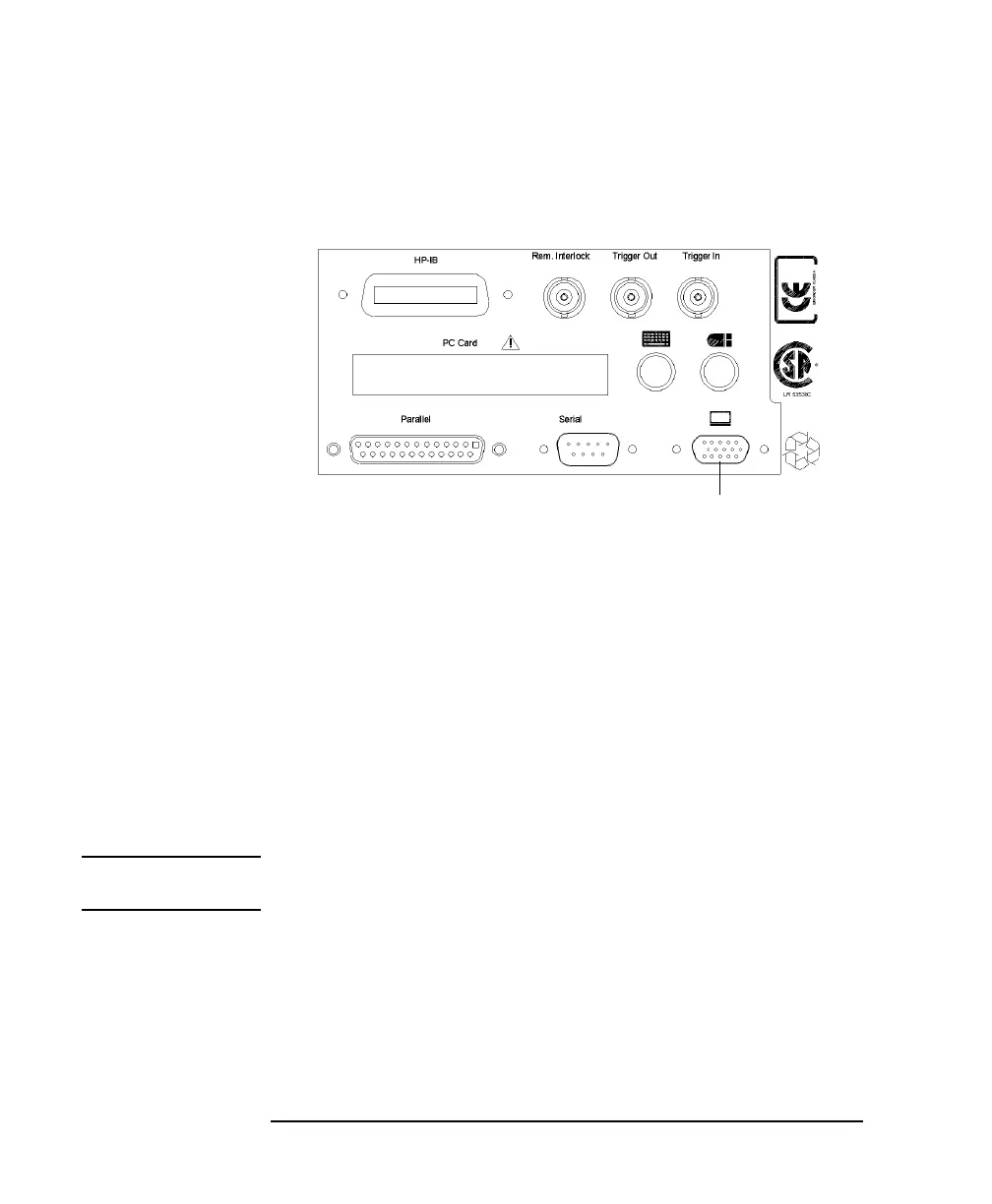
• Connect the video cable (it has a 15-pin plug) to the video
outlet on the back of the Lightwave Measurement System.
Tighten the thumbscrews on the plug.
• Connect the power cord to the display.
• Plug the power cord into the power outlet.
NOTE Refer to the user’s guide that came with your monitor, if necessary, to
locate your monitor’s output and input ports.
Figure 2-9 Rear Panel of the HP 8164A Lightwave Measurement System
Video Outlet



 To Next Page