Basic Call Features
113
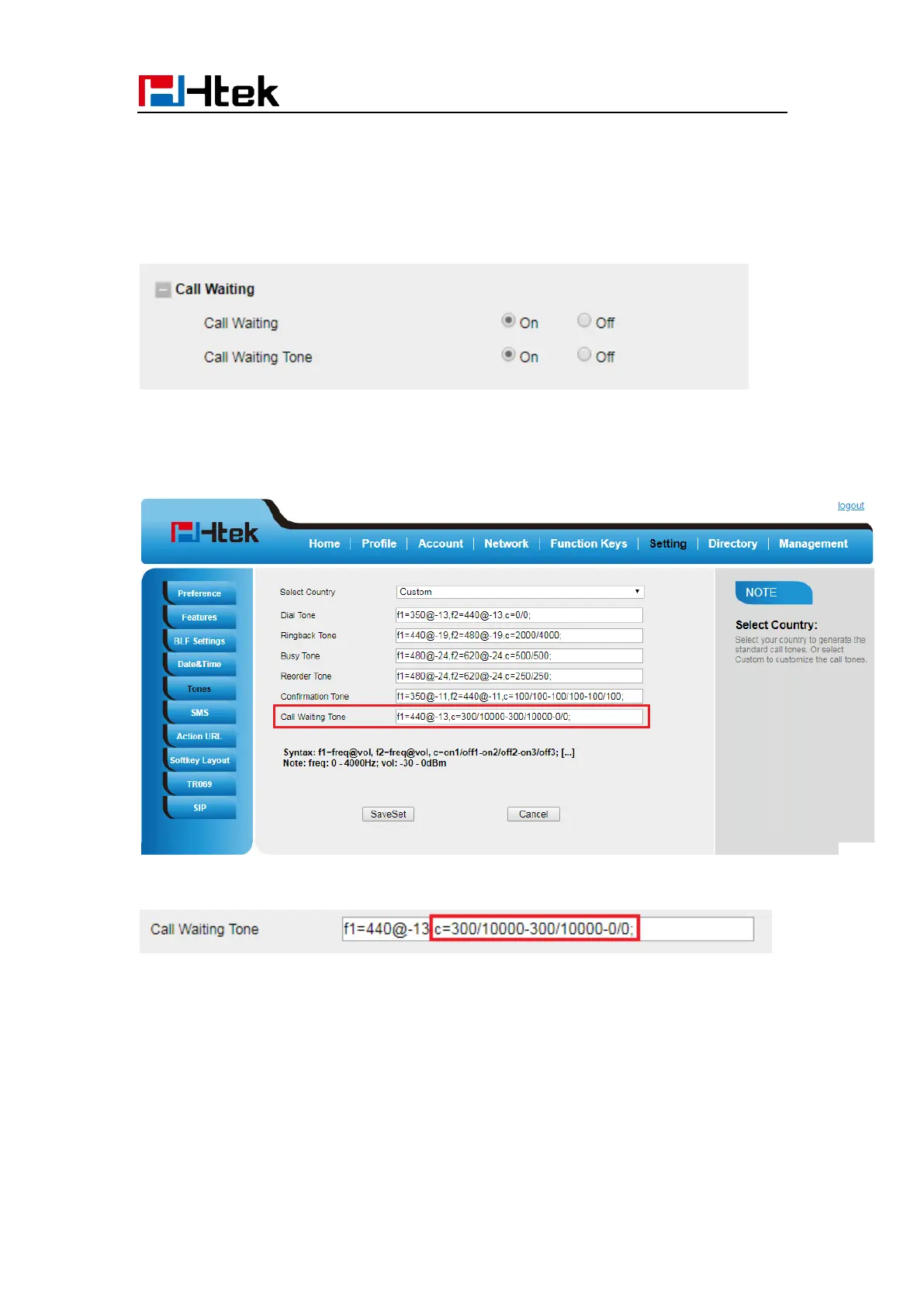
Call Waiting Tone
1. Click Setting → Features
2. Select Call Waiting: On and Call Waiting Tone: On
To Change the Call Waiting Tone time via Web interface
1. Click Setting → Tones
2. Change the Tone Time as you want (for example 3s)
Hide Caller ID
Just enable the unknown/hidden caller feature, by enabling Anonymous call feature
thereby the receiver won’t be able to know who is calling them.
To configure anonymous call
1. Press Menu →Features →Anonymous Call →Account ID 1



 To Next Page