Basic Setting Configuration
72
Note:
If the xml file and CSV file more than 1000 contacts, the phone will only upload 1000
contacts.
Remote Phonebook
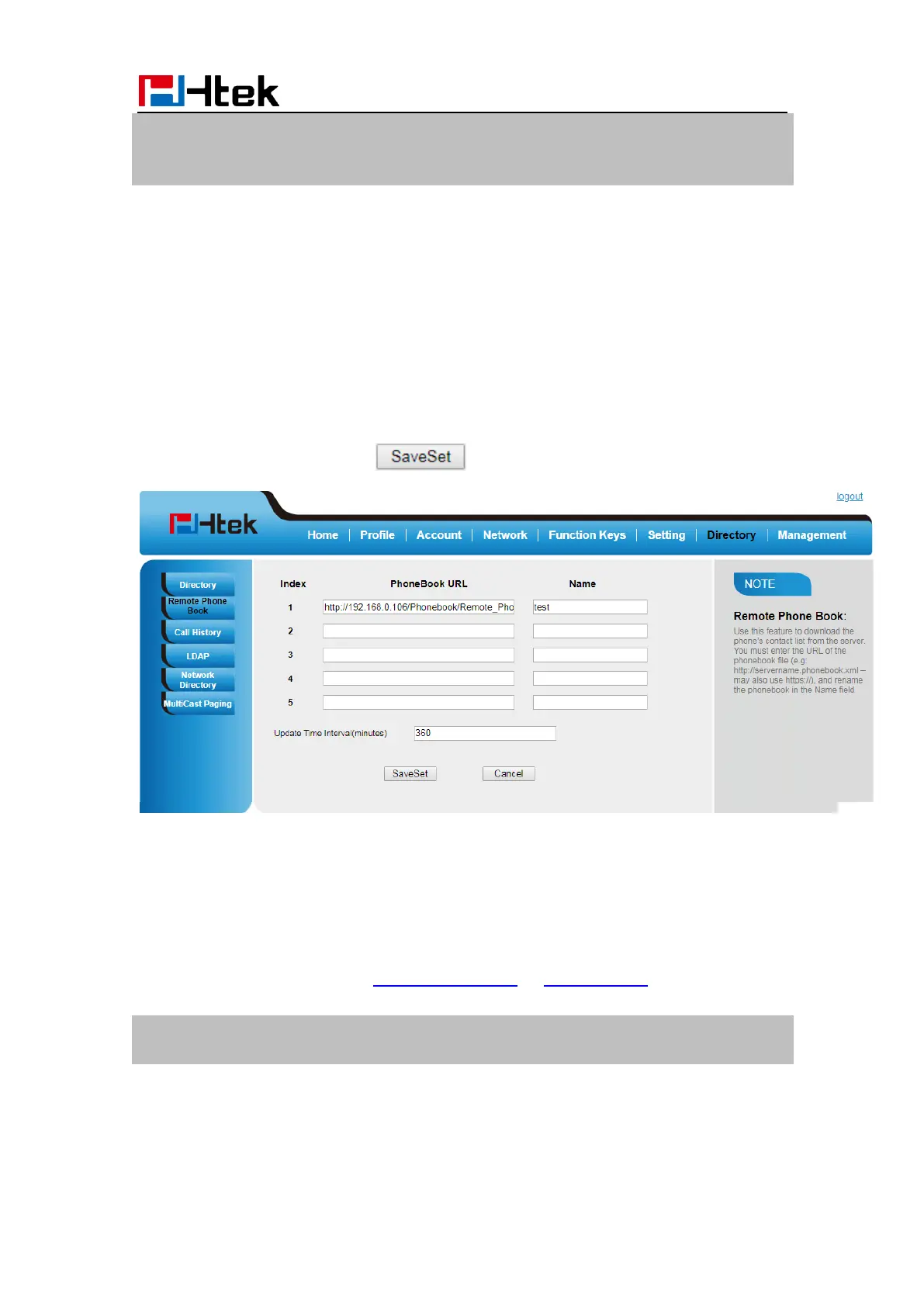
To set Remote Phonebook via Web interface:
1. Login the webpage and click Directory→ Remote Phone Book
2. Fill the path of the remote file in the Phone Book URL field.
For example,
http://192.168.0.106/Phonebook/Remote_Phonebook/remotephonebook.xml
3. Fill the Name and then click to save the configuration.
To check the contacts via Phone interface:
Press Directory→ Left Button→ Left Button, and then you can see the item you set, press
enter you will find the detail.
For More detail, please refer to: Remote Phonebook on www.htek.com .
Note:
Every remote contact, only supports 1000 contacts.
LDAP Phonebook
When use the LDAP feature, you can get the LDAP Phonebook directly.



 To Next Page