Basic Setting Configuration
62
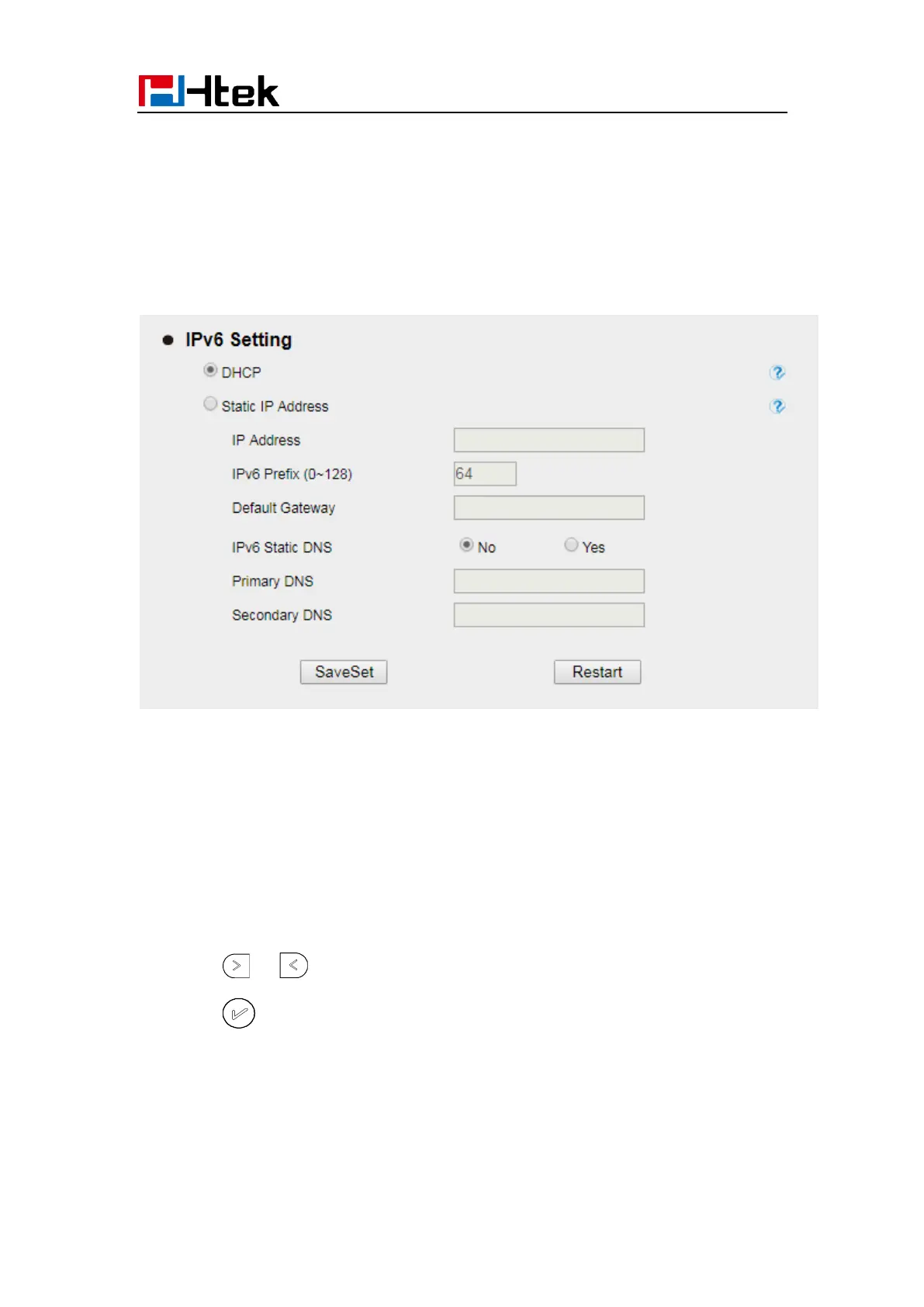
1. Click Network→ Basic→ IPv6 setting
2. Select the desired Type: DHCP, Static
3. Fill required fields.
4. Click the SaveSet and restart the phone.
IPv4&IPv6
If you set IP Mode to IPv4&IPv6,IP phone will support both IPv4 and IPv6 address. The
settings of DHCP, Static, and PPPoE are same as above.
To configure IPv4&IPv6 via Phone interface:
1. Press Menu→ Settings→ Advanced Setting (password: admin) → Network→ WAN
Port → IP Port Mode.
2. Press or to change the IP Port Mode..
3. Press or Save soft key to save the configuration.



 To Next Page