Function Key Features and
Settings
131
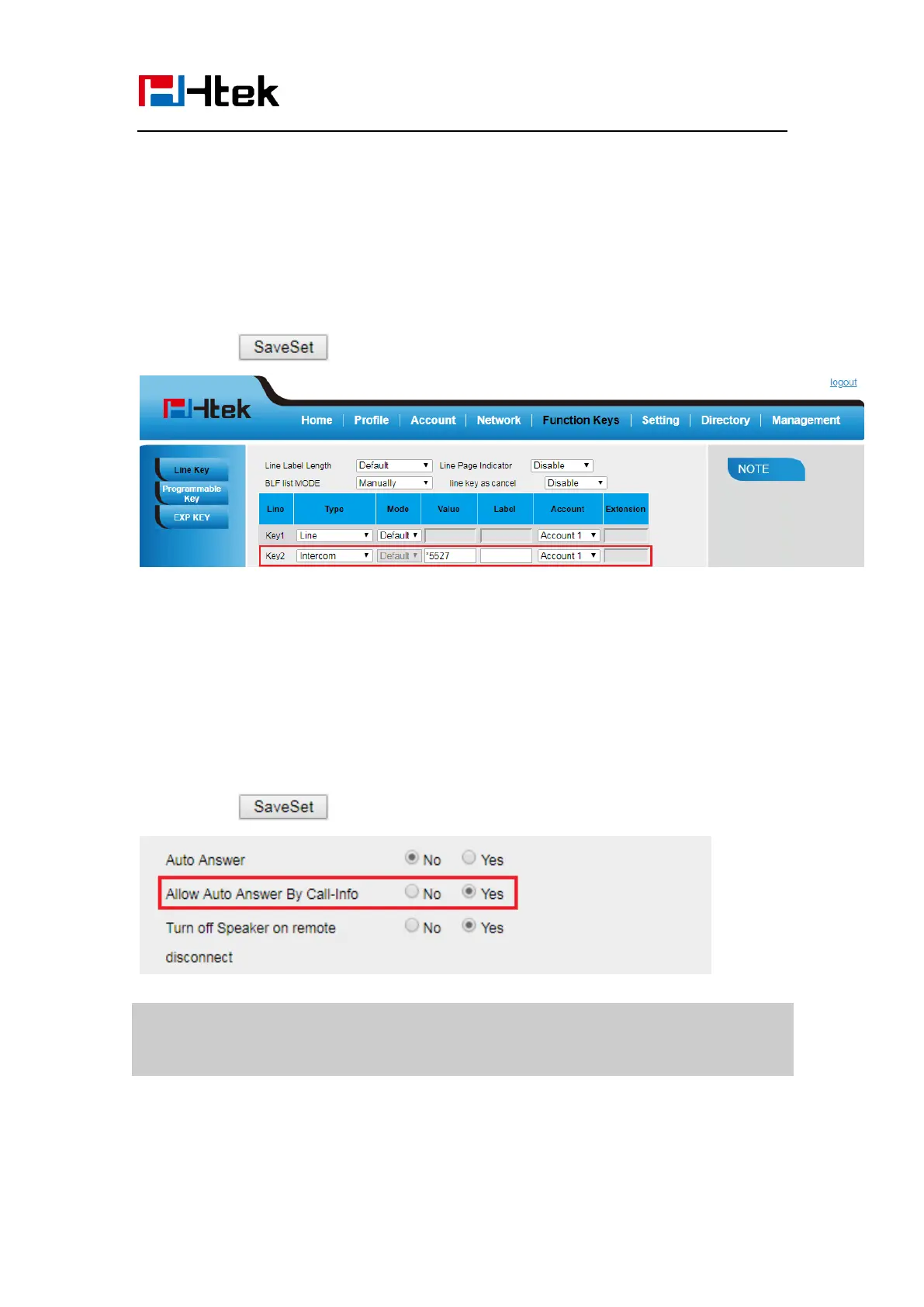
1. Click Function Keys → Line Key.
2. Select the wanted Line Key.
3. Enter intercom codes followed by desired number in the Value field.
4. Select the Account ID
5. Click the button to save the configuration.
If you want to achieve the intercom feature, you must enable the “Allow Auto Answer by
Call-Info”
1. Click Profile
2. Select the desired profile from the pull-down list of Profile in the Profile field.
3. Click Advanced
4. Enable the “Allow Auto Answer By Call-Info”
5. Click the button to save the configuration.
Note:
This feature is not available on all servers. For more information, contact your
system administrator.
Intercom Barge
If this option is enabled, when there is an active call and an incoming intercom call arrives,



 To Next Page