Basic Call Features
117
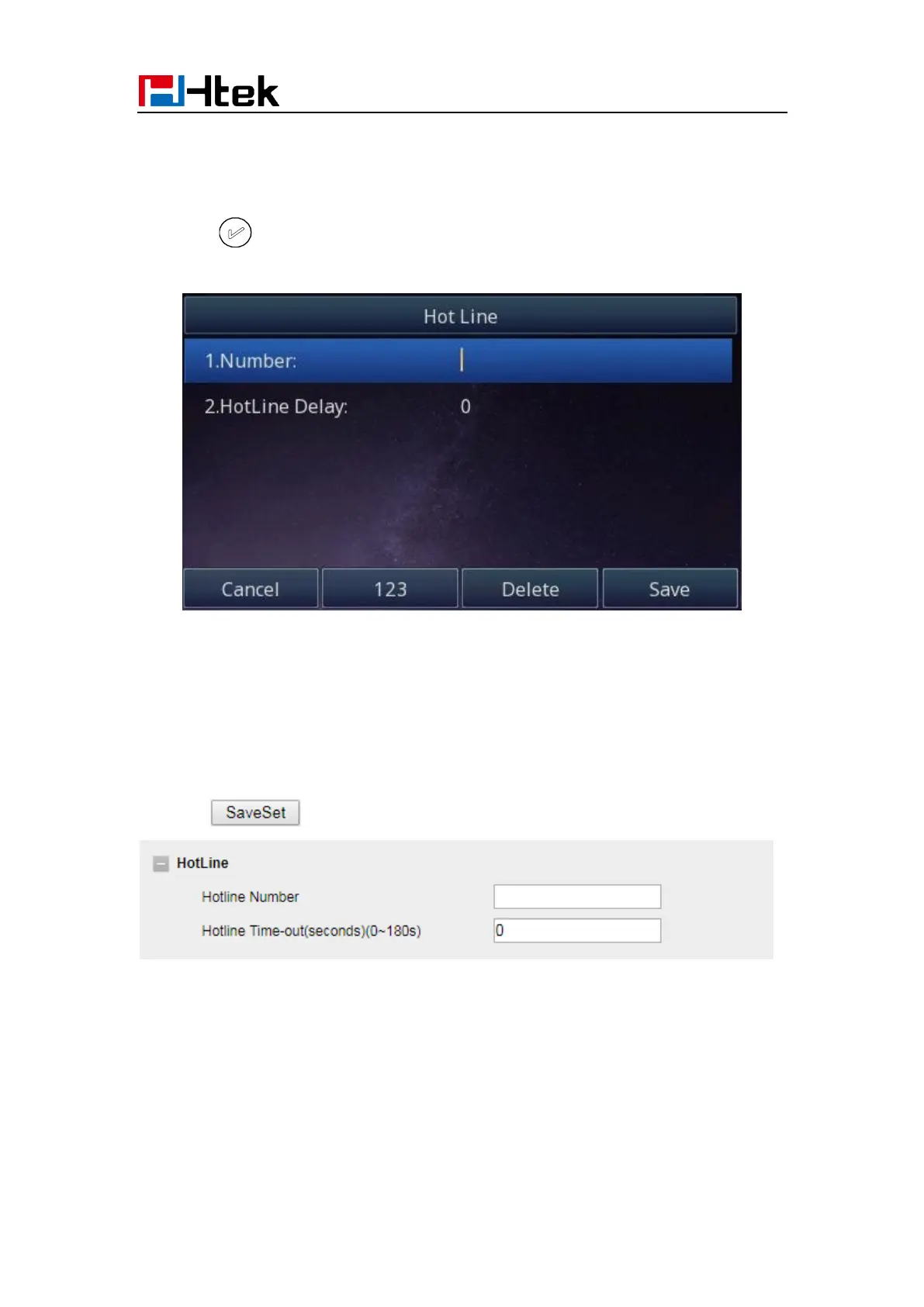
1. Press Menu →Features → Hot Line
2. Enter the Number and delay time (as present, we support off hook auto dial).
3. Press or Save soft key to save the configuration
To configure Hotline auto dial via Web interface
1. Setting → Features.
2. Fill the number in the Hotline Number and Hotline Time-out.
3. Click to save the configuration.
Delete the hotline number and save the configuration, then now the Hotline auto dial is
cancelled.
Auto Redial
When this option is set, if the phone you call is busy and does not set call waiting or voice
mail, your LCD screen will prompt for Auto Redial, as shown in figure.



 To Next Page