Getting Started
24
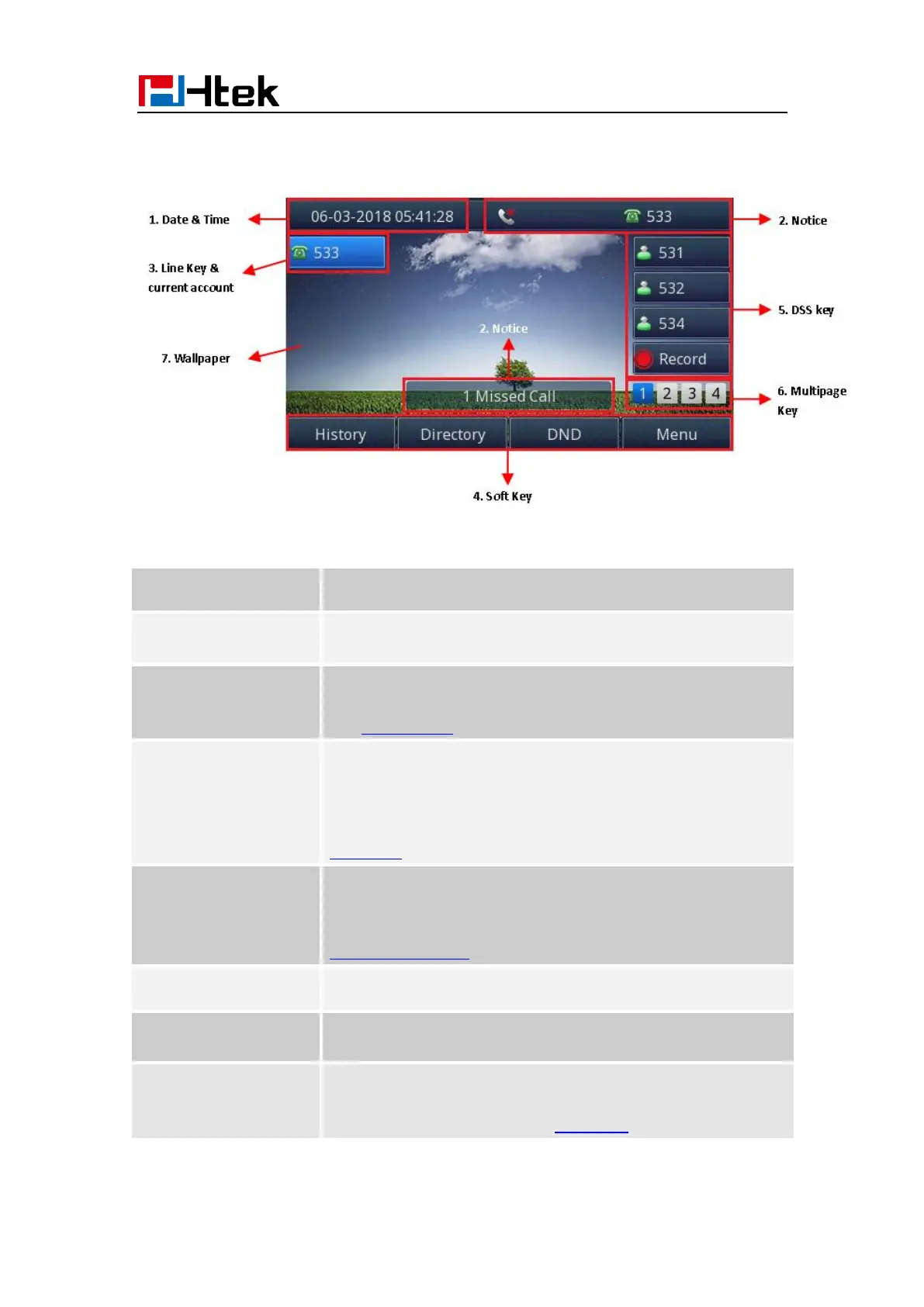
Idle Screen
It is the area that displays the current set date and time of the
phone.
It is the area to display the phone’s notifications such as missed
calls, SMS, do not disturb mode and many more. For more info,
see Icon Preview.
This area shows the line key labels. The current account is
highlighted. you can switch the account by pressing right or left
navigation key. The Line keys can also be used for other
function keys. For more info, you can refer to
Line Keys
This area shows the soft key labels. The default soft key labels
are
“History”, “Directory”, “DND” and “Menu”. For more info, see
Programmable Key
The Line keys can be used for other functions keys (e.g.: BLF)
UC924 support 36 keys,you can configure different types.You
can view and use these keys by pressing the multipage key.
This shows the current wallpaper picture. You can also change
it.
For more info, you can refer to Wallpaper.



 To Next Page