Getting Started
23
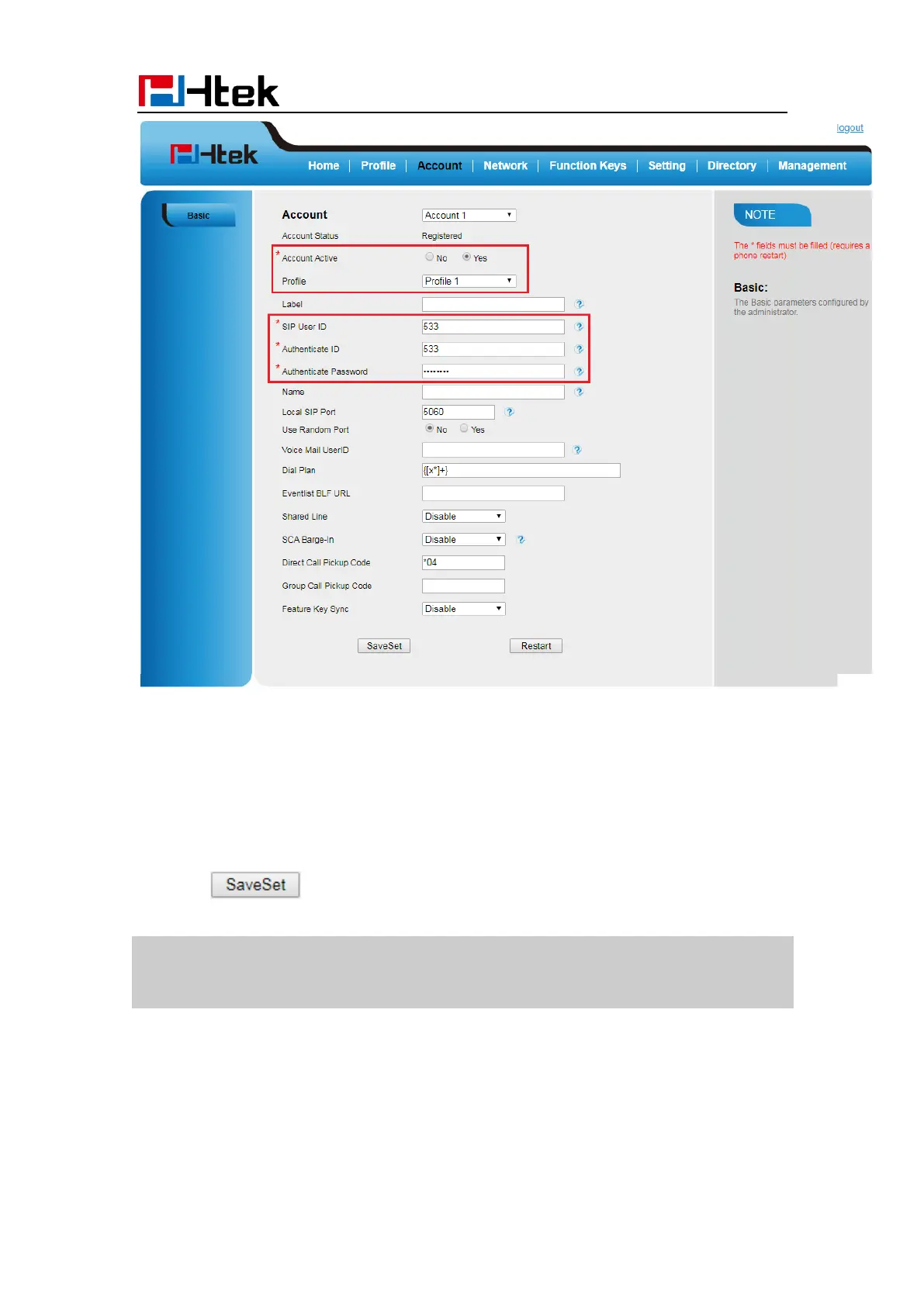
6. Select Yes for Account Active.
7. Select the desired Profile.
8. Fill the SIP User ID, Authenticate ID, Authenticate Password and other account
information.
9. Click to save the configuration.
Note:
1. All fields with * must be filled. If changed, it requires a phone restart.
2. Account Status says the account registered successfully or not.



 To Next Page