BT Feature
155
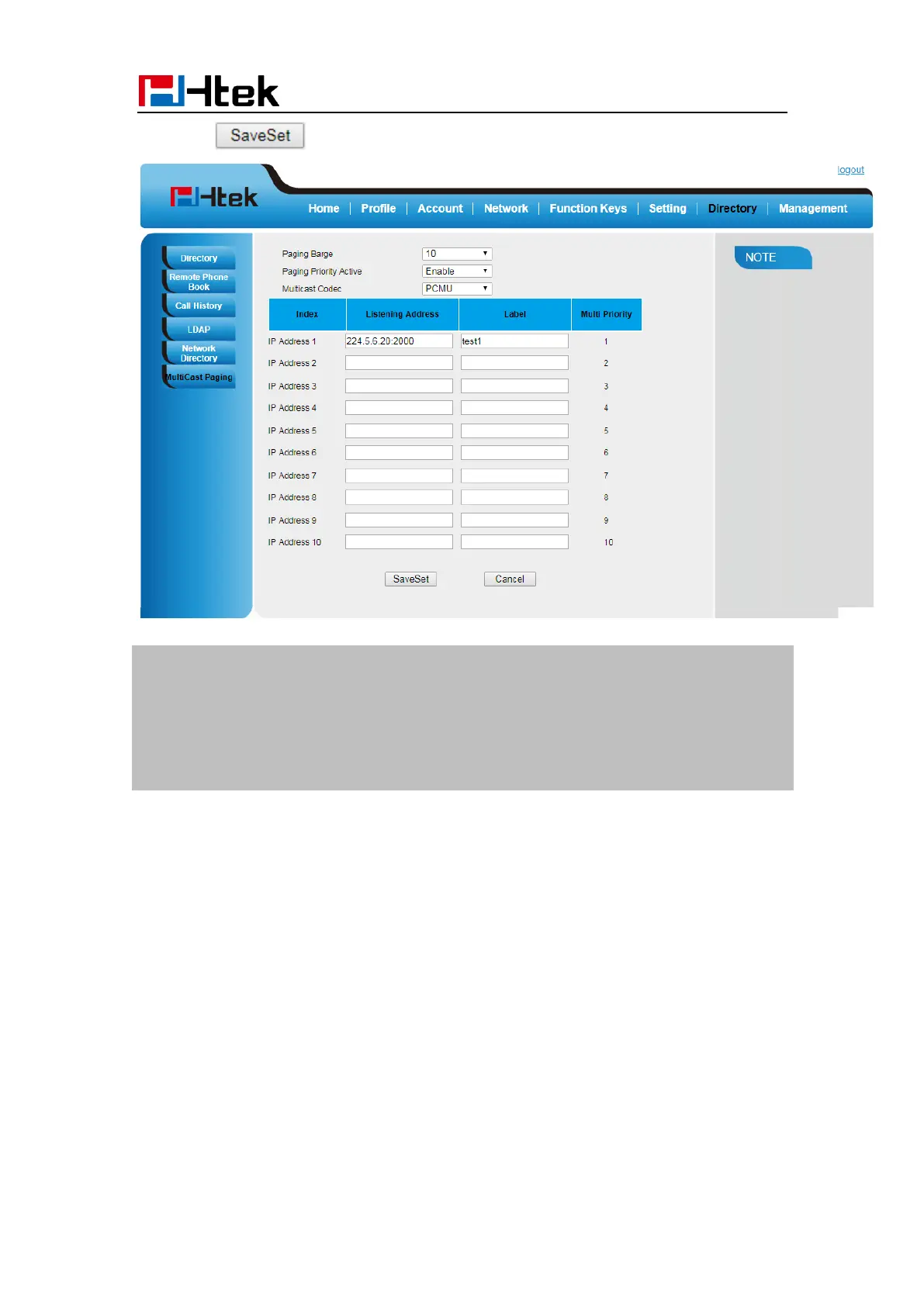
6. Click button to save the configuration.
Note:
The priorities of listening to multicasting addresses can be predefined: 1 being the
highest priority, 10 with the lowest in priority order. Both the multicast paging
sender and receiver ’s phones play a warning tone when establishing a multicast
paging call. Listening to Multicasting addresses can be configurable via Web
interface only.
BT Feature
Htek IP Phone Model UC926E supports the Bluetooth feature.
The Model UC926E connects to a wide range of Bluetooth Headset, compatible with
Bluetooth specification V4.0 and backwards compatible with 1.1, 1.2, 2.0 and 3.0.
How to Enable headset mode?
To configure the headset mode via Phone interface:
1. Find Menu then navigate as follows:
Menu->Settings->Basic Setting->Headset:



 To Next Page