Function Key Features and
Settings
134
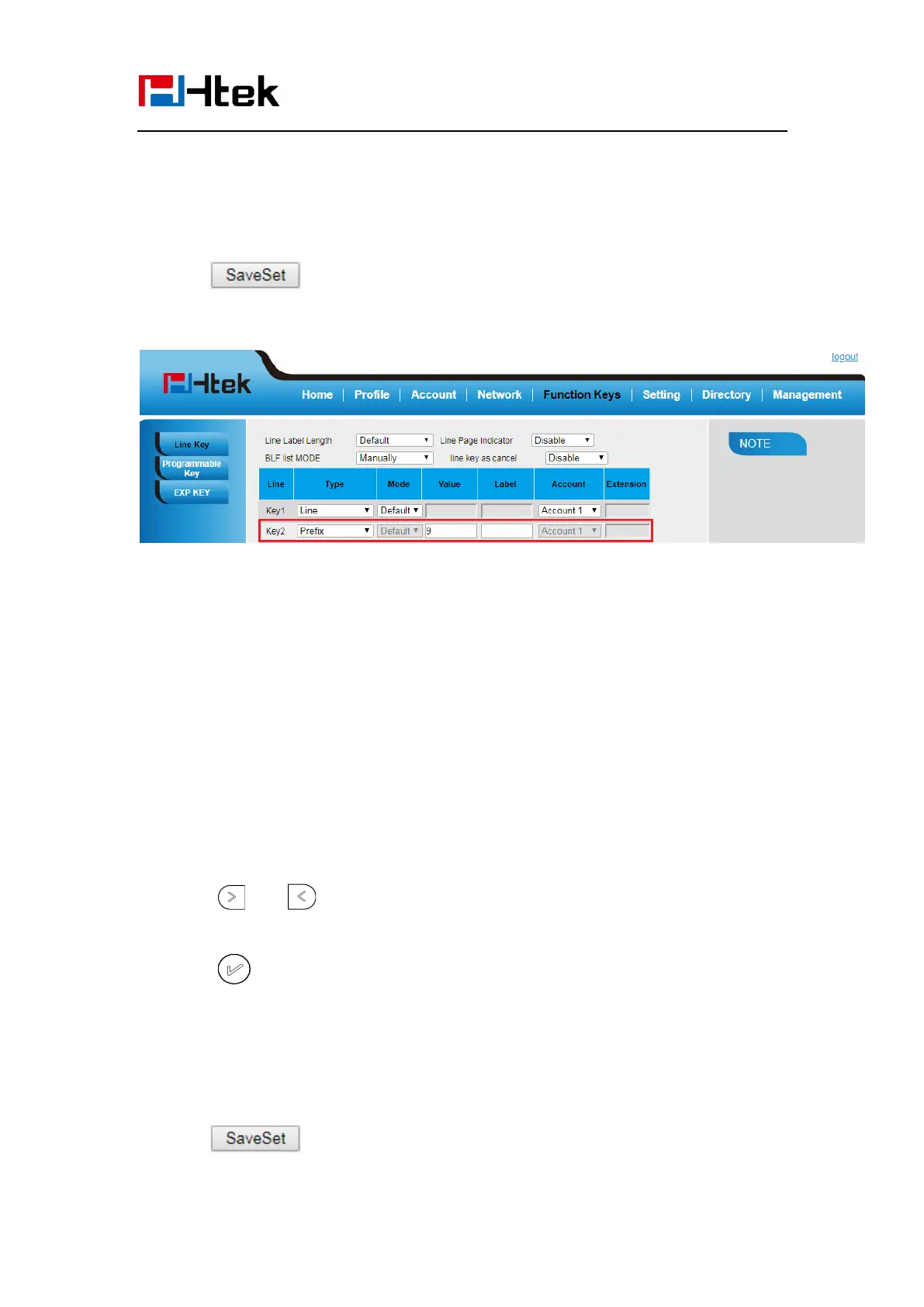
2. Select the desired Line Key and select Prefix in the Type.
3. Fill the value.
4. Click to save the configuration.
Then when you press this key, the set value is input directly.
Local Group
When use the Local Group feature, press the key and enter the local Contacts interface
quickly.
To configure the Local group via Phone interface
1. Press Menu →Features →Function Keys →Line Keys as Function Keys → Line
Key2(for example)
2. Press and key to select the Local Group in the Type field.
3. Press or Save soft key to save the configuration
To configure the Local Group via Web interface
1. Click Function Keys → Line Key.
2. Select the desired Key and select Local Group in the Type.
3. Click to save the configuration.
Then you can press the local group key to quickly access the pre-defined contact group in



 To Next Page