Basic Setting Configuration
82
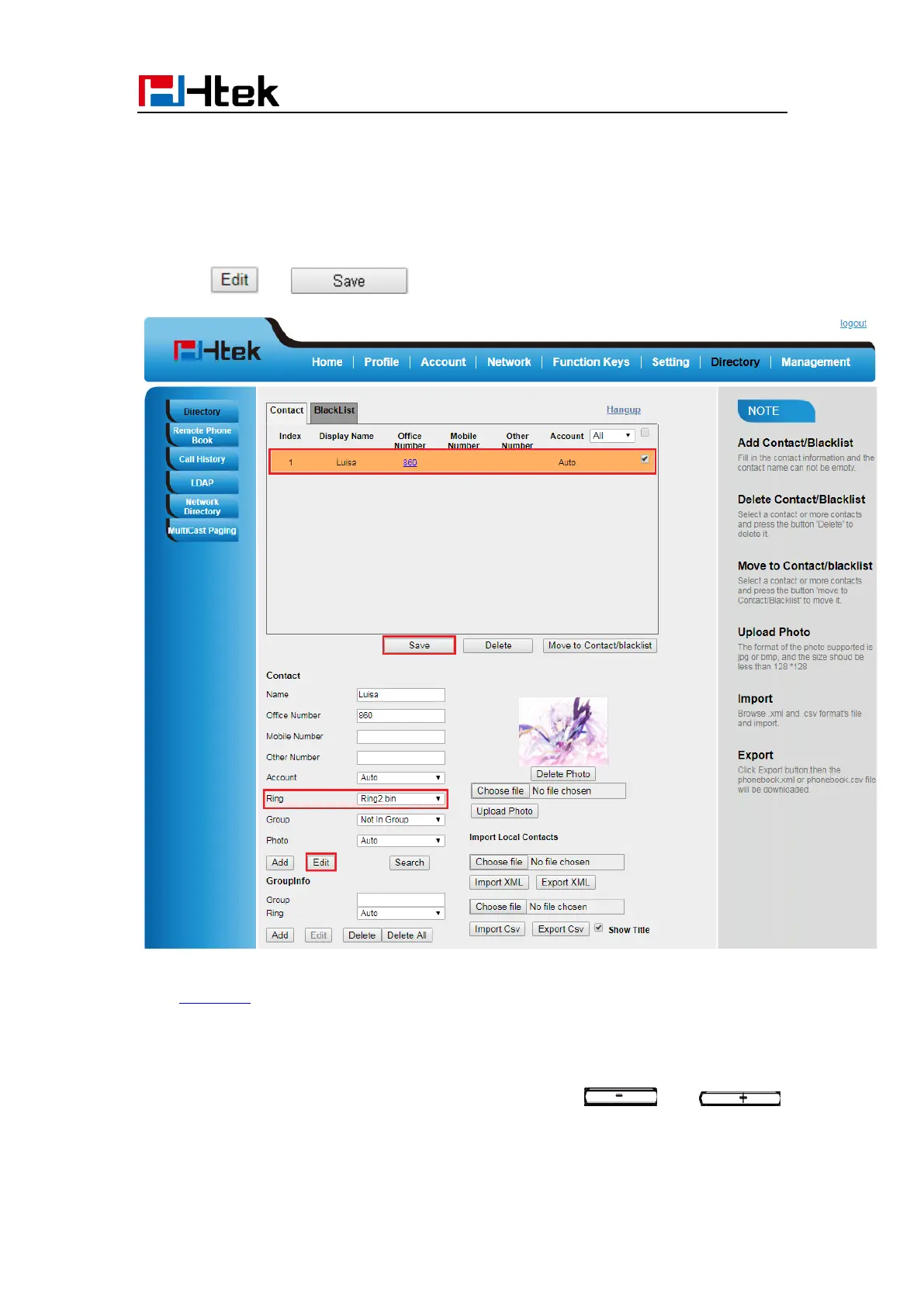
To configure Distinctive Ring Tone via Web interface
1. Directory → Directory → Contact
2. Choose the Ring Tone you want to use.
3. Click → to save the configuration.
Click Ring tone for more information.
Volume
You can adjust the volume for the phone by the volume keys: and .
To adjust the Ring tone volume via Phone interface:



 To Next Page