Getting Familiar with Your Phone
25
Getting Familiar with Your Phone
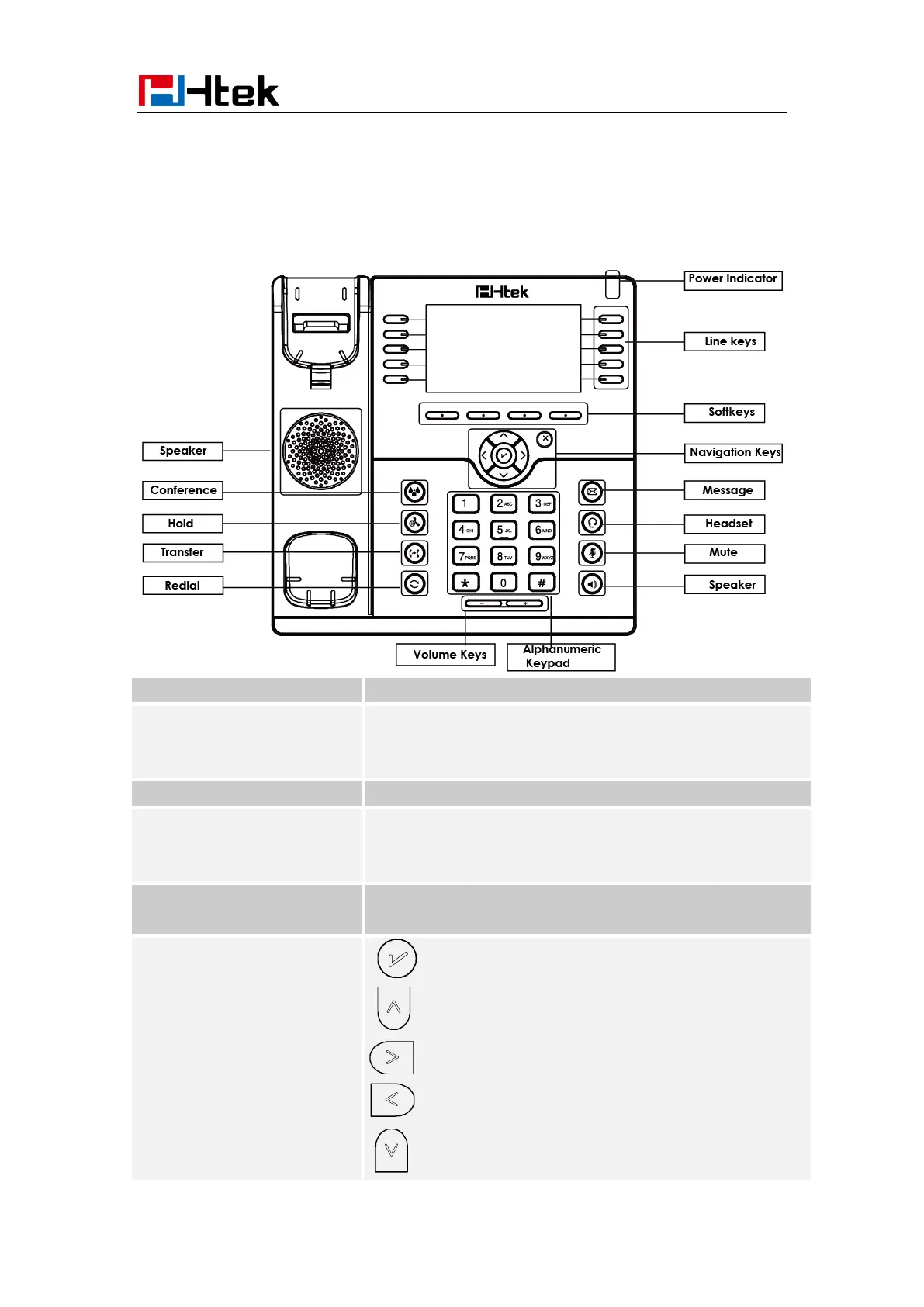
Hardware Components Preview
To Presentation all information about the date& time,
accounts, soft keys, messages, calls and other some
information.
To indicate the power status
The phone supported up to 4 accounts
1. Steady green: idle interface, during a call..
2. Blink red: a call incoming
Labels automatically to identity their context-sensitive
features.
1. OK.
Up arrow key: To move up of the selection shows
on the screen.
Right arrow key: To move right of the selection
shows on the screen.
Left arrow key: To move left of the selection shows
on the screen.
Down arrow key: To move down of the selection
shows on the screen.



 To Next Page