Basic Setting Configuration
71
Note:
The format of the photo supported is jpg or bmp
Photo size should be less than 2MB, name length should be less than 48
characters.
To import or export the contact list
You can manage your phone’s local directory via phone or web user interface. But you can
only import or export the contact list via Web interface.
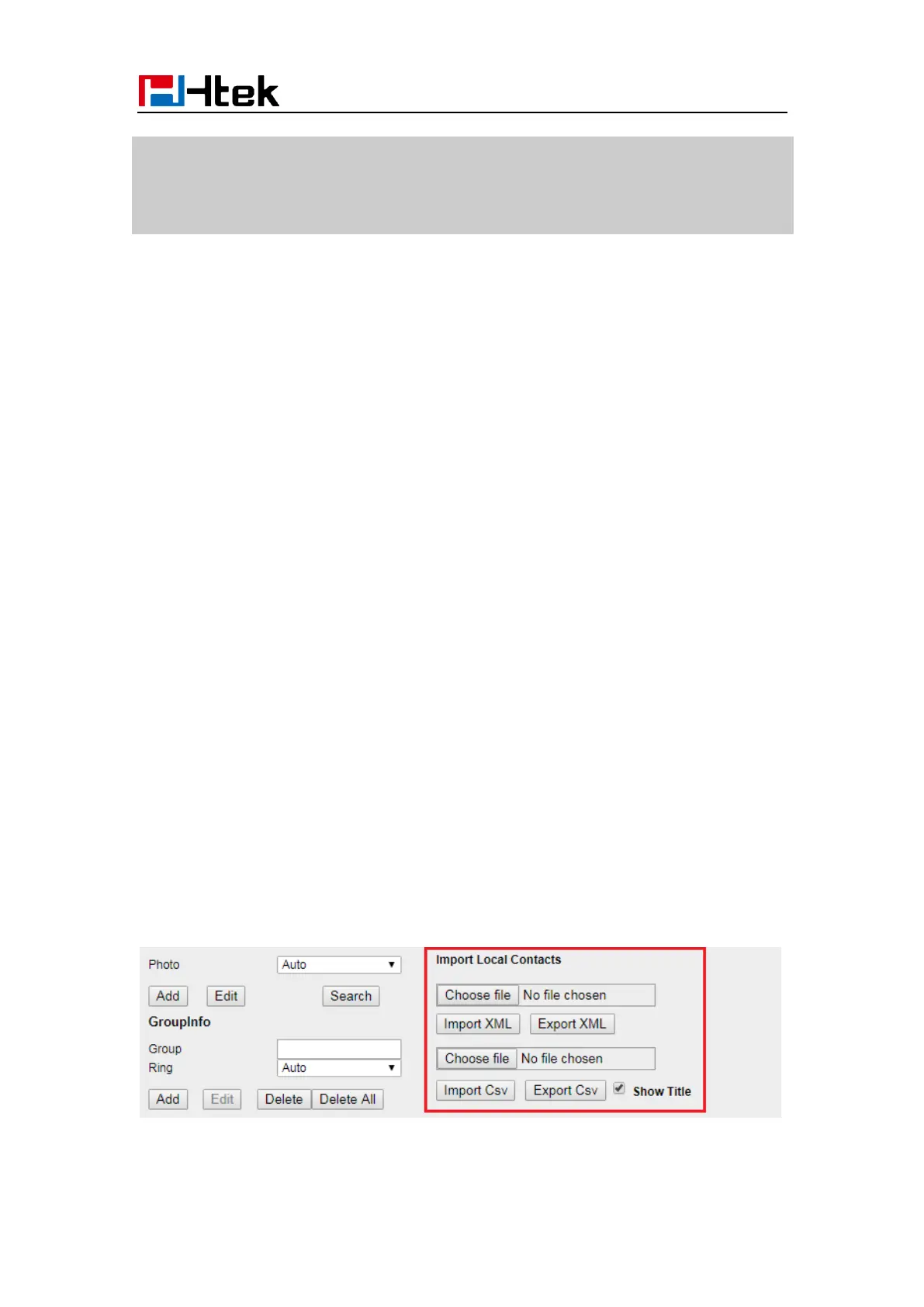
To import an XML file of contact list via Web interface:
1. Click on Directory → Directory
2. Click Choose file to select a contact list file (file format must be .xml) from your local
system.
3. Click Import XML to import the contact list.
To export an XML file of contact list via Web interface:
1. Click on Directory → Directory
2. Click Export XML to import the contact list.
To import a CSV file of contact list via Web interface:
1. Click on Directory → Directory
2. Click Choose file to select a contact list file (file format must be .csv) from your local
system.
3. Click Import Csv to import the contact list.
To export a CSV file of contact list via Web interface:
1. Click on Directory → Directory
2. Click Export Csv to import the contact list.



 To Next Page