Function Key Features and
Settings
124
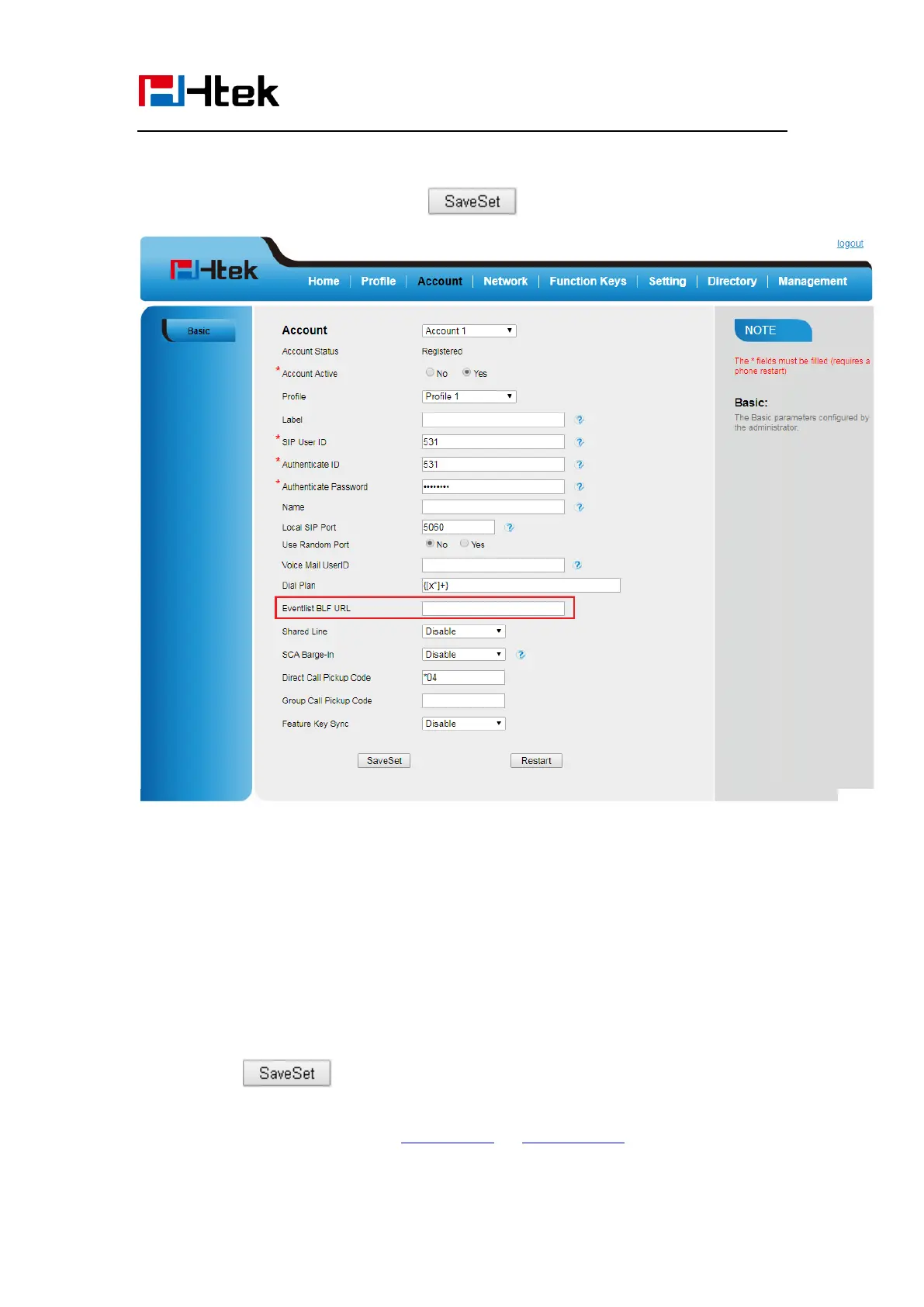
1. Login and click AccountBasic
2. Fill the Eventlist BLF URL and click to save the configuration.
3. To configure BLF List Keys
3.1 Click→ Function Keys→ Line Key
3.2 Select the BLF List in the Type Field.
3.3. Select Account
3.4 Click to save the configuration.
For more information, please check BLF list Note on www.htek.com .



 To Next Page