WIFI Feature
166
How to Connect the UC926E To an Available Wireless
Network?
Connect to an available wireless network via Phone interface:
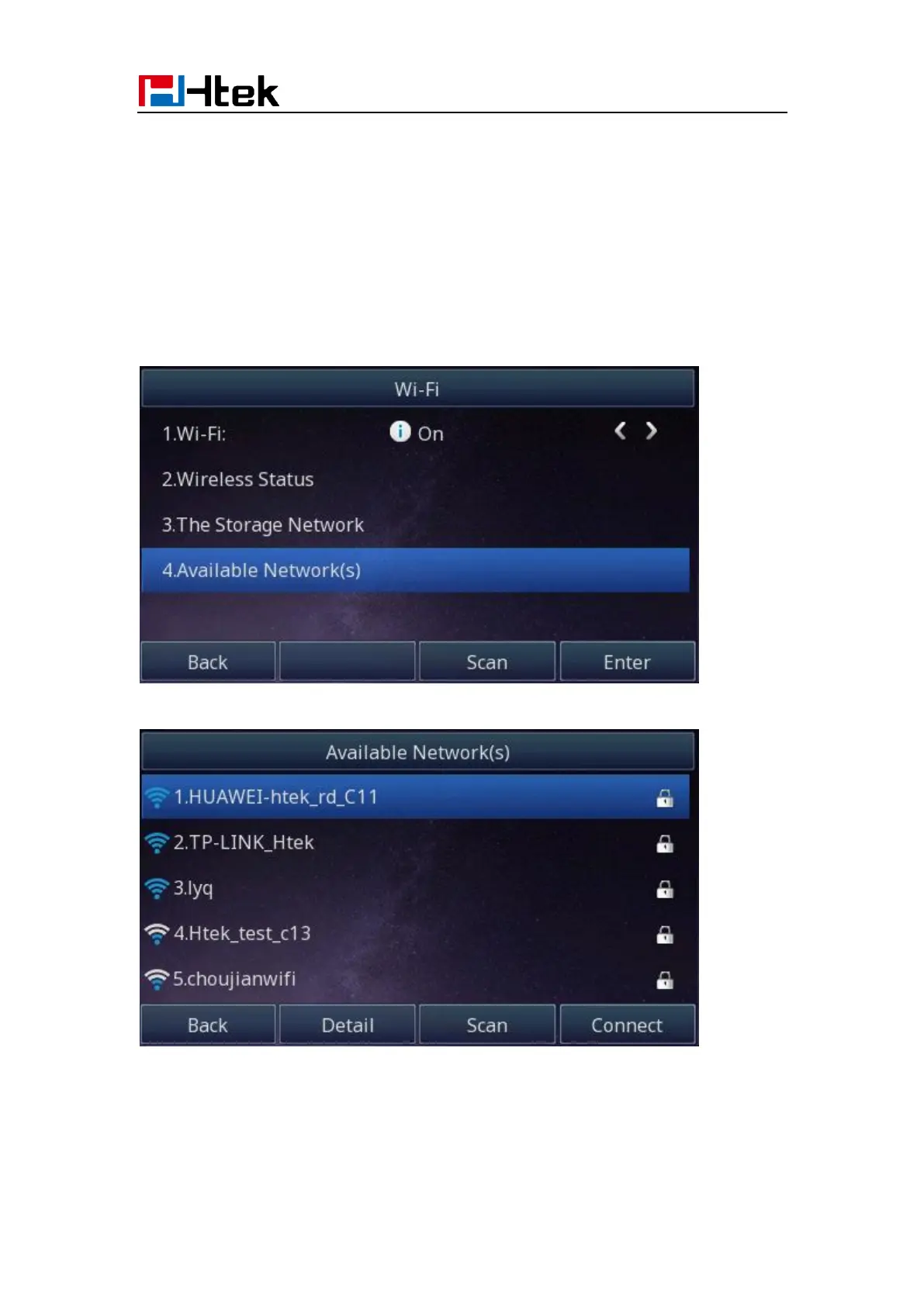
1. Find Menu then navigate as follows
Menu->Settings->Basic Setting->Wi-Fi: Available Network(s)
2. Press the Enter button, you will see many available wireless networks:
3. You can press the “scan” button to scan the wireless network
4. You can press the “Detail” button to view a wireless network’s detail information.
5. Choose desired wireless network and then press the “Connect” button:



 To Next Page