WIFI Feature
173
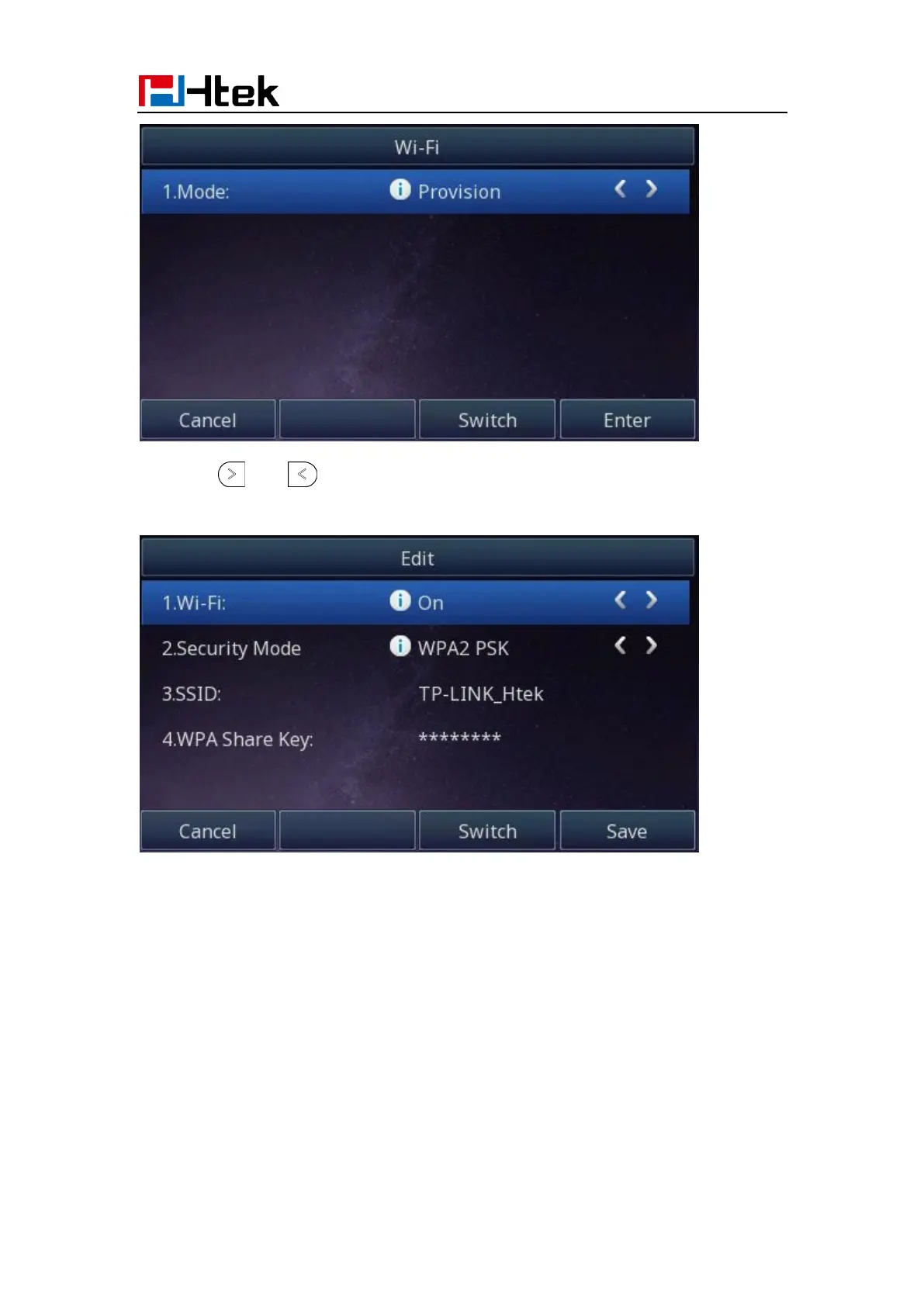
2. Press and or press Switch button to turn on Wi-Fi feature
3. Select Security Mode->Enter the SSID value for Wi-Fi->Enter WPA Share Key value.
Note:
When you connect the Ethernet cable, you can enable the Wi-Fi feature. But you have to
disable the Wi-Fi feature if you want to use the wired network. Wi-Fi that is designated by
the server will override the user-defined Wi-Fi.



 To Next Page