Getting Started
21
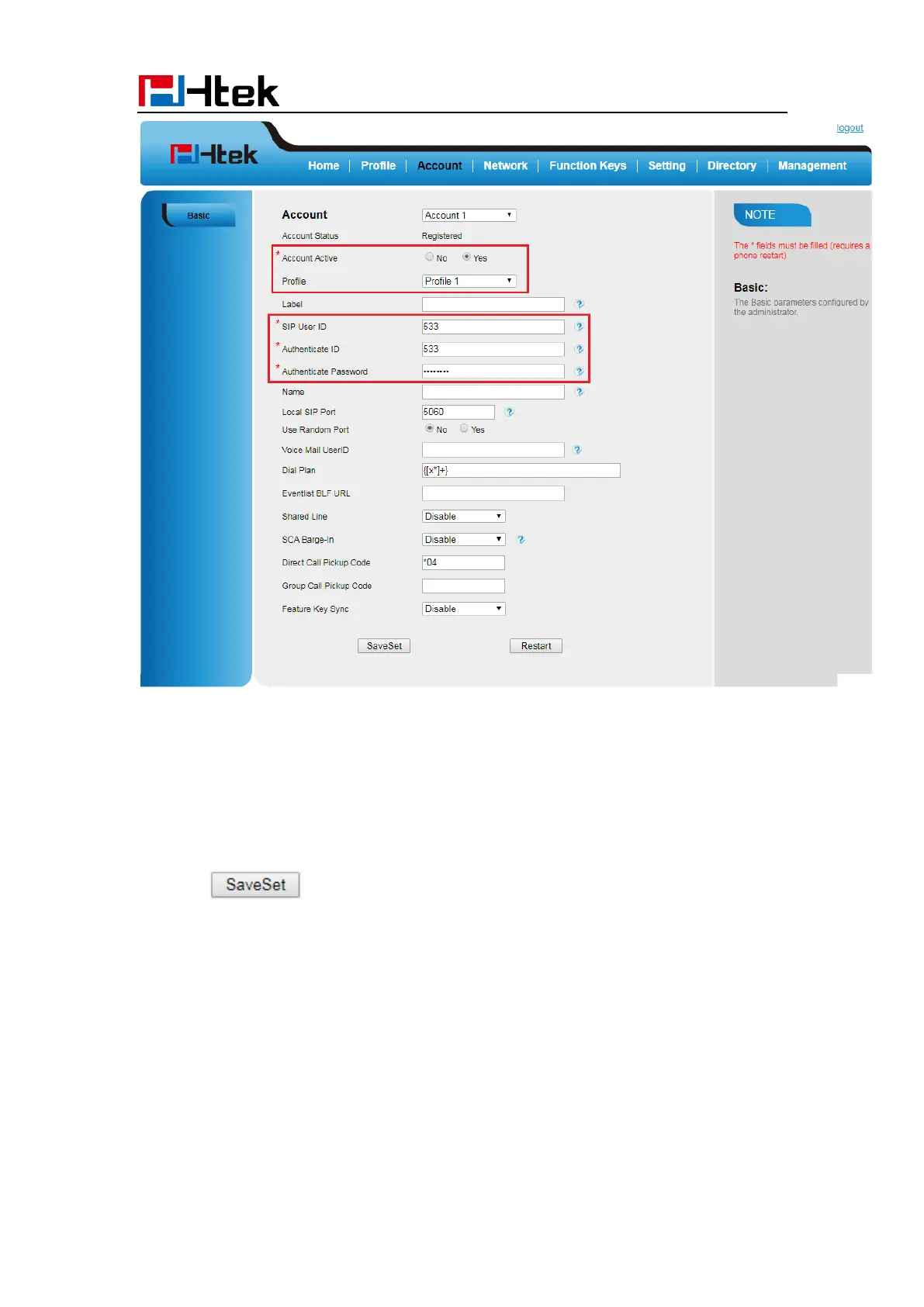
6. Select Yes for Account Active.
7. Select the desired Profile.
8. Fill the SIP User ID, Authenticate ID, Authenticate Password and other account
information.
9. Click to save the configuration.
To register via DHCP SIP Server:
1. Login web page and Click Profile→ Basic



 To Next Page