NetCol5000-C Chilled Water-Cooled In-Row Precision
Air Conditioner
User Manual
Huawei Proprietary and Confidential
Copyright © Huawei Technologies Co., Ltd.
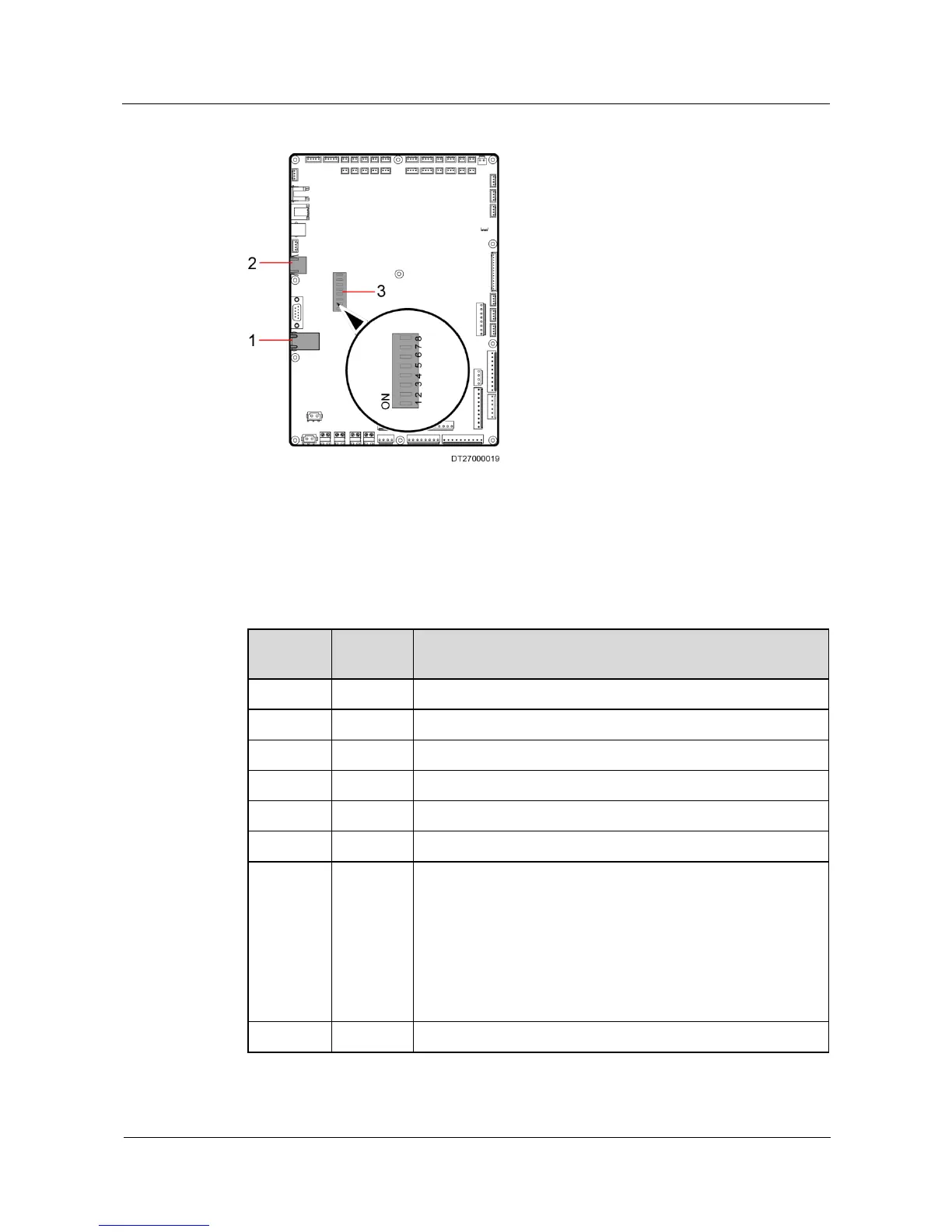
Figure 3-31 Ports on the main control board
1. Teamwork communication & Monitoring communication
port J73
2. FE port J127
(reserved)
Table 3-4 The operations of the DIP switch
Check that dial switch 1 is OFF after cable connections.
Check that dial switch 2 is OFF after cable connections.
Check that dial switch 3 is ON after cable connections.
Check that dial switch 4 is ON after cable connections.
Check that dial switch 5 is OFF after cable connections.
Check that dial switch 6 is ON after cable connections.
None teamwork mode: Check that dial switch 1 is OFF after
cable connections.
Teamwork mode: switch on corresponding switches on both
main control boards of the least and most valve.
NetCol5000-As (precision air conditioner 1 and precision air
conditioner in Figure 3-30) to match the embedded terminal
resistance, and switch off all dial switches on the main
control boards of the other NetCol5000-As.
Check that dial switch 8 is ON after cable connections.







 To Next Page