NetCol5000-C Chilled Water-Cooled In-Row Precision
Air Conditioner
User Manual
5 Controller Operate Guide
Huawei Proprietary and Confidential
Copyright © Huawei Technologies Co., Ltd.
Active indicates the active device and Standby
indicates the standby device (shut down), which is
started when activated or used in cascaded mode.
A device with green frame indicates the device
itself, a non-green frame indicates the others.
Ground color: red,
bright grey, dark grey
Red indicates that a critical alarm is generated;
bright grey indicates that the device is operating
without any critical alarms; dark grey indicates that
the device is off-line.
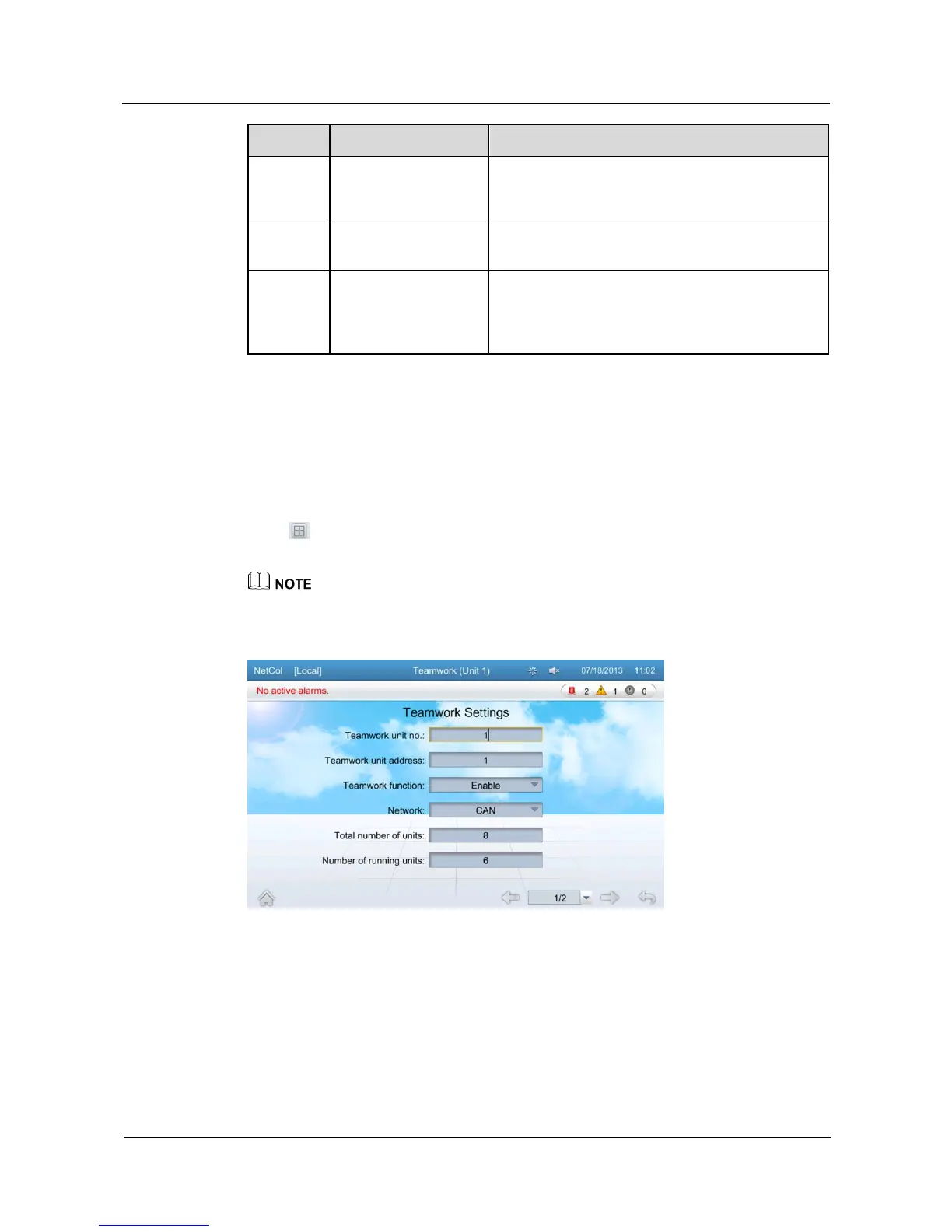
Teamwork Settings
Set the teamwork function on the teamwork setting page. Parameters to be set for the master
device include Teamwork unit no., Teamwork unit address, Teamwork function,
Network, Total number of units, Number of running units, Standby mode rotation,
Rotation period, Rotation time, Forced rotation, and Requirement control and Cascade.
Click > Teamwork Settings on the home screen to enter pages shown in Figure 5-40
and Figure 5-41.
If you need to change teamwork settings, log in as the Admin or Engineer.
Figure 5-40 Teamwork setting page 1







 To Next Page