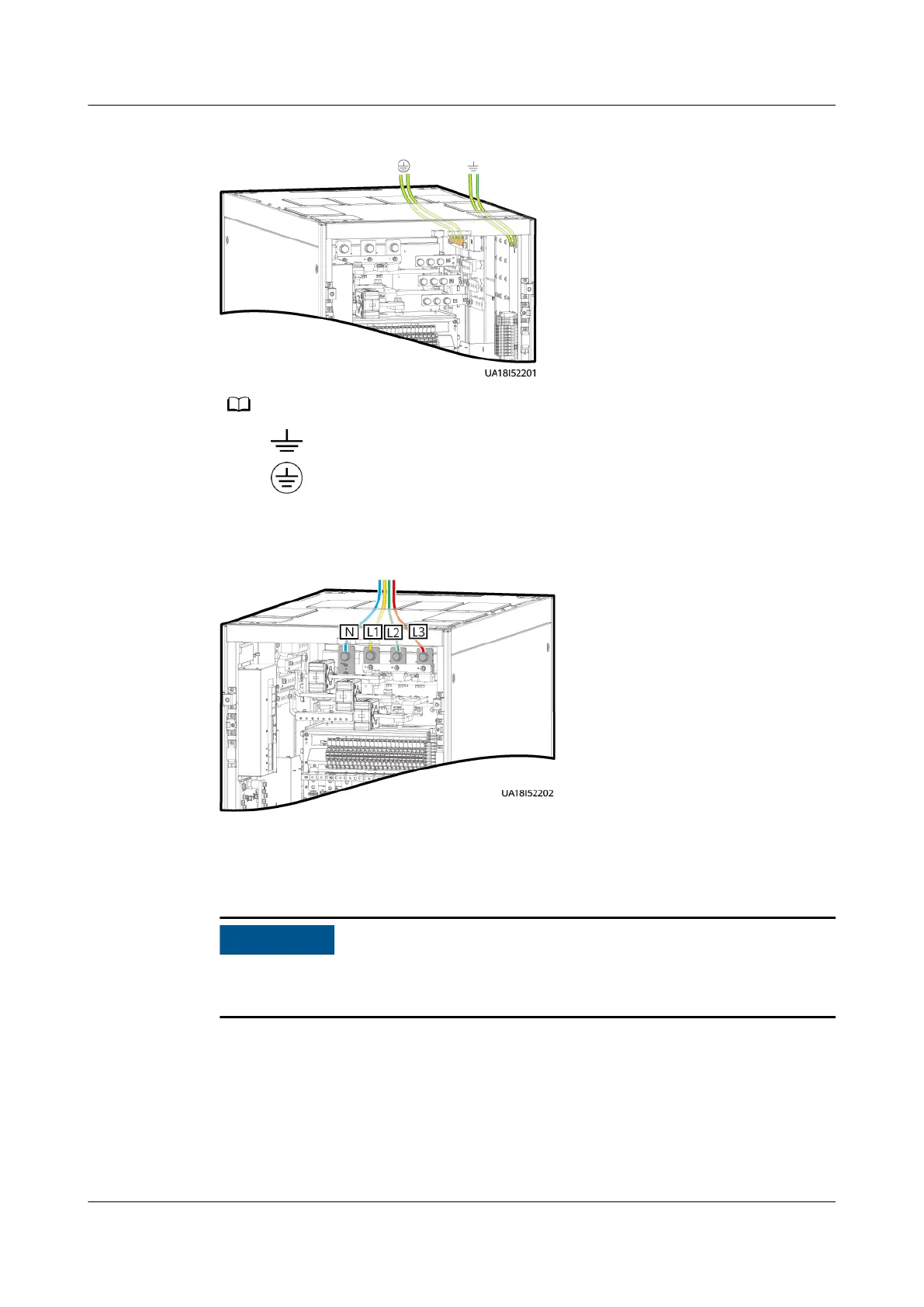
Figure 3-23 Grounding
● : internal equipotential bonding label
● : protective ground label
Step 4 Connect AC input cables to input terminals L1, L2, L3, and N in the UPS cabinet.
Figure 3-24 Input terminals
Step 5 Connect AC output power cables. (Connect output power cables to the customer
terminal bars in the UPS cabinet in sequence. The N bar and PE bar on the left
and right sides should be connected.)
Connect output power cables to the UPS from inside out and from the top down.
Connect the PE cable, N cable, and L cable in sequence.
UPS5000-E-(30 kVA–180 kVA)
User Manual (Integrated UPS) 3 Installation
Issue 02 (2022-12-30) Copyright © Huawei Digital Power Technologies Co., Ltd. 69












 To Next Page