15
1.1.3. Auto Sleep Mode
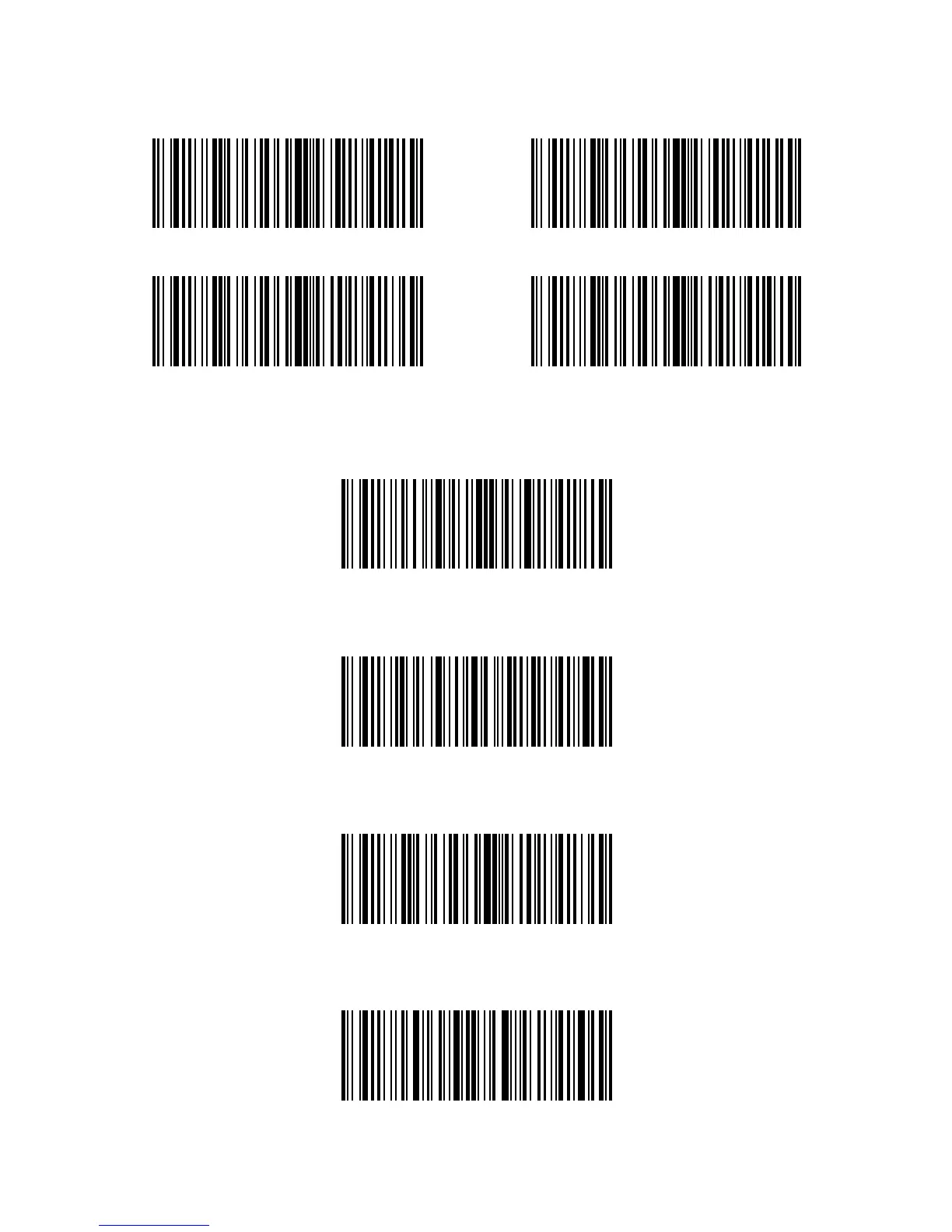
In order to conserve battery power, user can specify the time interval for the scanner to
automatically turn o. By default, it is set to be 3 minutes.
1 min
5 min
Enter Setup
Enter Auto sleep mode
5 min
Exit with Save
(*) 3 min
10 min
E g.: Steps to set 5 minutes for the scanner to be automatically turn o are as below:
1. Read the "Enter Setup" barcode;
2. Read the "Enter Auto Sleep mode" barcode;
3. Read the "5min" barcode;
4. Read the "Exit with Save" barcode.



 To Next Page