72
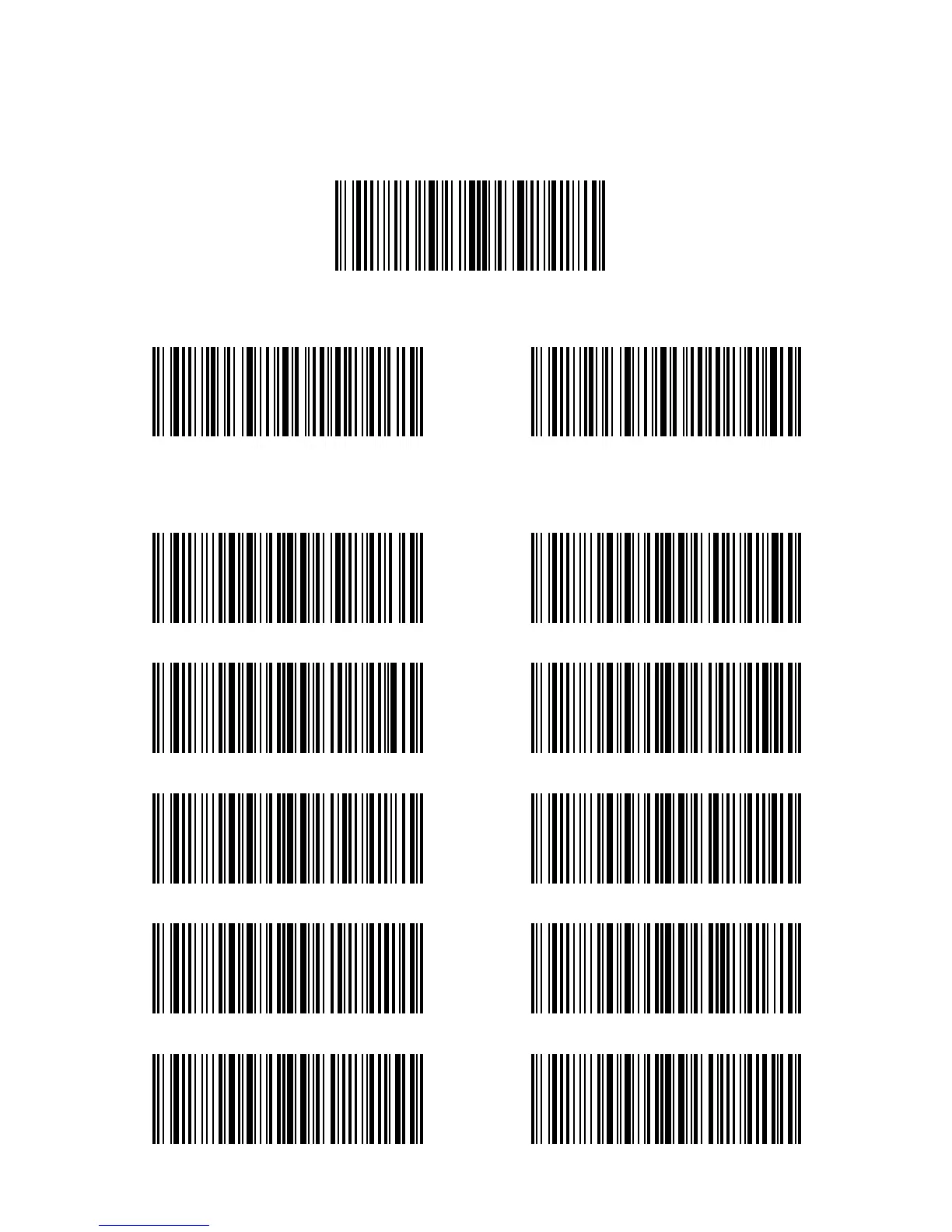
4.4. Delete Character(s) on Output Result
Inateck P6 can help users delete 0 to 99 digits of both the beginning and the ending
characters before outputs result. As default setting, no character, or 0 digit being deleted
as output result. More details are as below.
1) Scan “Enter Setup” Barcode
2) Scan “Delete Beginning Character(s)” Barcode or “Delete Ending Character(s)” Barcode
3) Scan the digit(s)barcode to be deleted (If 13 characters need be deleted, please scan
the barcodes of 1 digit and then 3 digits. ).
Enter Setup
Delete Beginning Character(s)
(*) 0 digit
2 digits
6 digits
4 digits
8 digits
Delete Ending Character(s)
1 digit
3 digits
7 digits
5 digits
9 digits



 To Next Page