30
Chapter 3 Symbology Settings
3.1. Codabar
3.1.1. Enable / Disable Codabar
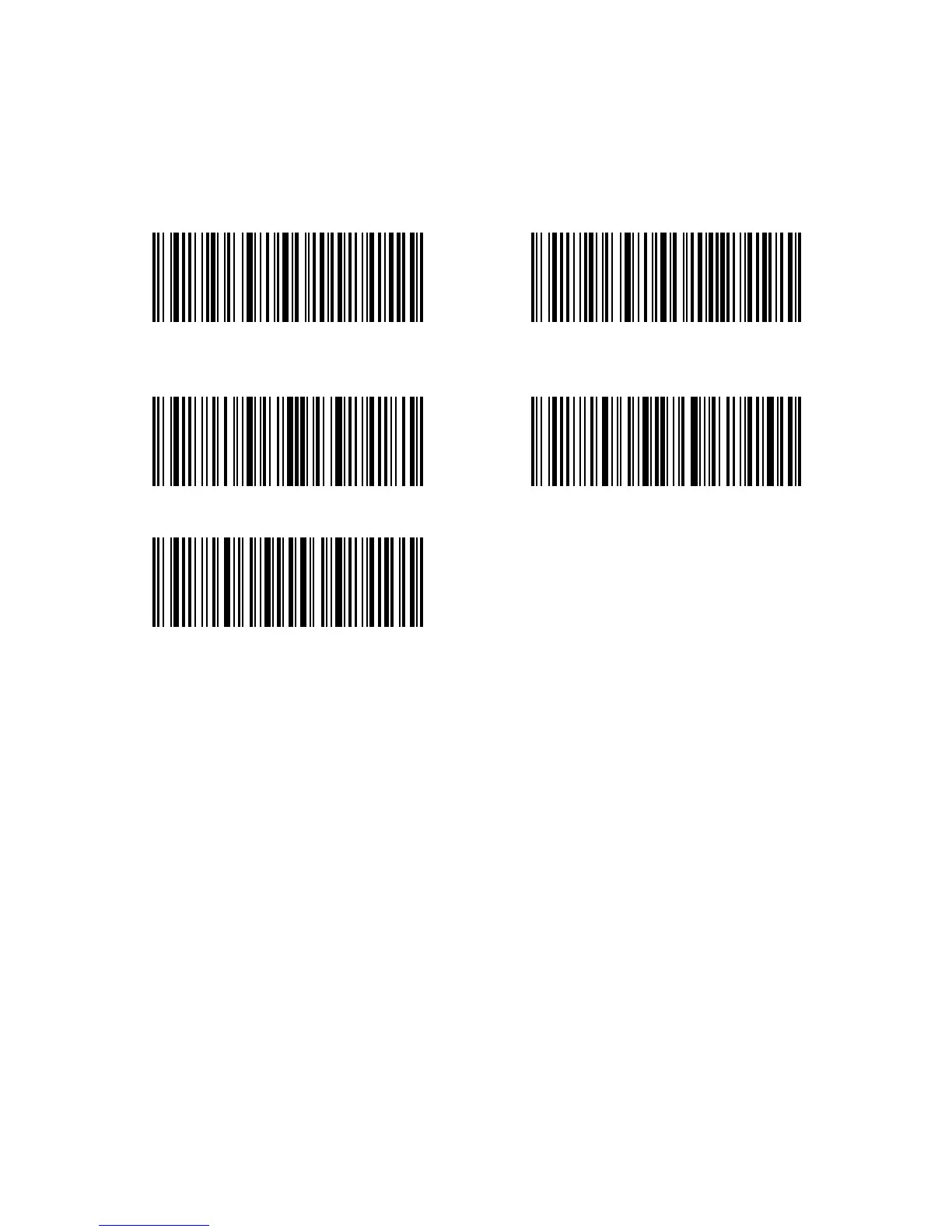
Decide whether to enable Codabar through selecting correspondent barcode below. The
Inateck P6 Scanner defaults enable Codabar contents.
(*)Transmit Codabar Start/Stop
Characters
Do not Transmit Codabar Start/Stop
Characters
Enter Setup
Exit without Save
Exit with Save
For example: Do Not Transmit Codabar Start/Stop Characters.
1. Read the "Enter Setup" barcode;
2. Read the "Enable Codabar" barcode; (If Codebar is disabled, it is needed to enable it);
3. Read the "Do Not Transmit Codabar Start/Stop Characters" barcode;
4. Read the "Exit with Save" barcode.



 To Next Page