29
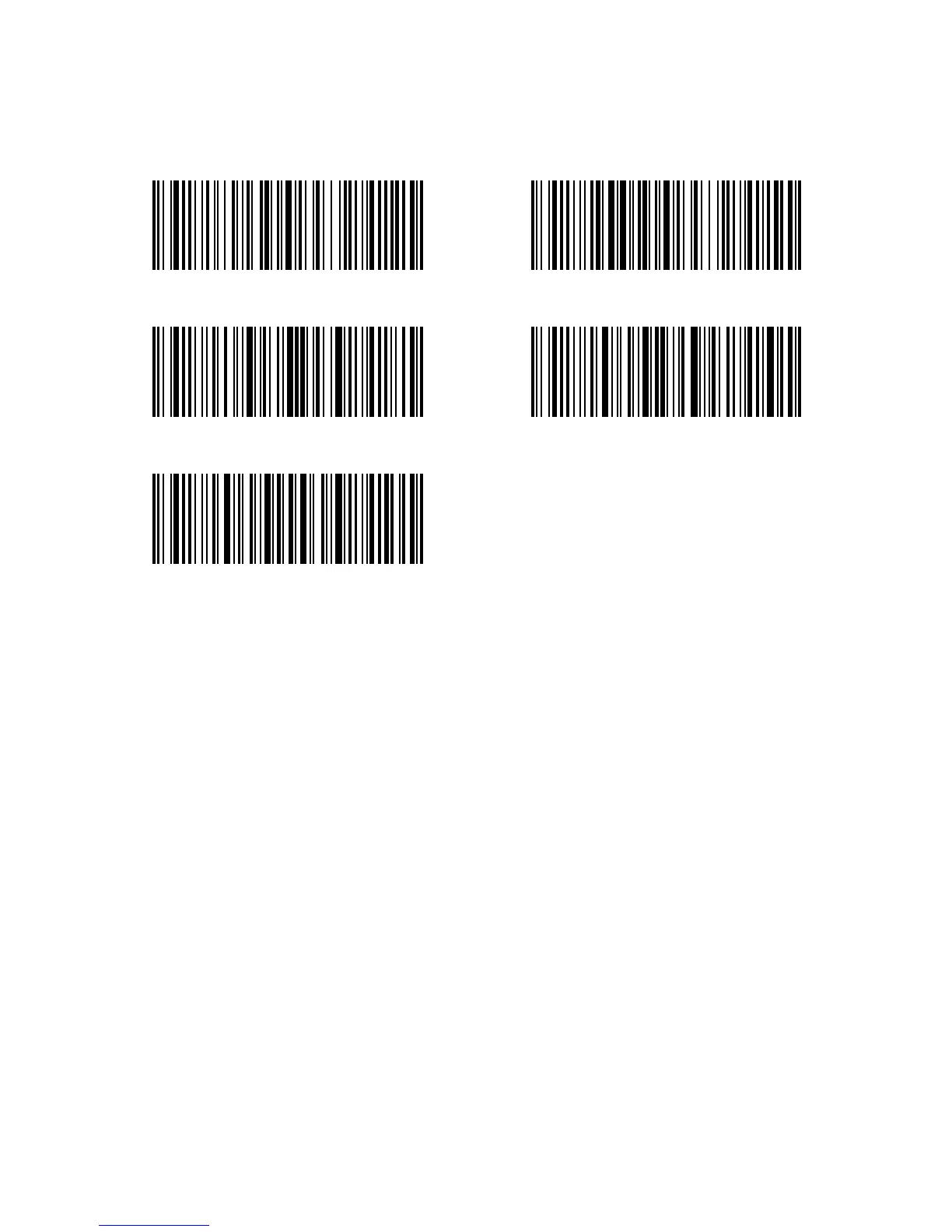
(*) High speed transmission mode Low speed transmission mode
Enter Setup
Exit without Save
Exit with Save
2.3. Transmission Speed
By defaults, the Inateck P6 scanner is working with speedy data transmission so as
to maximally improve your efficiency. If the Inateck P6 works with some lower speed
devices, like some android, it is suggested to set the scanner to low speed transmission
mode in case of data loss.
For example, steps to set the scanner to low speed transmission mode are as below:
1). Scan the “Enter Setup” barcode;
2). Scan the “Low speed transmission mode” barcode;
3). Scan the “Exit with Save” barcode.



 To Next Page