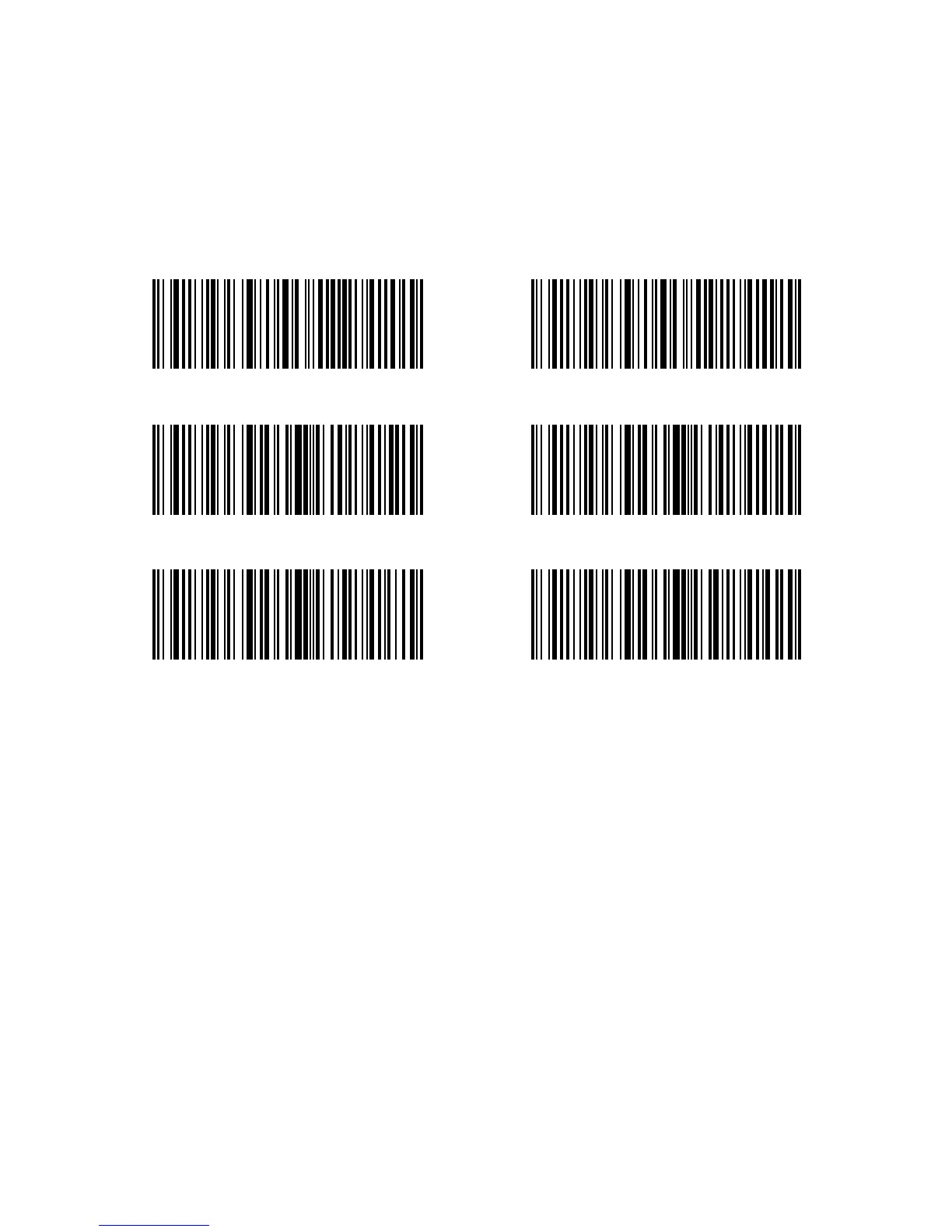
21
(*) Auto laser-o Mode
1s
3s
Setup Auto laser-o waiting time
(*) 2s
5s
1.5. Scanning modes
Four kinds of scanning modes are supported by the Inateck P6 Barcode Scanner:
1.5.1. Auto laser-o Mode
By default, the scanning mode is set to Auto laser-off Mode. If the user click the Scan
Trigger, the Inateck P6 Scanner will emit a red light line. This indicates the scanner could
scan barcode. If the barcode is not successfully scanned, the laser will be o automatically
after auto laser-o waiting time, which usually defaults to 2 seconds and can be setup to
1s, 2s, 3s and 5s. Yet the laser will be o as soon as Inateck P6 scans barcode.
E.g.: To set the scanning mode to Auto laser-o mode and set the auto laser-o waiting
time to 1s, you need to:
1. Read the "Enter Setup" barcode;
2. Read the " Auto laser-o Mode” barcode;
3. Read the”Setup Auto laser-o waiting time” barcode;
4. Read the “1s” barcode;
5. Read the “Exit with Save” barcode.



 To Next Page