78
4.8. Short Barcode
Short barcode, which refers to barcodes that equals to or is less than two characters,
such as the ITF25, IATA25, Standard 25, Matrix 25, Code 11, MSI, China postal code, Code
39 and Codabar, is supported by Inateck P6. Though disabling the reading of short
barcode is taken as default as it would increase the anti-jamming capability of Inateck P6
and prevent error scanning from happening. However, the following setting steps are
suggested if unreadable short barcode occurs.
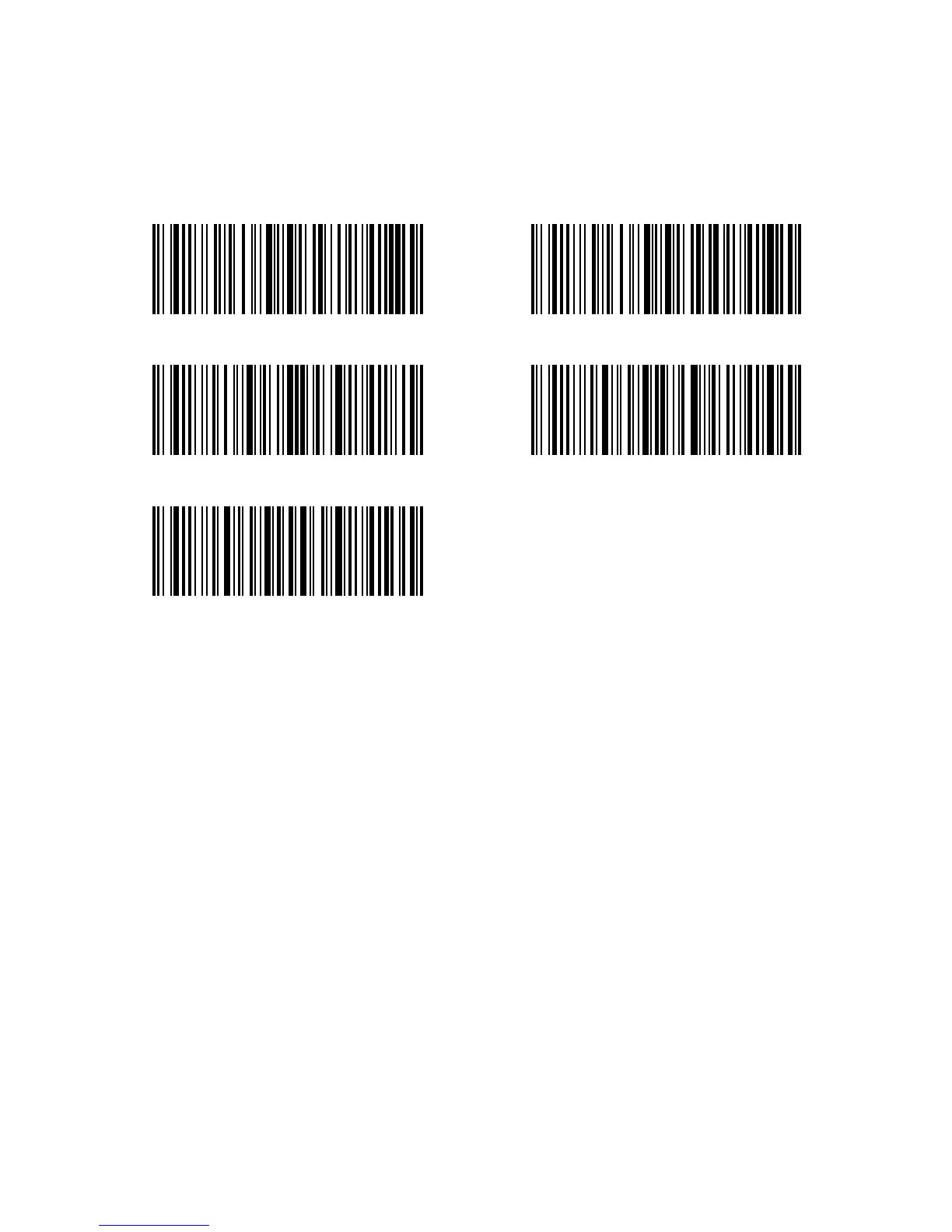
Steps to enable the short barcode are as below:
1) Scan “Enter setup” Barcode;
2) Scan “Enable short Barcode” Barcode;
3) Scan “Exit with Save” Barcode.
Enable Short Barcode Disable Short Barcode
Enter Setup
Exit without Save
Exit with Save



 To Next Page