71
4.3. Customized Settings of Prex and Sux Code of Barcode
Customized 1 to 8 digits prex / sux setting is supported by Inateck P6. Though Inateck
P6 takes recovering the prex and sux as default, Hiding the prex and sux is also
available through scanning correspondent barcode. Supported prex/Sux number can
be seen in Appendix 1.
Steps to set “#%1”as sux and “!@D” as prex are as below:
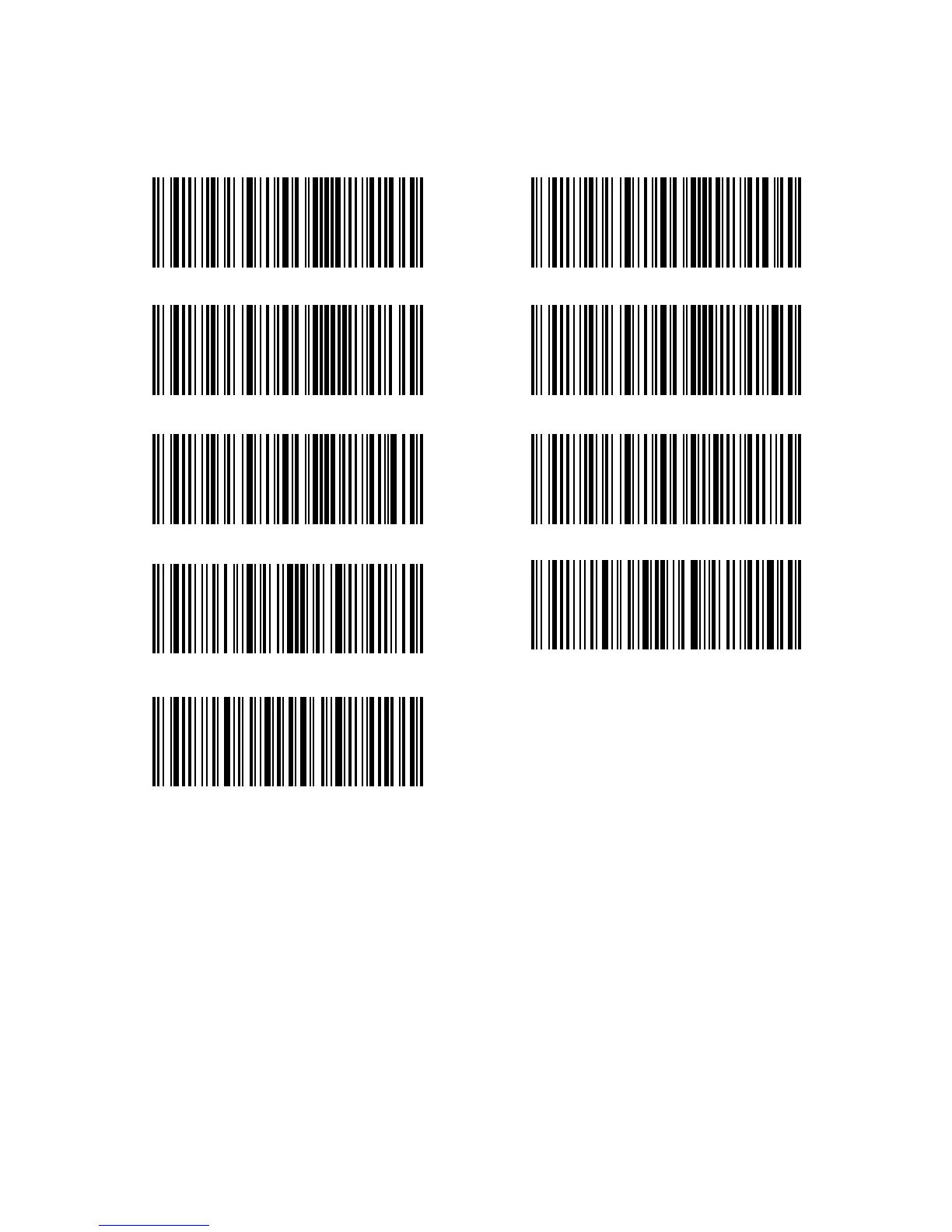
1). Read the "Enter Setup" barcode;
2). Read the "Prex Setting" barcode;
3). Read the "#" barcode (see in Appendix 1);
4). Read the "%" barcode (see in Appendix 1);
5). Read the "1" barcode (see in Appendix 1);
6). Read the "Sux Setting" barcode;
7). Read the "!" barcode (see in Appendix 1);
8). Read the "@" barcode (see in Appendix 1);
9). Read the "D" barcode (see in Appendix 1);
10). Read the "Exit with Save" barcode.
Note: Inateck P6 will recover the prex and sux automatically once the Prex/ Sux
Setting is nished.
Prex Setting
Enter Setup
Sux Setting
Hide Sux
(*) Recover Prex
Exit without Save
(*) Recover Sux
Hide Prex
Exit with Save



 To Next Page