1.6 Intel® Light-Guided Diagnostics
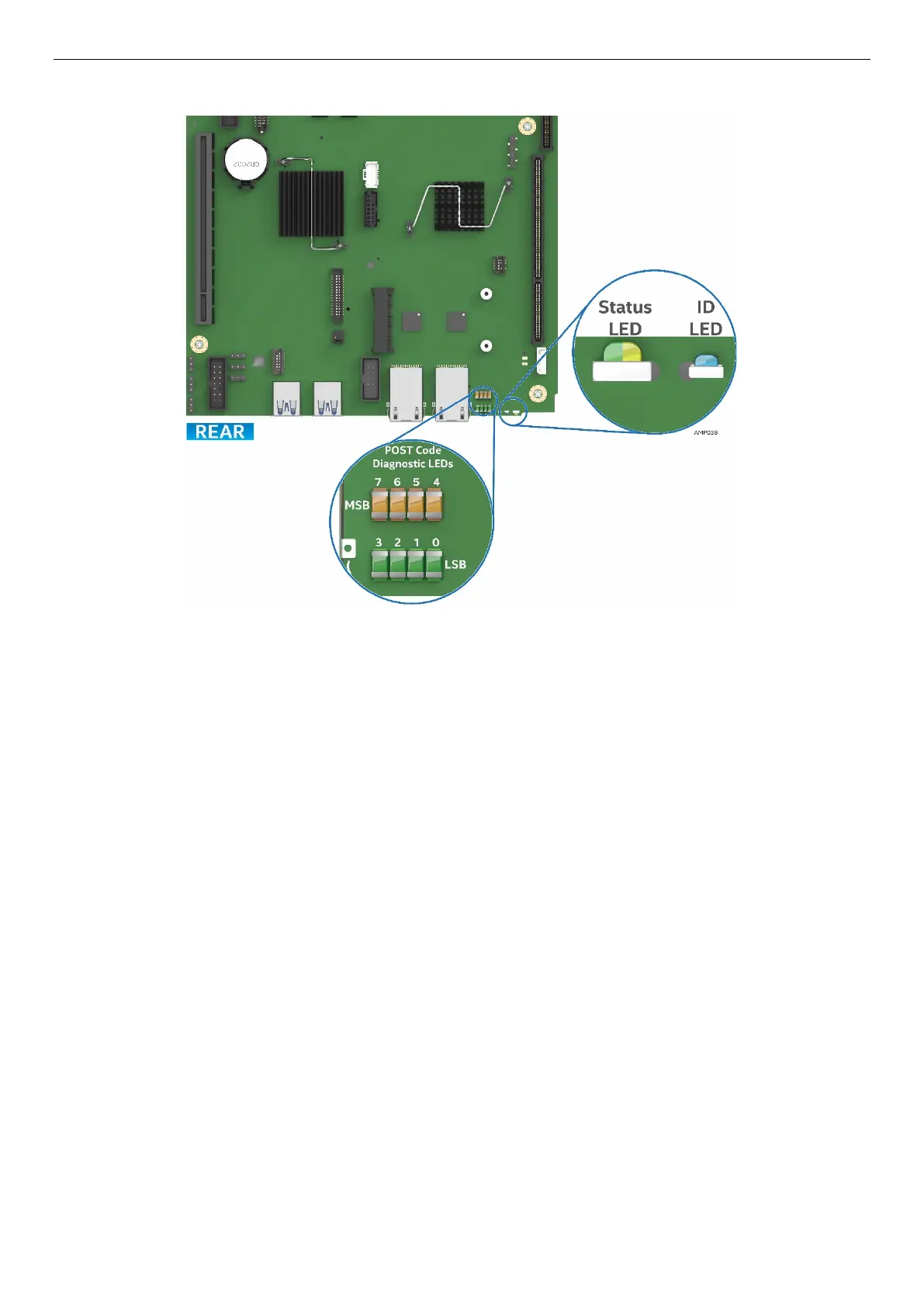
Figure 9. Intel® Light-Guided Diagnostic LEDs – Server Board
The POST Code Diagnostic LEDs on the server board change color or state (off, green, red, and amber)
according to the POST sequence.
The Status LED on the rear of the board shows the overall health of the system (green, blinking green,
blinking amber, amber, and off).
The Identification LED on the rear of the board helps identify the server from among several servers. The
ID LED is off by default, and blue when activated by button or software.



 To Next Page