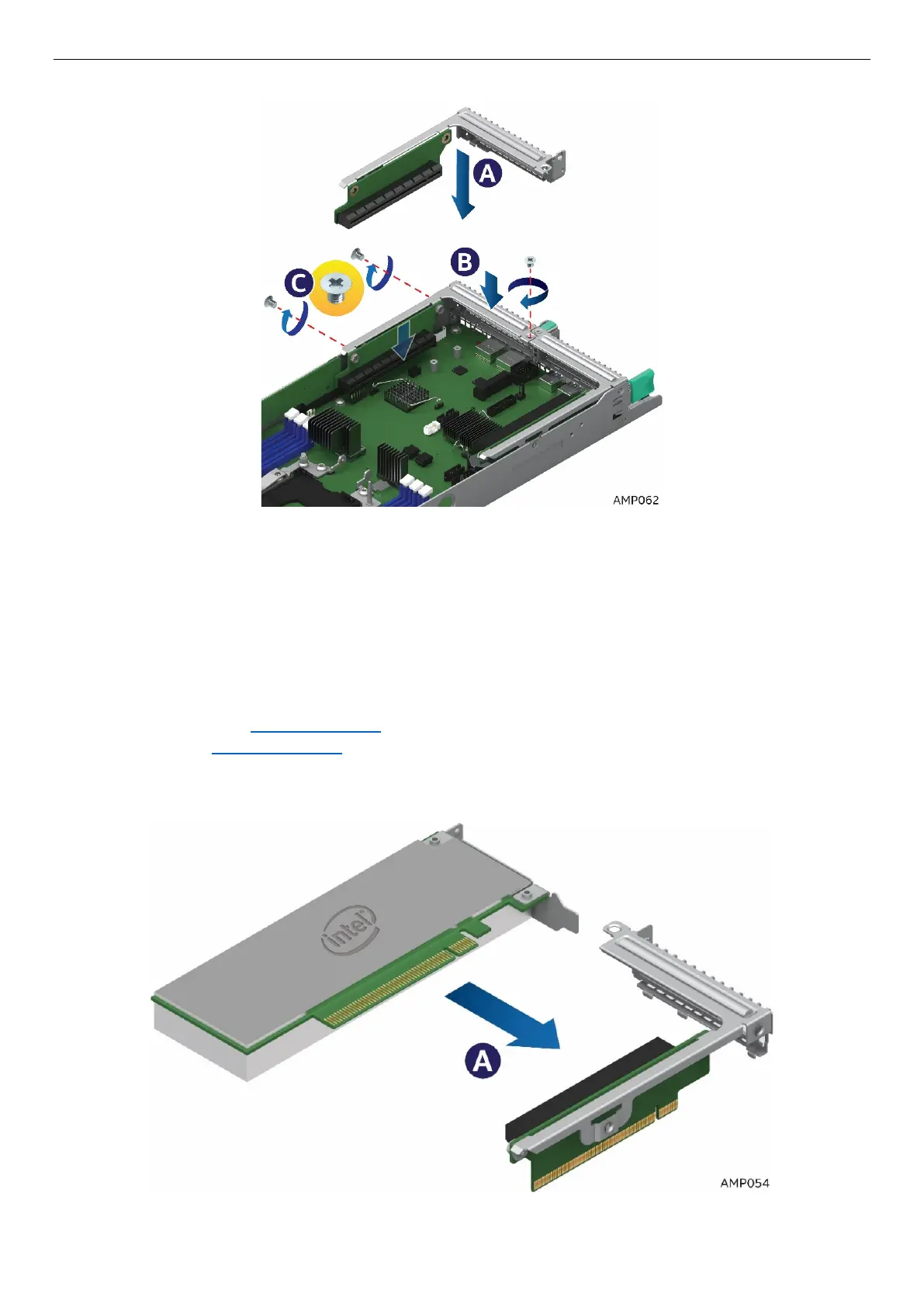
5. Tighten the 3 screws (See C)
Figure 53. Installing Riser 2
2.8 Installing and Removing an Add-In Card - Riser Slot 1
2.8.1 Installing a PCIe* Add-In Card Riser 1
1. Power off the compute module and disconnect the power cable(s).
2. Remove the air duct. See section 2.3.1
.
3. Remove Riser 1 See section 2.7.1
4. Remove the filler panel and attach the Add-In Card to the riser card assembly.
5. Insert the PCIe* Add-In Card into the riser slot (See letter A).
Figure 54. Installing the PCIe* Add-In Card– Step 1



 To Next Page