2.5.1 PHM Disassembly
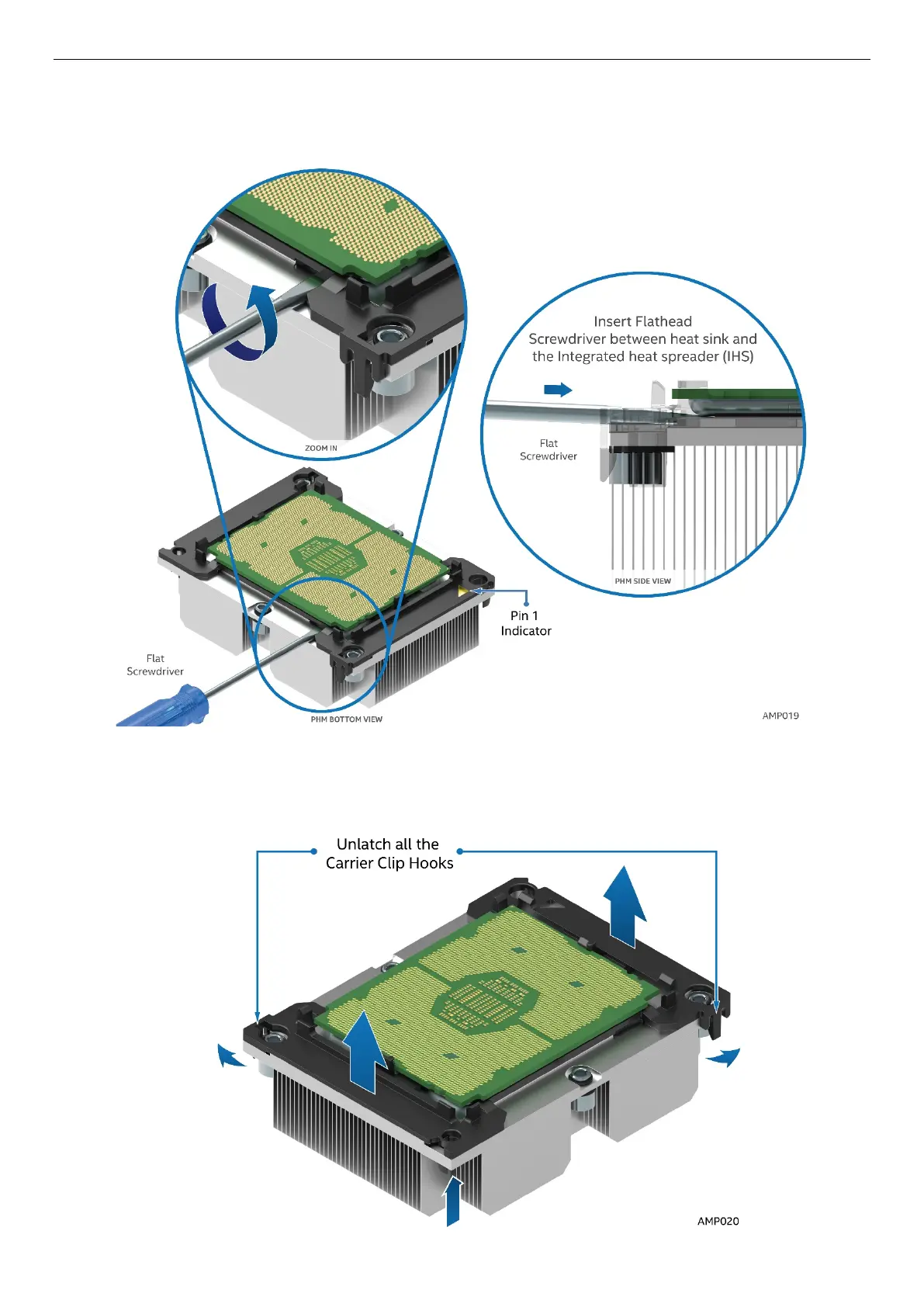
1. Place the PHM (heat sink down) onto a flat surface.
2. To remove the processor and clip sub-assembly from the heat sink, using a flat head screw driver,
carefully release the bond between processor and heat sink as shown in the following illustration.
Figure 30. PHM Disassembly
3. Unlatch the hooks on each corner of the processor carrier clip to free the processor carrier from the
heat sink.
4. Carefully lift the processor sub-assembly away from the heat sink.
Figure 31. Releasing the Processor Carrier Clip from the Heat Sink



 To Next Page