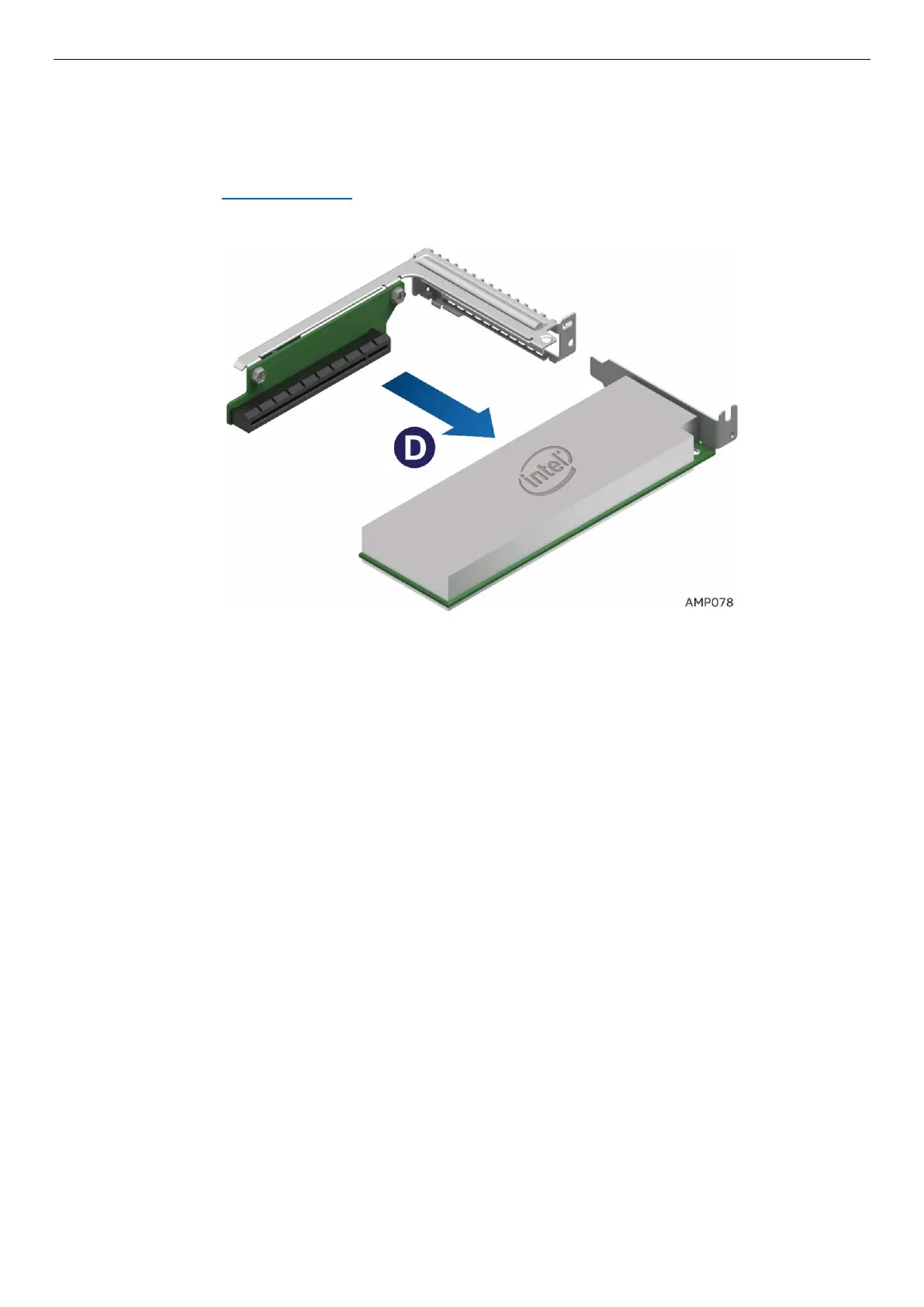
Figure 64. Lift out the Riser and Add-In-Card– Step 2
6. Remove the Add-In Card from the riser (See letter D).
7. Re-install the filler panel
8. Re-install Riser 2 See section 2.7.4
Figure 65. Remove the Add-In-Card from Riser 2– Step 3
2.10 Installation and Removal of the Intel® Omni-Path Fabric
Processor Kit.
The Intel® Xeon™ Phi™ x200 Product Family CPUs with integrated Intel® Omni-Path Fabric is required for
use in conjunction with the Intel® Fabric Through (IFT) carrier for full fabric connectivity. The following
sections will provide procedures on how to install and remove the optional Intel® Omni-Path Fabric
Processor Kit (iPC – AXX2PFABKIT) and the Intel® Xeon™ Phi™ (Fabric) processor. The IFT Carrier card is
installed in PCIe* Riser Slot 1. Refer to the S7200AP Family Configuration Guide & Spares/Accessories List
for ordering details.
Note: The Intel® Omni-Path Fabric Processor Kit is not supported when Intel® Xeon™ Phi™ 72x5 Product
Family CPUs are installed.
2.10.1 Fabric Processor Kit Components
1. The Intel® Omni-Path Fabric Processor Kit consists of the following components:
a) Intel® Fabric Through (IFT) carrier card
b) Intel® Omni-Path Fabric Sideband Cable
c) Intel® Omni-Path Fabric Processor Cable
d) Fabric CPU carrier assembly



 To Next Page