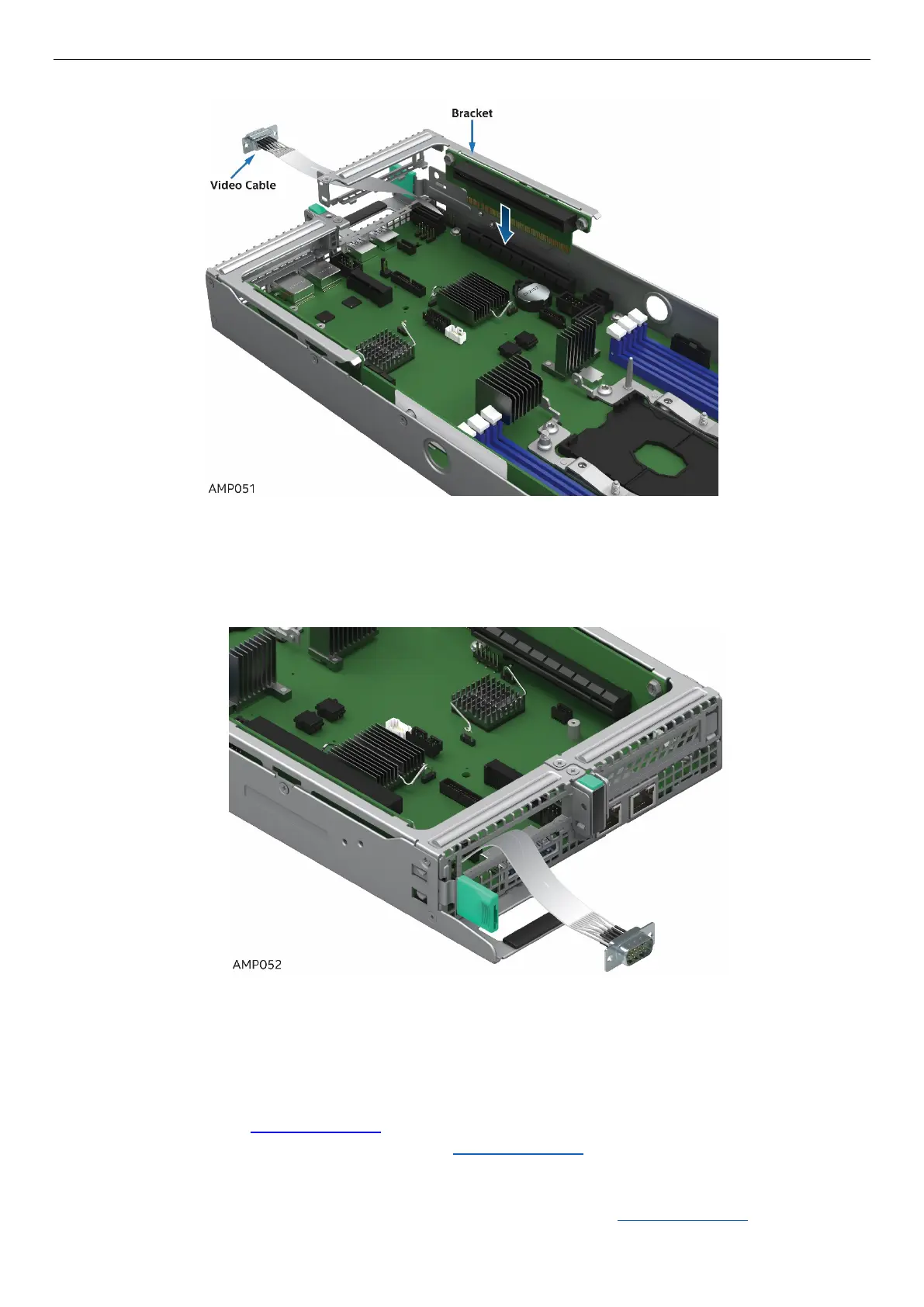
7. Reseat Riser 1 with video cable back into Riser Slot 1. Re-install and tighten all Riser 1 screws.
Figure 89. Reseat Riser with video cable
8. Ensure that video cable is properly routed through to the rear of the system.
Figure 90. Video Cable Routing
2.19.2 Removing the Video Debug Cable
1. Power off the compute module and disconnect the power cable(s).
2. Remove the air duct. See section 2.3.1
.
3. Follow the procedures to remove PCIe* Riser 1. See section 2.7.1.
4. After lifting Riser 1 up slightly out of the system, unplug the VGA connector from the board.
5. Carefully route the video cable through Riser 1 slot and out of the system.
6. Re-install Riser 1 and/or the PCIe* Add-In Card back into the system. See section 2.7.2



 To Next Page