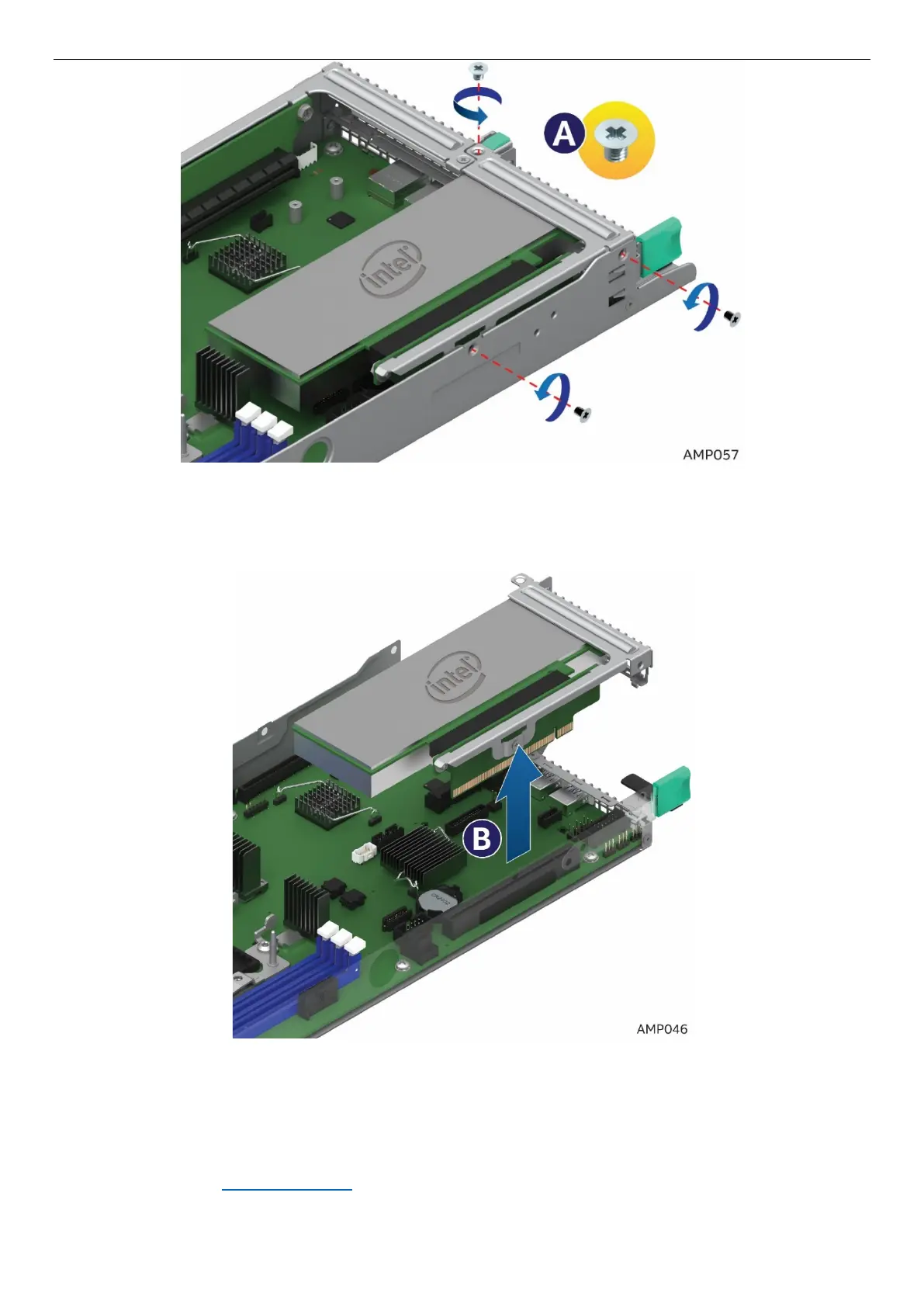
Figure 57. Removing the PCIe* Add-In Card – Step 1
2. Pull the Add-In Card assembly up and out (See letter B).
Figure 58. Removing the PCIe* Add-In Card – Step 2
3. Remove the Add-In Card from the riser (See letter C).
4. Re-install the filler panel
5. Re-install Riser 1 See section 2.7.2



 To Next Page