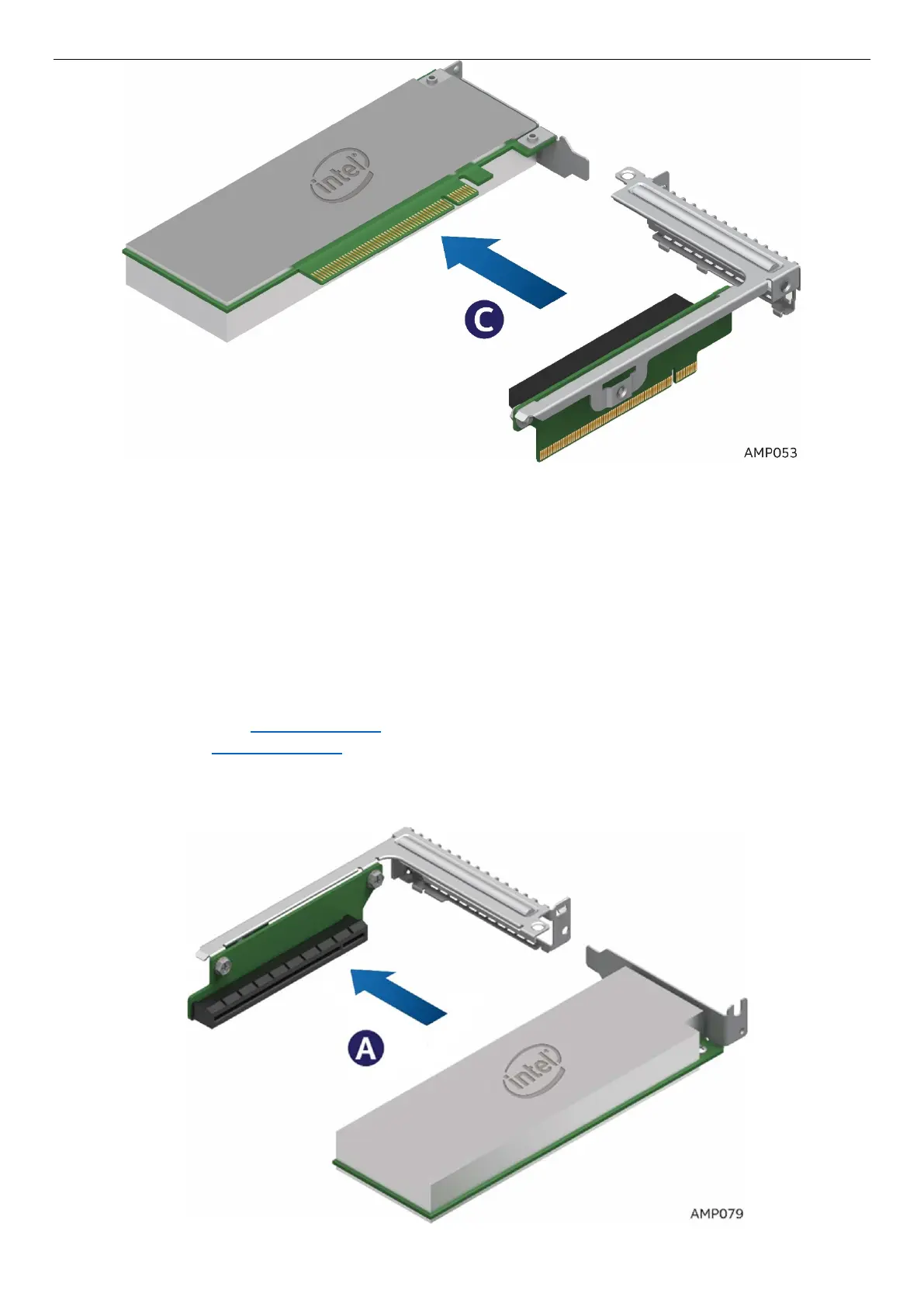
Figure 59. Removing the PCIe* Add-In Card– Step 3
2.9 Installing and Removing an Add-In Card - Riser Slot 2
2.9.1 Installing a PCIe* Add-In Card Riser 2
Note: Riser Slot 2 has two Riser options. Select the appropriate Riser (PCIe*X8 or X16 riser for slot 2) for
your configuration. See the product configuration guide and technical product specification for details.
1. Power off the compute module and disconnect the power cable(s).
2. Remove the air duct. See section 2.3.1
.
3. Remove Riser 2 See section 2.7.3
4. Remove the filler panel and attach the Add-In Card to the riser card assembly.
5. Insert the PCIe* Add-In Card into the riser slot (See letter A).



 To Next Page