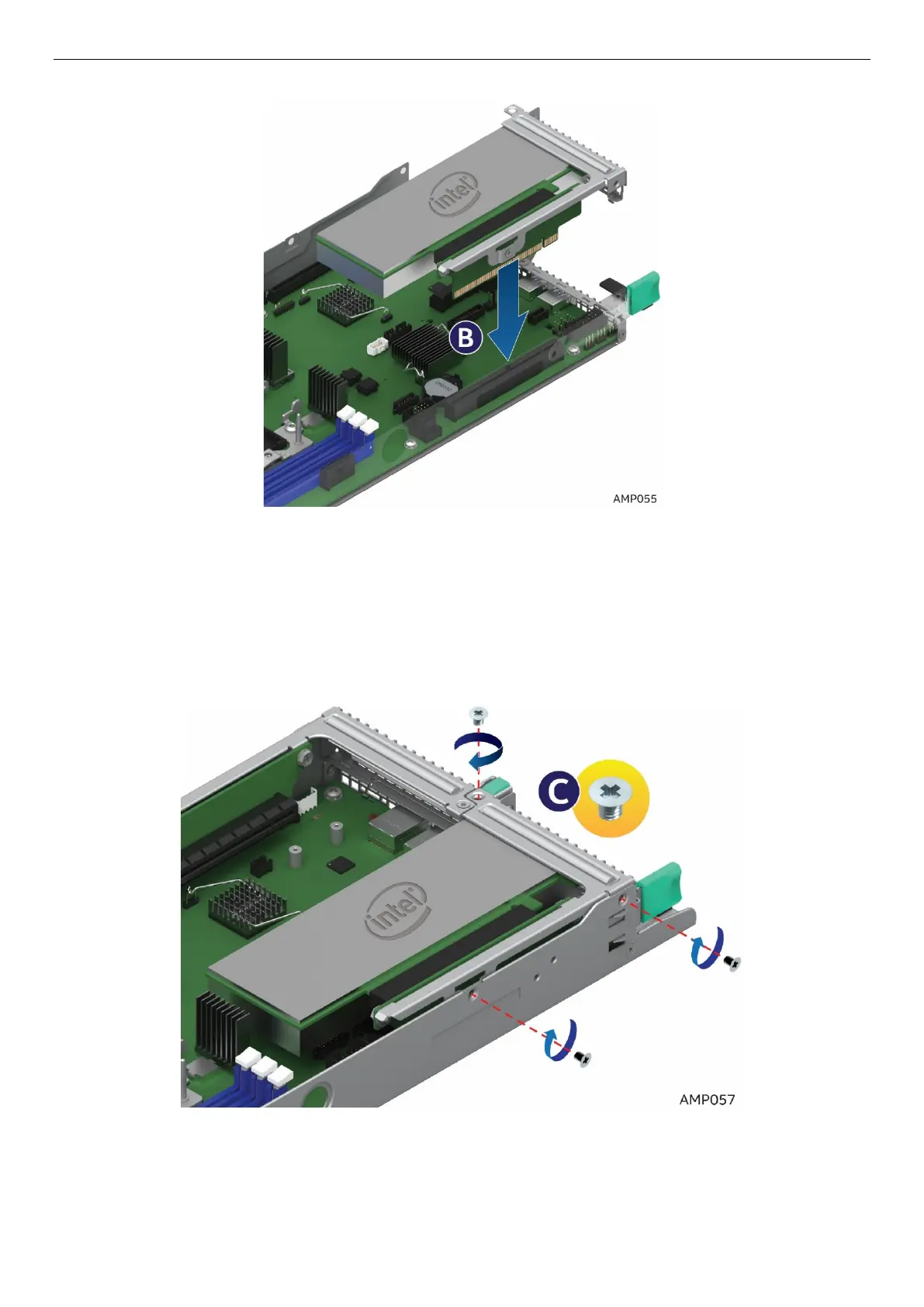
6. Align and insert the PCIe* riser assembly into the Riser Slot 1 on the server board (See letter B).
Figure 55. Installing the PCIe* Add-In Card – Step 2
7. Install and tighten the three screws (See letter C).
Figure 56. Installing the PCIe* Add-In Card – Step 3
2.8.2 Removing a PCIe* Add-In Card Riser 1
1. Loosen the three screws (See letter A).



 To Next Page