2.12 Installing and Removing the Intel® Remote Management
Module 4 Lite
2.12.1 Installing the Intel® RMM4 Lite
1. Power off the compute module and disconnect the power cable(s).
2. Remove the air duct. See section 2.3.1
.
3. Remove the Intel® RMM4 Lite from its package.
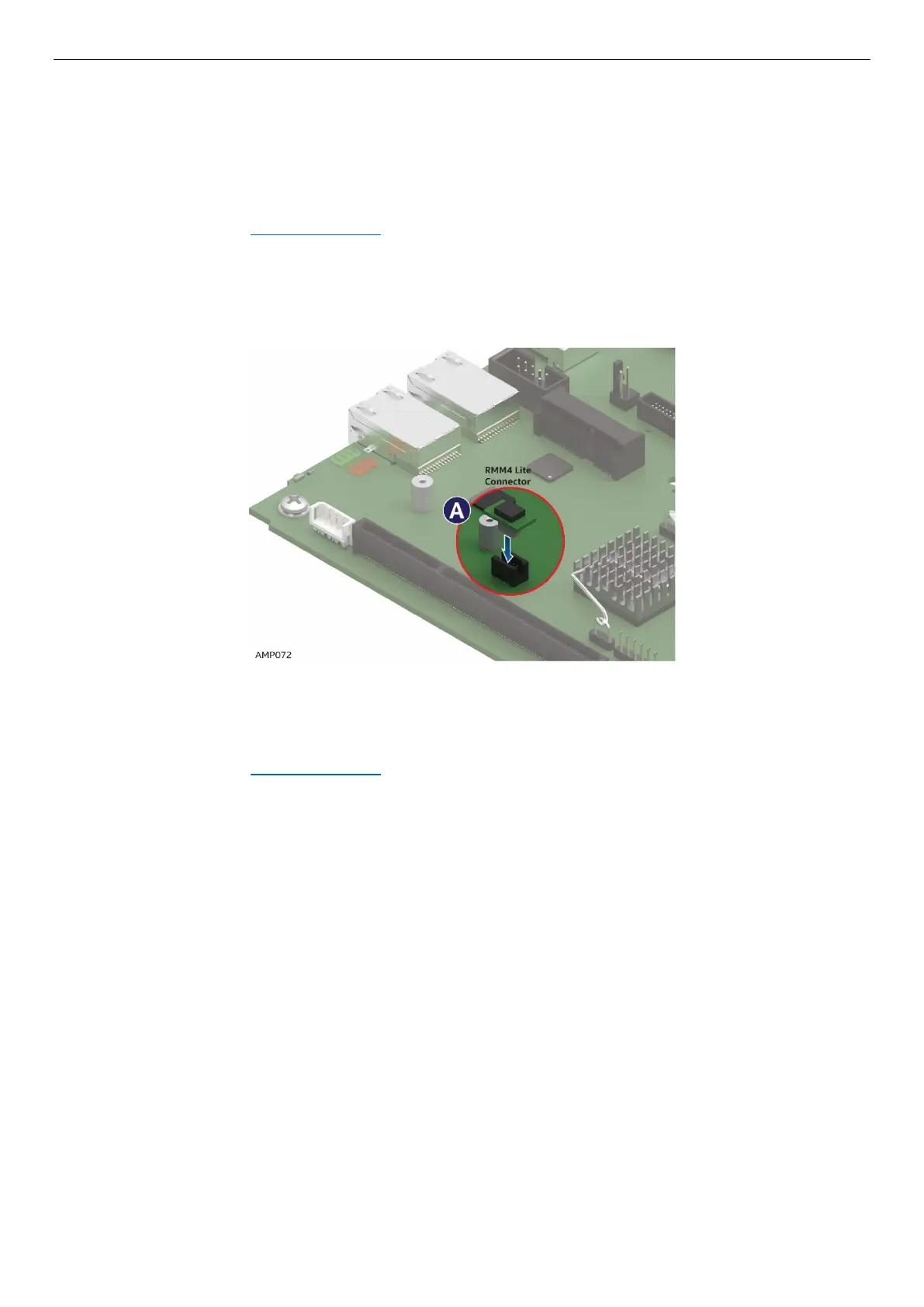
4. Locate the RMM4 Lite connector on the server board next to the Riser Slot 2.
5. Place the Intel® RMM4 Lite over the connector and match the orientation of the Intel® RMM4 Lite to
that of the connector (See letter A).
6. Press the Intel® RMM4 Lite down onto the connector.
Figure 74. Installing the Intel® RMM4 Lite
2.12.2 Removing the Intel® RMM4 Lite
1. Power off the compute module and disconnect the power cable(s).
2. Remove the air duct. See section 2.3.1
.
3. Carefully grasp the Intel® RMM4 Lite and pull it up until it disengages from the connector.



 To Next Page